
Imagine walking into your home and having the lights automatically adjust to your preferred brightness, the temperature already set to your liking, and your security system armed without lifting a finger. For many people, this scenario once seemed like science fiction, but today, learning how to set up a smart home from scratch is more accessible and affordable than ever. Whether you’re a tech enthusiast or someone who simply wants to make your daily life more convenient, building a smart home doesn’t require advanced technical skills or a massive budget.

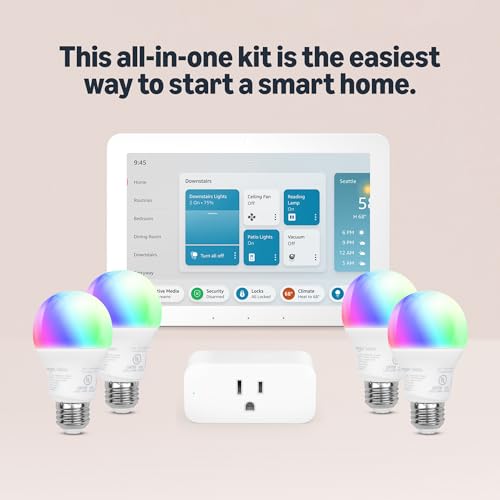
Echo Hub Smart Home Starter Kit with Alexa+ & Smart Bulbs
- Getting started with smart home has never been easier - An all-in-one kit with a quick guided setup makes starting your smart home easy.
- A setup so easy, it feels like magic - Just unbox, plug it in, and tap to get started.
- One hub with endless possibilities - the Echo Hub works with thousands of connected cameras, lights, locks, plugs, thermostats, speakers, and more—bringing your smart devices together in one convenient hub.
- Peace of mind, anytime - The included four lights can be easily set to make it look like you’re home when you’re away.
- Works with thousands of Alexa-compatible devices like Ring security cameras to build a smarter, safer home.
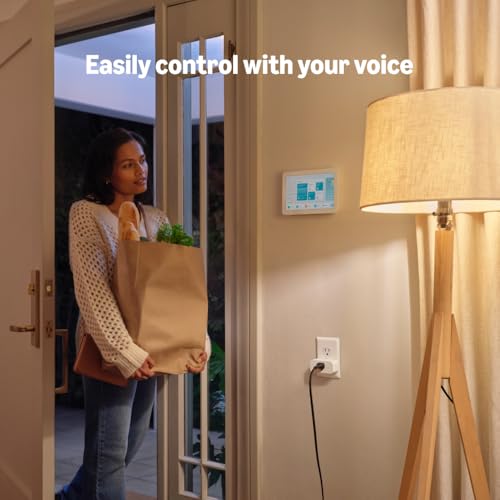
- Create your Alexa+ home: With Alexa+, set routines using just your voice, control multiple devices at once, and chat casually to make requests.


As an Amazon Associate we earn from qualifying purchases. Product prices and availability are accurate as of the date/time indicated.
The smart home market has evolved significantly, and in 2026, the options available to you are better than ever. You no longer need to commit to a single ecosystem or make expensive mistakes that lock you into outdated technology. This guide walks you through the entire process of how to set up a smart home from scratch, covering everything from choosing your first devices to creating automations that genuinely improve your quality of life.
By the end of this article, you’ll understand the foundational steps needed to build a smart home that works for your lifestyle, fits your budget, and grows with your needs over time.
Understanding Smart Home Basics Before You Start
Before diving into how to set up a smart home from scratch, it’s important to understand what makes a home “smart” and how the different components work together. A smart home is essentially a network of internet-connected devices that communicate with each other and can be controlled remotely through your smartphone, voice commands, or automated routines.
The Three Core Components of Any Smart Home
Every smart home setup relies on three essential elements working together. First, you need smart devices (like lights, thermostats, and locks) that can connect to the internet and respond to commands. Second, you need a reliable home network with strong WiFi coverage throughout your space. Third, you need a control system, which can be as simple as a smartphone app or as sophisticated as a dedicated smart home hub that manages all your devices.
Choosing Your Smart Home Ecosystem
One of the first decisions you’ll make when learning how to set up a smart home from scratch is selecting which ecosystem to use. The three major platforms are Amazon Alexa, Google Assistant, and Apple Siri, each with its own strengths and device compatibility. You don’t necessarily need to commit exclusively to one platform, as many modern smart devices work with multiple ecosystems. However, having a primary platform makes voice control and automation much simpler. Consider which devices you already own, which voice assistant you prefer, and which ecosystem has the best device selection for your specific needs.
Planning Your Smart Home Setup
Proper planning is crucial when you’re figuring out how to set up a smart home from scratch. Taking time upfront to assess your needs and create a roadmap prevents wasted money and frustration down the line.
Assess Your Priorities and Budget
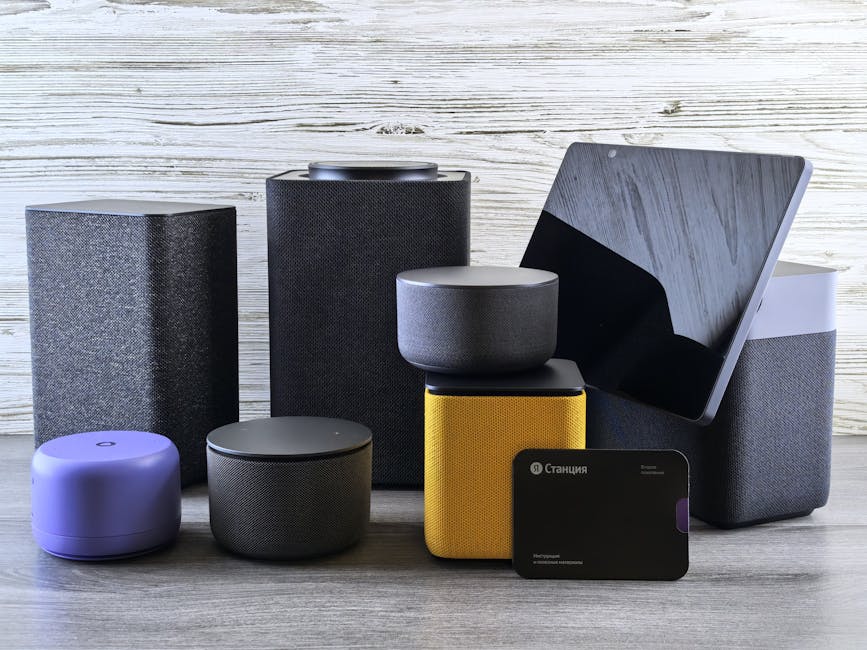
Start by identifying which areas of your home would benefit most from automation. Are you primarily interested in security and peace of mind? Do you want to reduce energy consumption? Are you looking for convenience and comfort? Your priorities will guide which devices you purchase first. Next, determine your budget. Smart home setups can range from under $100 for a basic starter kit to several thousand dollars for comprehensive automation. A smart approach is to start small, perhaps with a smart speaker and a few essential devices, then expand gradually as you understand what works for your lifestyle.
Evaluate Your Home’s WiFi Infrastructure
Before you buy any smart devices, honestly assess your home’s WiFi coverage. Smart home devices need reliable internet connectivity to function properly. If you have dead zones in your home or spotty coverage in certain rooms, you’ll need to address this first. Consider whether your current router is powerful enough to handle multiple connected devices simultaneously. Many people upgrading their home network find that a mesh WiFi system provides the coverage and reliability that smart home devices require. This investment often pays dividends in overall smart home reliability.
Create a Phased Implementation Plan
When learning how to set up a smart home from scratch, resist the urge to buy everything at once. Instead, create a phased plan. Phase one might include a smart speaker and smart lighting in your most-used rooms. Phase two could add smart thermostats and door locks. Phase three might incorporate advanced automations and additional devices. This approach lets you learn gradually, avoid buyer’s remorse, and spread costs over time. It also prevents the common mistake of purchasing devices that don’t work well together or don’t fit your actual usage patterns.
Essential Devices for Your First Smart Home Setup
When you’re ready to start purchasing devices for how to set up a smart home from scratch, begin with these foundational options that provide the most immediate value and easiest implementation.
Smart Speaker or Display
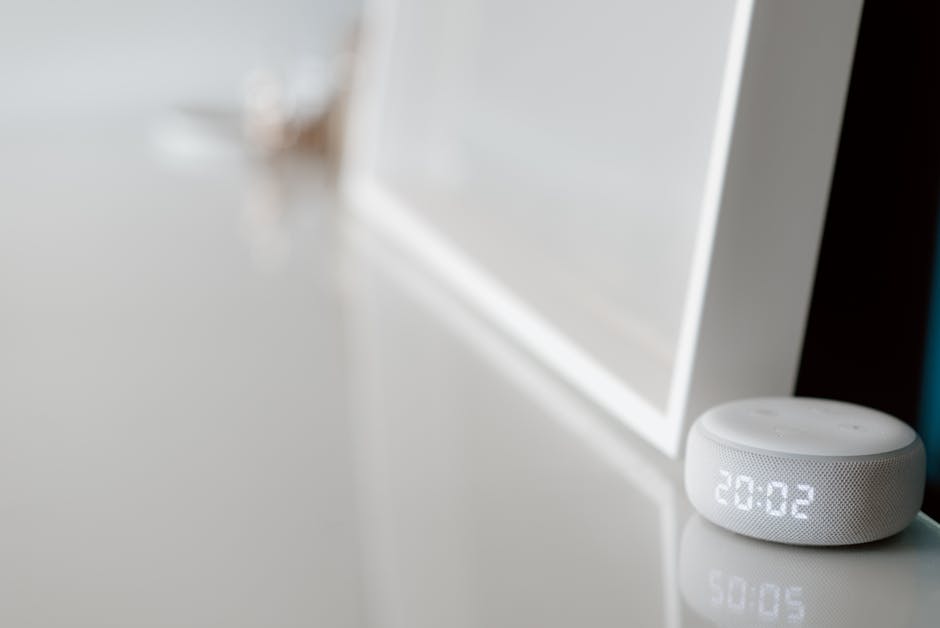
A smart speaker serves as the central control point for your smart home. It allows voice control of your devices, provides information on demand, and can serve as a hub for managing automations. Even if you choose not to use a dedicated smart home hub initially, a smart speaker is an inexpensive entry point that helps you understand how voice control works and which devices would genuinely improve your life. Many people find that having a smart speaker in their kitchen or bedroom becomes indispensable within weeks of setup.
Smart Lighting
Smart bulbs or smart switches are often the first devices people add after a smart speaker. Lighting automation offers immediate, visible benefits. You can schedule lights to turn on gradually in the morning, automatically turn off when you leave home, or adjust color temperature throughout the day. Smart lighting is also one of the most forgiving categories to start with because if something doesn’t work as expected, you can simply revert to manual control. The barrier to entry is low, and the quality-of-life improvement is often surprisingly significant.
Smart Thermostat
A smart thermostat offers substantial energy savings and comfort improvements. These devices learn your temperature preferences and schedule, automatically adjusting your HVAC system to optimize comfort while reducing energy consumption. Many smart thermostats provide detailed energy usage reports that help you understand your heating and cooling patterns. Installation typically requires some basic electrical knowledge, but most modern smart thermostats include clear instructions, and many homeowners can handle the installation themselves.
Smart Door Lock
A smart lock eliminates the need to fumble for keys and provides security benefits like remote access and activity logs. You can grant temporary access to guests or service providers without being home, receive notifications when someone enters or leaves, and lock your door remotely if you forgot. Most smart locks retrofit onto existing deadbolts without requiring significant modifications to your door, making installation straightforward for most people.
Security Cameras and Sensors
Smart security cameras and door/window sensors provide peace of mind and valuable data about your home’s security. Modern cameras offer high-quality video, night vision, and the ability to receive alerts when motion is detected. Sensors on doors and windows let you know when entry points are opened or if motion is detected in specific areas. These devices work together to create a comprehensive security system that you can monitor from anywhere.
Step-by-Step Setup Process
Now that you understand what devices to start with, let’s walk through the actual process of how to set up a smart home from scratch in practical steps.
Step One: Strengthen Your WiFi Network
Begin by testing your current WiFi signal strength in different areas of your home using a WiFi analyzer app on your smartphone. If you’re seeing weak signals in areas where you plan to place smart devices, invest in a mesh WiFi system or additional access points. Ensure your WiFi network uses a strong password and is updated to the latest security standards. This foundation is critical because all your smart devices depend on reliable connectivity.
Step Two: Set Up Your Smart Speaker or Hub
Start with a smart speaker, which serves as your primary control point. Download the corresponding app (Amazon Alexa, Google Home, or Apple Home) on your smartphone. Follow the app’s setup wizard to create or log into your account, connect to your home WiFi, and configure basic settings. Place the speaker in a central location where you’ll use voice commands frequently. Test basic functions like asking for weather, playing music, and controlling the brightness of any existing smart lights.
Step Three: Add Smart Lighting
After your speaker is working, add smart bulbs or switches to one room. Choose either smart bulbs (which screw into existing fixtures) or smart switches (which replace your current light switch). Follow the device’s pairing instructions, which typically involve resetting the device and adding it through your smart home app. Start with one room to ensure everything works properly before expanding. Once paired, test voice control by asking your smart speaker to turn the lights on and off.
Step Four: Install Your Smart Thermostat
Before installing a smart thermostat, turn off power to your HVAC system at the breaker. Take a photo of your current thermostat’s wiring before removing it. Follow your smart thermostat’s installation guide carefully, connecting wires to the appropriate terminals. Once installed, restore power and use the device’s app to complete setup. Configure your preferred temperature schedule and connect it to your smart home ecosystem. If you’re uncomfortable with electrical work, hire a professional installer.
Step Five: Add Smart Locks and Security
Install your smart lock according to the manufacturer’s instructions. Most locks require removing your existing deadbolt and installing the smart lock in its place. This usually takes 15-30 minutes with basic tools. After installation, add the lock to your smart home app and test remote locking and unlocking. Install security cameras in strategic locations like your front door, back patio, and any other entry points. Ensure cameras have clear views and adequate WiFi signal strength.
Step Six: Create Basic Automations
Once your devices are installed and working, create simple automations to experience the full benefits of your smart home. Start with basic routines like “Good Morning” (lights gradually brighten and thermostat adjusts) or “Leaving Home” (lights turn off, thermostat adjusts, and door locks). Most smart home platforms make this easy through their apps without requiring any coding knowledge. Begin with automations that provide obvious value, then expand as you become more comfortable with the system.
Pro Tips and Best Practices
Start With One Ecosystem
While it’s tempting to mix devices from different ecosystems, starting with one primary platform makes automation and voice control much simpler. Once you understand how your chosen ecosystem works, you can gradually add compatible devices from other manufacturers.
Prioritize Security From Day One
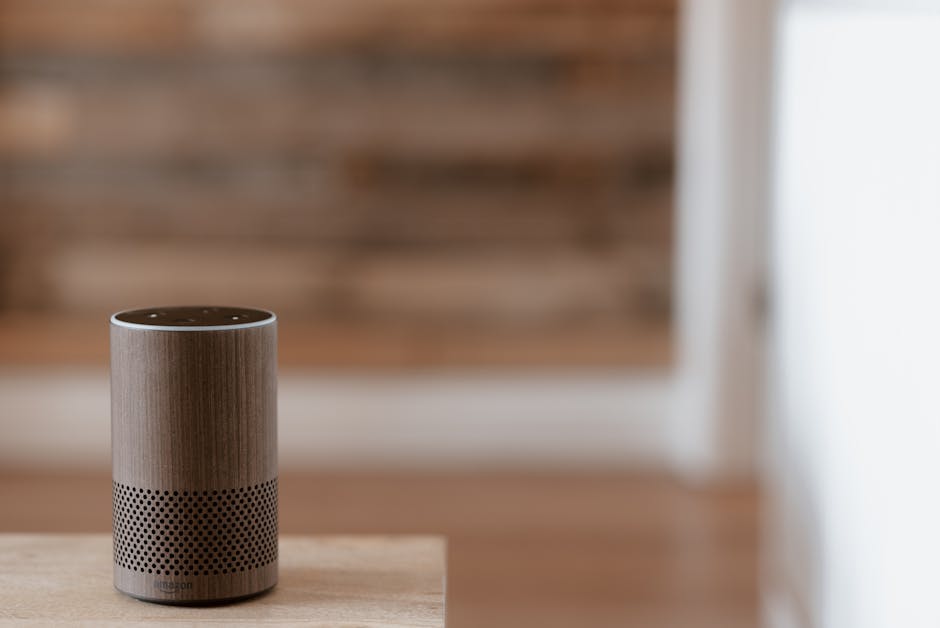
Use strong, unique passwords for all your smart home accounts and enable two-factor authentication wherever available. Regularly update firmware on all devices and consider using a separate WiFi network for IoT devices if your router supports it.
Keep Documentation and Passwords Organized
Store login credentials, device serial numbers, and setup instructions in a secure location. This information becomes invaluable when troubleshooting problems or setting up new devices later.
Test Automations Before Relying on Them
Run new automations several times in different conditions before depending on them for critical functions. What works perfectly in your office might behave differently with variable WiFi signals or internet connectivity.
Plan for Redundancy in Critical Systems
For important functions like door locks and security systems, ensure you have backup methods if your smart home system fails. A smart lock should still open with a physical key, and your security system should function even if internet connectivity is lost.
Invest in a Dedicated Smart Home Hub
Once your setup grows beyond a few devices, consider adding a dedicated smart home hub. A hub provides local control that doesn’t depend on cloud connectivity and enables more complex automations. For detailed setup instructions, check out our guide on how to set up a smart home hub for comprehensive control and reliability.
Common Mistakes to Avoid
Buying Too Many Devices at Once
Purchasing your entire smart home setup simultaneously often leads to buyer’s remorse and wasted money. Devices that seemed essential in the store might not fit your actual lifestyle. Start small and expand based on real-world usage patterns.
Neglecting Your WiFi Network
Many people underestimate the importance of a robust WiFi network. Smart devices are only as reliable as the connectivity they depend on. Weak WiFi is the root cause of most smart home frustration, so invest in your network infrastructure first.
Ignoring Privacy and Security Settings
Smart home devices collect data about your habits and home. Take time to understand privacy settings, disable data sharing you’re uncomfortable with, and use strong passwords. Your security is worth the extra setup time.
Creating Overly Complex Automations
It’s easy to get carried away creating intricate automations with multiple conditions and actions. Start with simple, reliable automations that provide obvious benefits. Complex automations are often the first to malfunction and cause frustration.
Forgetting About Physical Controls
Always maintain traditional ways to control critical devices. A light switch should still work even if your smart home system is offline. This principle is especially important for locks, thermostats, and security systems.
Conclusion
Learning how to set up a smart home from scratch doesn’t have to be overwhelming or expensive. By starting with a clear plan, choosing the right foundational devices, and implementing them systematically, you’ll create a smart home that genuinely improves your daily life. Remember that your smart home will evolve over time as you discover what works for your lifestyle and as new technology becomes available.
The key is to start small, test thoroughly, and expand gradually. Begin with a smart speaker and one or two essential devices, master the basics, then add more sophisticated automation as you become comfortable. If you’re ready to take your setup to the next level, our comprehensive guide on how to set up a smart home hub will help you create more advanced automations and improve reliability across your entire system.
Take that first step today. Choose your ecosystem, pick up a smart speaker, and experience the convenience of controlling your home from anywhere. Your future self will thank you for the effort you invest now in building a smarter, more comfortable home.
Recommended Products

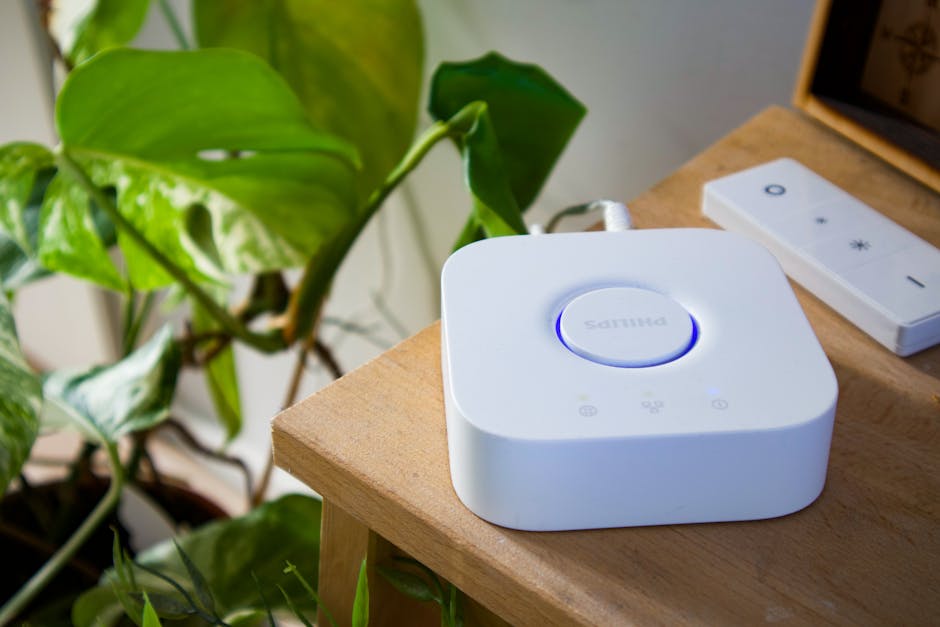
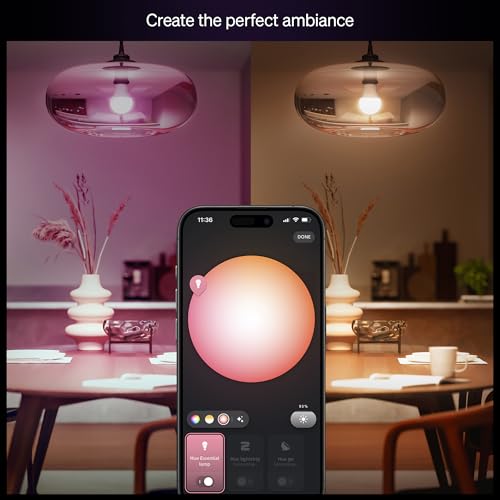
Philips Hue Essential Starter Kit, Bridge + 4 E26 Smart Bulbs
- WHAT'S IN THE BOX - This starter kit includes one Hue Bridge and four E26 smart light bulbs; to get started, install your Bridge and color changing light bulb using the Hue app, and you’re ready to go
- CREATE AMBIANCE WITH COLOR - Set the mood with millions of colors and a library of preset light scenes designed by Hue’s lighting experts—with special holiday scenes and the option to create your own
- DIM EASILY - Adjust from full brightness all the way down to 2% using the Hue app to achieve the right level of lighting with your smart light bulb, whether you’re reading or unwinding before bed
- CONTROL WITH YOUR VOICE - Connect to your preferred home assistant and control your led light bulb effortlessly with voice commands—compatible with Alexa, Google Assistant, and Apple Home



As an Amazon Associate we earn from qualifying purchases. Product prices and availability are accurate as of the date/time indicated.

Kasa Smart Plug 4-Pack HS103P4 - Voice Control WiFi Outlet
- Voice control: Kasa smart plugs that work with Alexa and Google Home Assistant. Enjoy the hands free convenience of controlling any home electronic appliances with your voice via Amazon Alexa or Google Assistant. Compatible with Android 5.0 or higher and iOS 10.0 or higher
- Smart Outlet Control from anywhere: Turn electronics on and off your smart home devices from anywhere with your smartphone using the Kasa app, whether you are at home, in the office or on vacation
- Scheduling: Use timer or countdown schedules to set your wifi smart plug to automatically turn on and off any home electronic appliances such as lamps, fan, humidifier, Christmas lights etc. The Kasa app is free and compatible with iOS 10.0 or later.
- Easy set up and use: 2.4GHz Wi-Fi connection required. Plug in, open the Kasa app, follow the simple instructions and enjoy
- Trusted and reliable: Designed and developed in Silicon Valley, Kasa is trusted by over 5 Million users and being the reader’s choice for PCMag 2020. UL certified for safety use.



As an Amazon Associate we earn from qualifying purchases. Product prices and availability are accurate as of the date/time indicated.
Frequently Asked Questions
How much does it cost to set up a smart home from scratch?
A basic smart home setup with a smart speaker, a few smart bulbs, and a smart thermostat typically costs between $200 and $500. You can start with less and expand gradually, or invest more for a comprehensive system with security cameras and additional devices.
Do I need a smart home hub to set up a smart home from scratch?
You don’t absolutely need a dedicated hub to start, as a smart speaker can control many devices directly. However, a dedicated hub provides local control, better reliability, and enables more advanced automations as your system grows.
Which smart home ecosystem is best for beginners?
Amazon Alexa and Google Assistant are both excellent for beginners due to their large device ecosystems and user-friendly apps. Choose based on which voice assistant you prefer and which devices are most compatible with your needs.
Can I mix devices from different brands in my smart home?
Yes, most modern smart devices work with multiple ecosystems. However, starting with one primary platform simplifies setup and automation. You can add compatible devices from other brands once you’re comfortable with your system.
What should I do if my smart home devices keep disconnecting from WiFi?
Weak WiFi is usually the culprit. Move your router closer to devices, consider a mesh WiFi system, reduce interference from other electronics, and ensure your router firmware is updated. You can also try moving devices closer to the router temporarily to diagnose the issue.
How do I improve indoor air quality with smart home devices?
Smart home technology can help monitor and improve air quality through connected air purifiers, humidity sensors, and ventilation systems. For detailed guidance, check out our article on how to improve indoor air quality with smart home solutions.


Write Your Review
No reviews yet. Be the first to share your experience!