

How Much Data Does a Video Doorbell Actually Consume?
Quick Answer: A typical video doorbell uses between 5 to 50 GB of data per month, depending on resolution, frame rate, and activity level. Standard 1080p models with motion-triggered recording consume roughly 10-15 GB monthly. Higher resolutions like 2K or 4K can reach 30-50 GB per month. Continuous recording uses significantly more bandwidth than event-based recording. Most users with standard internet plans won’t experience noticeable impacts, but heavy users or those with limited data caps should monitor consumption closely.
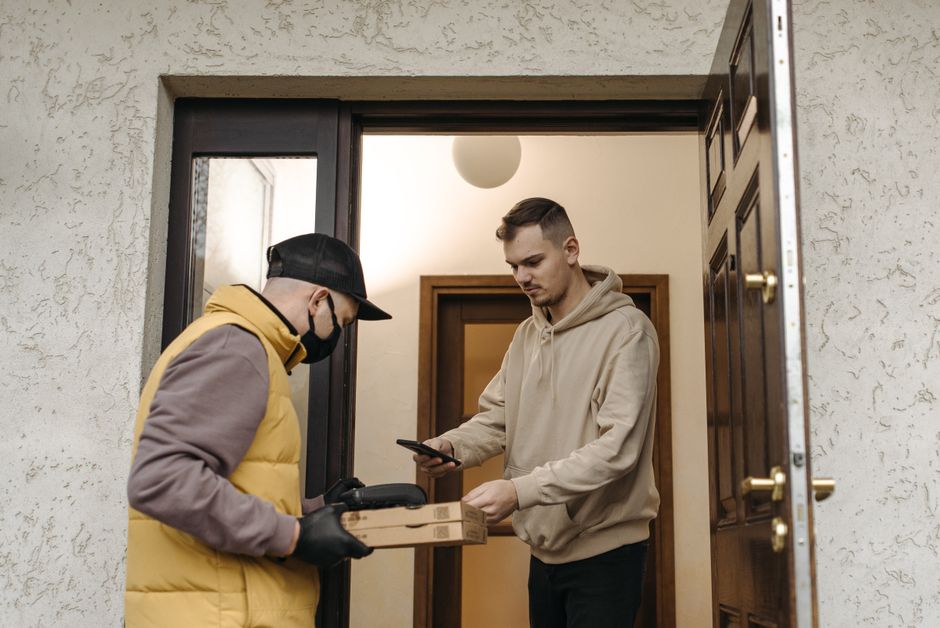
Video doorbell data usage varies dramatically based on several factors. Resolution quality, recording frequency, and compression methods all play critical roles. Understanding these variables helps you choose the right device for your internet plan. Modern video doorbells in 2026 offer multiple resolution options to balance quality with bandwidth needs.
Your internet plan matters more than you might think. Most homes with broadband connections can handle standard video doorbell usage without issues. However, users with satellite internet or strict data limits should calculate their specific needs. This guide breaks down exactly what impacts data consumption and how to manage it effectively.
Understanding Video Doorbell Data Consumption Basics
Video doorbells transmit continuous streams or recorded clips to cloud servers. The amount of data depends on how often they record and at what quality. Motion detection reduces unnecessary uploads by only recording when activity occurs. This feature significantly lowers monthly data usage compared to continuous recording modes.
Resolution is the primary driver of data consumption. A 1080p video doorbell uses less bandwidth than a 2K model recording the same duration. Compression algorithms also matter—modern H.265 codec reduces file sizes by 40-50% compared to older H.264 standards. Frame rates between 15-30 fps are standard, with higher rates consuming more data.
What Factors Determine Your Video Doorbell’s Data Usage?
Multiple variables influence how much data your doorbell consumes monthly. Understanding each factor helps you predict your actual usage and optimize settings. No two homes have identical consumption patterns due to traffic, weather, and activity levels.
Resolution and Video Quality Settings
Higher resolution directly increases data consumption. A 1080p doorbell records at 1920×1080 pixels, while 2K models use 2560×1440 or similar. The difference is substantial—2K video uses roughly 2-3 times more data than 1080p for the same duration. 4K doorbells, though rare in 2026, consume even more bandwidth.
- 1080p video: approximately 0.5-1 MB per second of recording
- 2K video: approximately 1.5-2.5 MB per second of recording
- 4K video: approximately 3-5 MB per second of recording
- Compression (H.265 vs H.264): reduces data by 40-50%
Key Takeaway: Choosing 1080p over 2K can cut your monthly data usage in half while maintaining acceptable image quality.
Recording Frequency and Motion Detection
Continuous recording uses vastly more data than motion-triggered recording. A doorbell recording 24/7 at 1080p could consume 500+ GB monthly. Most users benefit from motion detection, which only records when activity occurs. This approach reduces consumption to 10-20 GB monthly for typical homes.
Motion sensitivity settings affect how often your doorbell records. High sensitivity triggers on passing cars or animals, increasing data usage. Lower sensitivity records only significant activity like people approaching. Adjusting these settings in your app helps balance security with bandwidth concerns.
How Do Different Recording Modes Impact Data Usage?
Video doorbells offer multiple recording modes, each with distinct data implications. Selecting the right mode depends on your security needs and internet limitations. Most users find motion-triggered recording provides the best balance.
Motion-Triggered Recording
Motion detection activates recording only when movement is detected. Average homes with typical foot traffic see 20-40 motion events daily. Each event records 10-30 seconds of video, depending on your settings. This mode typically consumes 10-15 GB monthly for 1080p doorbells.
You can customize motion zones to reduce false triggers. Ignoring areas like sidewalks or streets prevents unnecessary recordings. Some advanced doorbells in 2026 use AI to distinguish between people, packages, and vehicles. This intelligence reduces irrelevant recordings and saves bandwidth.
Continuous Recording Mode
Continuous recording captures every moment without waiting for motion. This mode provides complete coverage but dramatically increases data usage. A 1080p doorbell recording continuously uses approximately 500-700 GB monthly. Most users with standard internet plans avoid this mode.
Continuous recording is best for high-security environments or businesses. Residential users typically find motion detection sufficient. If you need 24/7 coverage, consider local storage options to reduce cloud uploads. Check out our guide on which video doorbells have free local storage for alternatives.
Scheduled Recording
Scheduled recording activates during specific times, like when you’re away. This hybrid approach offers security without constant data consumption. Recording from 8 AM to 6 PM on weekdays might use 5-10 GB monthly. Scheduling reduces data while maintaining reasonable coverage for most households.
Key Takeaway: Motion-triggered recording provides optimal balance between security and bandwidth for typical homeowners.
How Much Monthly Data Should You Budget for a Video Doorbell?
Realistic monthly data estimates help you choose the right plan and device. Most video doorbell users fall into predictable consumption ranges. Your specific usage depends on your home’s activity level and settings.
Typical Monthly Data Usage by Scenario
- Light use (low traffic, motion detection): 5-10 GB monthly
- Moderate use (standard home, motion detection): 10-20 GB monthly
- Heavy use (busy street, frequent motion): 20-40 GB monthly
- Continuous recording (1080p): 500-700 GB monthly
- Continuous recording (2K): 1000-1500 GB monthly
Most suburban homes with motion detection fall into the moderate category. Urban properties with higher foot traffic may reach heavy usage. These estimates assume standard 1080p resolution with H.265 compression. Actual usage varies based on weather, seasons, and neighborhood activity.
Comparing to Your Internet Plan
Check your internet service provider’s data cap, if applicable. Many providers offer unlimited plans, making video doorbell usage negligible. Others impose monthly limits ranging from 500 GB to 1 TB. A 1 TB cap accommodates multiple smart home devices including a video doorbell.
Upload speed matters more than total data for video doorbells. These devices require consistent upload bandwidth, not download speed. Typical upload speeds of 5-10 Mbps easily handle one or two video doorbells. Multiple doorbells or simultaneous streams may require faster connections.
Key Takeaway: Most homes with unlimited internet plans won’t notice video doorbell data usage.
What Settings Help Reduce Video Doorbell Data Consumption?
Optimizing your doorbell settings can cut data usage significantly. Most adjustments require only minutes in your device’s mobile app. Finding the right balance between security and efficiency is key.

Practical Tips to Lower Data Usage
- Reduce resolution from 2K to 1080p—cuts usage roughly in half
- Lower frame rate from 30 fps to 15 fps—reduces data by 50%
- Enable motion detection instead of continuous recording
- Adjust motion sensitivity to avoid false triggers from animals or vehicles
- Set recording schedules for when you’re away, not 24/7
- Use local storage for backup instead of continuous cloud uploads
- Enable compression—ensure H.265 codec is active if available
Start with motion detection at medium sensitivity. Monitor your data usage for a week. If consumption exceeds your comfort level, lower resolution or reduce frame rate. Most users find 1080p at 15 fps with motion detection perfectly adequate.
Advanced Optimization Techniques
Some 2026 video doorbells offer intelligent features that reduce unnecessary uploads. Person detection ignores motion from animals or vehicles. Package detection alerts you without recording every passing car. These AI-powered features significantly lower data consumption for busy locations.
Local storage provides an alternative to cloud uploads. Devices with microSD card slots or local NVR integration store footage locally first. You can then choose which clips to upload to the cloud. This approach minimizes bandwidth while maintaining security footage.
Learn more about local storage options in our comprehensive guide on video doorbells with free local storage. Understanding how your specific doorbell works helps optimize settings effectively. Check our article on how video doorbells work for technical details.
How Do Cloud Storage Plans Affect Data Usage Calculations?
Cloud storage subscriptions often include bandwidth allowances. Understanding these limits helps you choose appropriate plans. Different manufacturers offer varying storage options with distinct data implications.
Typical Cloud Storage Plans in 2026
Most video doorbell manufacturers offer tiered cloud storage plans. Basic plans might store 24-48 hours of footage. Premium plans extend retention to 30-60 days. Storage duration doesn’t directly increase data usage—it’s how much you upload that matters.
Some plans include unlimited uploads within resolution limits. Others throttle upload quality if you exceed monthly thresholds. Reading your plan’s fine print reveals actual bandwidth allowances. A plan offering “unlimited 1080p storage” differs from one limiting uploads to 100 GB monthly.
Many doorbells work without paid cloud storage by using local recording. This approach eliminates cloud data concerns entirely. You maintain footage locally and upload selectively. This hybrid approach appeals to privacy-conscious users and those with data limits.
Can Video Doorbell Data Usage Impact Your Internet Speed?
While data consumption matters, upload bandwidth is more critical. Video doorbells require consistent upload speed, not high volume. Most homes have sufficient bandwidth for standard doorbells.
Understanding Upload Speed Requirements
A 1080p video doorbell at 15 fps typically requires 0.5-1 Mbps upload speed. This is minimal compared to typical home broadband. Two doorbells might need 1-2 Mbps total. Most internet plans provide 5-10 Mbps upload speed, offering plenty of headroom.
Streaming video doorbell footage live uses more bandwidth temporarily. Watching your doorbell camera on your phone while someone streams Netflix uses additional bandwidth. However, this simultaneous usage is typically brief and manageable. Problems arise only with very slow connections below 2 Mbps upload speed.
If your internet frequently struggles, prioritize upload speed over total data. A connection with 3 Mbps upload can handle multiple video doorbells. Check your provider’s specifications or run a speed test to verify your upload capacity.
Key Takeaway: Upload speed matters more than total monthly data for video doorbell performance.
What Happens if You Exceed Your Internet Data Cap?
Data cap overage consequences vary by provider. Understanding your plan’s policies prevents unexpected charges or service throttling. Most providers offer options for managing overages.
Some internet providers charge per GB over the limit, ranging from $1-10 per extra GB. Others throttle speeds once you exceed the cap. A few providers offer unlimited plans for modest monthly increases. Review your service agreement to understand your specific situation.
Video doorbell usage rarely causes overage issues alone. A doorbell using 20 GB monthly leaves 480 GB for other devices on a 500 GB plan. Problems arise when combining multiple smart home devices, streaming services, and general internet usage. Calculate your total household consumption before worrying about doorbells specifically.
If you’re concerned about data limits, contact your provider about unlimited plans. Many providers in 2026 offer competitive unlimited options. Upgrading might cost less than managing overages from multiple devices.
Frequently Asked Questions
How much data does a video doorbell use per hour?
A 1080p video doorbell with motion detection uses approximately 50-150 MB per hour of actual recording time. Continuous recording at 1080p consumes roughly 1.8-3.6 GB per hour. The difference depends on compression, frame rate, and resolution. Most doorbells record only 5-10% of the time with motion detection enabled.
Do video doorbells work without cloud storage?
Yes, many video doorbells in 2026 support local storage via microSD cards or local NVR systems. Local storage eliminates cloud data usage entirely. You can view footage locally and selectively upload important clips. This approach appeals to privacy-conscious users and those with strict data limits.
Will a video doorbell slow down my WiFi?
A single video doorbell won’t noticeably slow your WiFi if your connection is adequate. These devices require minimal bandwidth—typically 0.5-1 Mbps upload speed. Problems occur only with very slow connections or when multiple devices stream simultaneously. Test your upload speed to verify sufficiency.
Which video doorbell uses the least data?
Video doorbells with 1080p resolution and motion detection use the least data. Models offering H.265 compression consume 40-50% less than those using H.264. Adjusting frame rate to 15 fps and enabling motion detection further reduces consumption. Specific models vary, but these settings matter more than brand.
Can I reduce data usage by lowering video quality?
Absolutely. Reducing resolution from 2K to 1080p cuts data usage roughly in half. Lowering frame rate from 30 fps to 15 fps reduces consumption by 50%. Enabling motion detection instead of continuous recording provides the largest reduction. Most users find these compromises acceptable for bandwidth savings.
How do I monitor my video doorbell’s data usage?
Most manufacturer apps display bandwidth statistics. Check settings or account pages for data usage metrics. Some apps show real-time upload speed and monthly totals. If your app lacks this feature, contact the manufacturer’s support team. Alternatively, monitor your router’s traffic logs for specific device bandwidth.
Conclusion: Managing Your Video Doorbell’s Data Footprint
Video doorbell data usage ranges from 5 GB monthly for light users to 500+ GB for continuous recording. Most homeowners with motion detection fall into the 10-20 GB monthly range. Understanding your specific needs and settings helps optimize consumption without sacrificing security. Resolution, frame rate, and recording mode are the primary factors controlling bandwidth usage.
Modern video doorbells in 2026 offer flexible options for managing data consumption. Motion detection, local storage, and adjustable quality settings provide multiple optimization paths. Most internet plans easily accommodate standard video doorbell usage. If you have data limits, prioritize motion detection and 1080p resolution for optimal balance.
Choosing the right doorbell involves considering both features and bandwidth impact. Review our guide on video doorbell installation requirements for complete setup information. Combining proper settings with understanding your internet plan ensures you maximize security while minimizing data concerns. Your specific usage will likely be lower than worst-case scenarios, leaving plenty of bandwidth for other household devices.




Write Your Review
No reviews yet. Be the first to share your experience!