

What Is the Difference Between Wired and Wireless Security Cameras in 2026? Quick Answer
Wired security cameras connect directly to power and network cables, offering reliable 24/7 operation without battery concerns. Wireless cameras use Wi-Fi or cellular connections and battery power, providing flexible placement and easier installation. Wired systems cost more upfront but require less maintenance; wireless systems are simpler to install but need regular battery checks. Your choice depends on budget, installation complexity, power availability, and whether you prioritize reliability or convenience. In 2026, hybrid systems combining both technologies are increasingly popular for comprehensive home security.
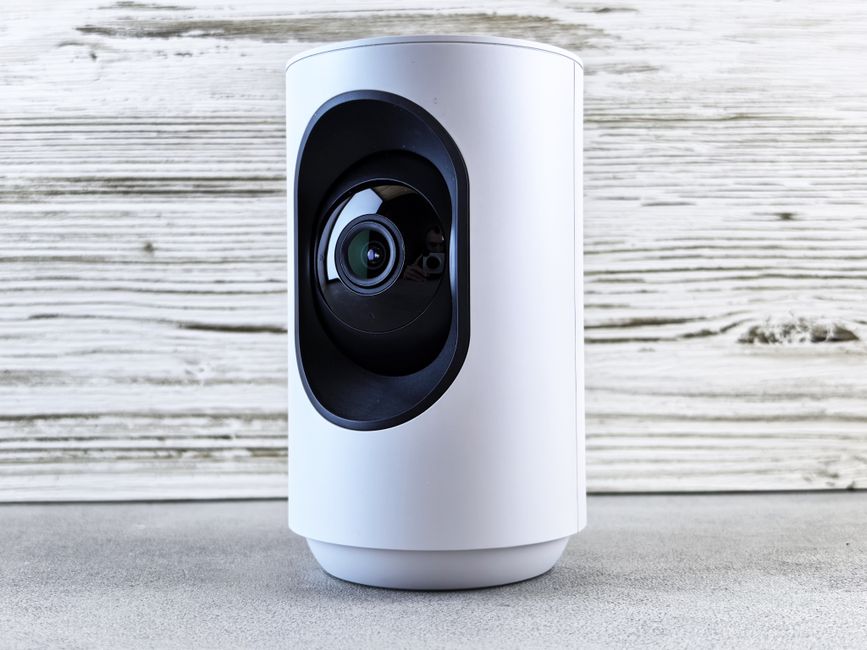
Security camera technology has evolved dramatically over the past five years. Today’s market offers sophisticated options for every homeowner, from renters needing portable solutions to property owners installing permanent systems. Understanding the fundamental differences between wired and wireless cameras helps you make an informed decision that matches your specific security needs and living situation.
How Do Wired Security Cameras Work and What Are Their Key Advantages?
Wired security cameras connect directly to a power source via electrical cables and transmit video through dedicated network lines or coaxial cables. This continuous power supply means they operate around the clock without battery depletion. The dedicated connection ensures stable, uninterrupted video feeds with minimal latency or buffering issues.

Installation requires running cables through walls, ceilings, or conduit systems. This process demands more planning and labor but creates a permanent, reliable security infrastructure. Many homeowners hire professionals for proper cable management and concealment, ensuring a clean installation.
Key Advantages of Wired Systems
- 24/7 operation without battery replacement or charging cycles.
- Superior video quality due to stable power and dedicated bandwidth.
- No Wi-Fi dependency; works even if internet drops temporarily.
- Lower long-term operating costs after initial installation.
- Better for high-traffic areas requiring continuous monitoring.
Wired cameras excel in permanent installations where reliability matters most. Businesses, banks, and security-conscious homeowners often prefer wired systems for critical areas like entrances and driveways.
Key Takeaway: Wired cameras provide uninterrupted, high-quality surveillance through continuous power and dedicated connections.
How Do Wireless Security Cameras Work and What Are Their Key Advantages?
Wireless security cameras transmit video and audio over Wi-Fi or cellular networks without physical cable connections. They run on rechargeable batteries or replaceable battery packs, offering flexibility in placement and installation. Setup typically takes minutes rather than hours, making them ideal for renters and temporary installations.
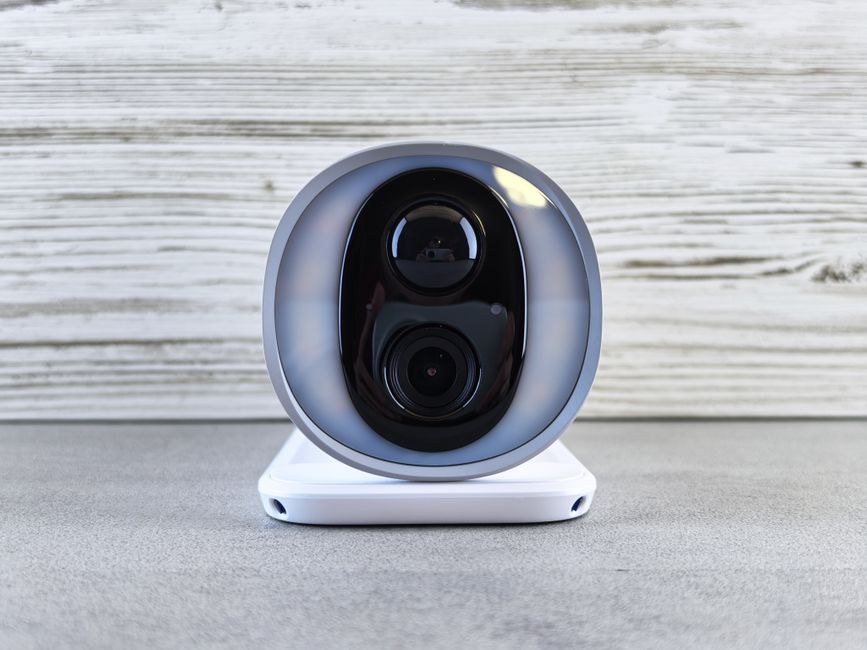
Modern wireless cameras in 2026 feature advanced battery technology lasting weeks or months between charges. Cloud storage options backup footage automatically, and smartphone apps provide real-time alerts and remote viewing from anywhere. These cameras adapt easily to changing security needs without rewiring or professional installation.
Key Advantages of Wireless Systems
- Simple DIY installation without drilling or running cables.
- Flexible placement in any location with Wi-Fi coverage.
- Portable; move cameras between properties as needed.
- Lower upfront costs compared to wired infrastructure.
- Easy integration with smart home systems and mobile apps.
Wireless cameras suit renters, small properties, and temporary monitoring needs. They work well for monitoring secondary areas like backyards, garages, or vacation homes where installation permanence isn’t required.
Key Takeaway: Wireless cameras offer convenience and flexibility through battery power and Wi-Fi connectivity, perfect for non-permanent installations.
What Are the Installation Differences Between Wired and Wireless Systems?
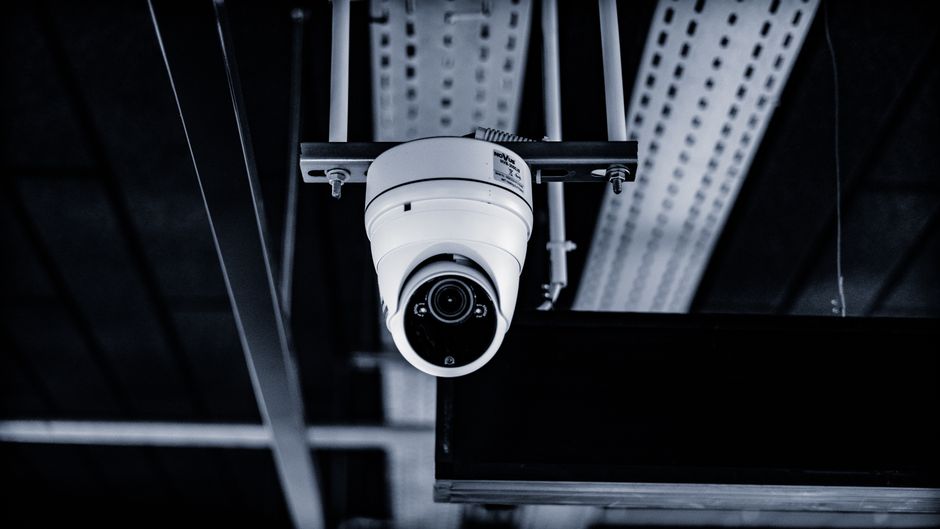
Wired camera installation demands careful planning and often professional help. You must route cables through walls, plan cable paths, and ensure proper weatherproofing for outdoor runs. This process typically takes one to three days depending on system complexity and property layout.
Wireless installation is straightforward. Mount the camera on a wall or pole, connect it to Wi-Fi through a smartphone app, and you’re monitoring within minutes. No drilling, no cable management, and no electrical work required. This simplicity makes wireless cameras perfect for quick deployments.
Installation Complexity Comparison
- Wired: Requires drilling, cable routing, electrical connections, and often professional installation.
- Wireless: Mount camera, power on, scan QR code, connect to Wi-Fi through app.
- Wired timeline: 1-3 days including cable concealment and testing.
- Wireless timeline: 15-30 minutes per camera from unboxing to live feed.
- Skill level needed: Wired requires professional or advanced DIY; wireless suits any user.
Professional installation for wired systems typically costs $500-$2000 depending on cable runs and system size. Wireless systems eliminate this labor cost entirely, making them budget-friendly for immediate security needs.
Key Takeaway: Wired systems require professional installation and planning; wireless cameras offer instant, DIY setup.
How Do Power and Battery Requirements Compare Between These Systems?
Wired cameras draw power directly from electrical outlets or dedicated power supplies, eliminating battery concerns entirely. They operate continuously without maintenance, making them ideal for properties where constant surveillance is critical. The only power-related consideration is ensuring backup power during outages through UPS systems.
Wireless cameras rely on rechargeable lithium batteries or replaceable battery packs. Modern models in 2026 offer impressive battery life—many last 30-90 days between charges depending on activity levels and camera features. Cold weather reduces battery performance, requiring more frequent charging in winter months.
Battery and Power Specifications
- Wired cameras: Continuous 12V DC or AC power; no maintenance required.
- Wireless cameras: 2000-5000 mAh batteries; 30-90 day charge cycles typical.
- Motion detection drains wireless batteries faster due to increased processing.
- Night vision and 4K recording reduce wireless battery life significantly.
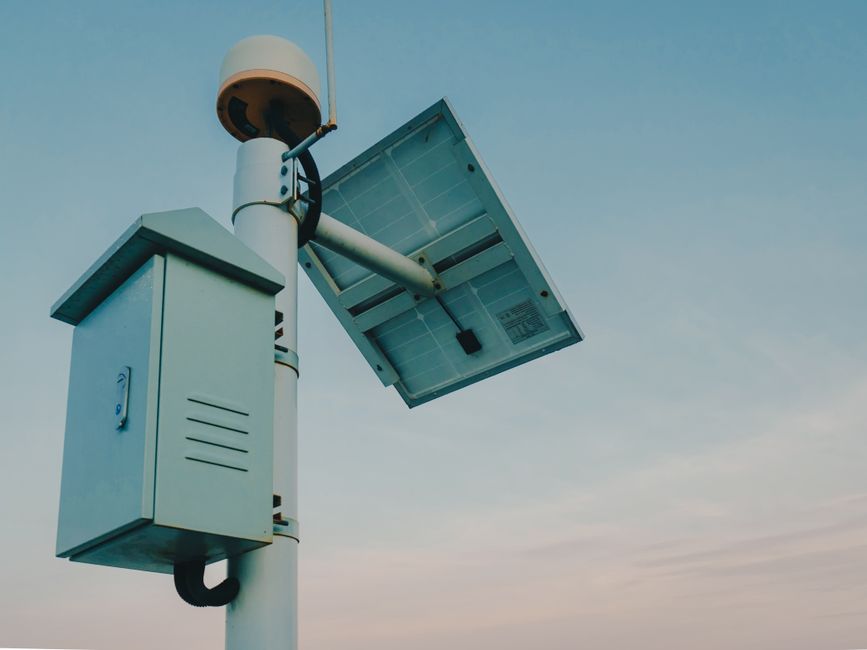
- Solar charging panels available for wireless cameras in sunny locations.
Battery-powered cameras benefit from solar panels, extending charge cycles indefinitely in sunny climates. This option adds $50-$150 to the initial cost but eliminates ongoing charging duties for outdoor cameras.
Key Takeaway: Wired systems require constant power access; wireless systems need periodic battery charging or solar supplements.
What Are the Cost Differences and Long-Term Financial Implications?
Wired security systems demand higher initial investment. A four-camera wired system with professional installation costs $1500-$4000 including equipment, labor, and cable infrastructure. However, ongoing costs are minimal—just occasional maintenance and potential cable repairs.
Wireless systems cost $300-$1200 for four cameras with DIY installation. Monthly cloud storage subscriptions range from $5-$20 per camera, adding $240-$480 annually. Over five years, total wireless costs may exceed wired expenses despite lower upfront spending.
Five-Year Cost Breakdown
- Wired system: $2000 equipment + $1500 installation + $200 maintenance = $3700 total.
- Wireless system: $800 equipment + $0 installation + $2000 cloud storage = $2800 total.
- Wired costs remain stable; wireless costs increase with subscription services.
- Battery replacement adds $50-$100 yearly to wireless systems.
- Professional wired installation typically costs $300-$600 per camera.
Budget-conscious homeowners should calculate their five-year costs. Wired systems pay off for permanent installations; wireless systems suit temporary setups or renters avoiding long-term commitments.
Key Takeaway: Wired systems cost more upfront but less over time; wireless systems reverse this equation with higher subscription costs.
Which System Offers Better Reliability and Video Quality in 2026?
Wired cameras deliver superior video quality and reliability. Dedicated network connections prevent bandwidth throttling, enabling higher resolutions and frame rates. Continuous power ensures consistent performance without degradation during low-battery conditions. Professional-grade wired systems rarely experience connectivity issues or dropped feeds.
Wireless cameras depend on Wi-Fi signal strength and internet stability. Distance from routers, interference from other devices, and network congestion can reduce video quality or cause brief disconnections. However, modern wireless cameras in 2026 employ advanced compression and mesh networking, significantly improving reliability compared to earlier generations.
Performance Comparison
- Wired: 4K/8K capable; consistent 30+ fps; zero latency.
- Wireless: 1080p-4K; 15-30 fps; 1-3 second delay typical.
- Wired systems work during internet outages; wireless requires internet.
- Wireless cameras improve with mesh Wi-Fi networks like Thread Protocol systems.
- Cloud storage reliability differs; wired systems use local NVRs for guaranteed backup.
For critical security applications, wired systems remain superior. They guarantee uninterrupted surveillance regardless of network conditions. Wireless cameras work excellently for supplementary monitoring and properties with stable internet.
Key Takeaway: Wired systems provide superior reliability and video quality; wireless systems offer acceptable performance with modern improvements.
How Should You Choose Between Wired and Wireless for Your Home?
Evaluate your property type first. Homeowners with permanent residences benefit from wired systems. Renters, temporary setups, or properties with difficult cable routing favor wireless solutions. Consider your technical comfort level—wireless requires minimal expertise; wired demands professional help or advanced skills.
Assess your internet reliability. Stable, fast Wi-Fi supports wireless cameras effectively. Unstable connections necessitate wired systems with local storage. Think about coverage needs—a small apartment needs fewer cameras than a large property with multiple outbuildings.
Decision-Making Checklist
- Permanent residence or temporary setup?
- Budget for installation labor and equipment?
- Wi-Fi coverage throughout your property?
- Power outlets available at camera locations?
- Willingness to pay ongoing subscription fees?
- Need for 24/7 uninterrupted monitoring?
Many homeowners choose hybrid approaches. Install wired cameras at main entrances and critical areas, then add wireless cameras for flexible supplementary coverage. This strategy balances reliability with convenience and cost-effectiveness.
Key Takeaway: Match your camera system to your living situation, budget, and technical comfort level.
What Integration Options Exist With Smart Home Systems?
Both wired and wireless cameras integrate with modern smart home ecosystems. Wireless cameras connect directly to smart home hubs through Wi-Fi or mesh protocols. Wired systems require network connectivity through dedicated recorders that bridge to smart home platforms. In 2026, most systems support voice control, automation routines, and cross-device integration.
Consider compatibility with your existing smart home setup. If you use smart home hubs or voice assistants, verify camera compatibility before purchasing. Some wireless cameras work seamlessly with multiple platforms; others require specific ecosystems.
Smart Home Integration Features
- Voice control through Alexa, Google Home, or Apple Siri.
- Automated alerts sent to multiple devices simultaneously.
- Integration with smart locks for coordinated access control.
- Routine automation triggering lights or alarms during suspicious activity.
- Cross-platform compatibility increasingly standard in 2026 models.
Wired systems traditionally offered limited smart integration but now support modern protocols. Wireless cameras excel at smart home integration due to their Wi-Fi connectivity and cloud-based architecture. Choose systems supporting open standards for maximum flexibility.
Key Takeaway: Modern systems integrate well with smart homes; verify compatibility with your existing devices.
Practical Tips for Installing and Maintaining Your Security Camera System
Before purchasing, plan your camera placement carefully. Identify entry points, high-traffic areas, and blind spots requiring coverage. Walk your property at different times noting lighting conditions, obstacles, and Wi-Fi signal strength. This planning prevents expensive mistakes and ensures optimal coverage.
For wireless systems, perform a Wi-Fi signal test at each proposed camera location. Use smartphone Wi-Fi analyzer apps to identify dead zones. Position routers centrally and consider mesh systems for large properties. Test battery life under your specific conditions before finalizing placement.
Installation and Maintenance Checklist
- Map entry points and create a coverage diagram before purchasing.
- Test Wi-Fi signal strength at each camera location.
- Mount cameras 8-10 feet high for optimal face recognition.
- Ensure 30-degree downward angle to capture details clearly.
- Clean camera lenses monthly to prevent image degradation.
- Check battery levels weekly in wireless systems during first month.
- Update firmware regularly for security patches and feature improvements.
- Test motion detection sensitivity to reduce false alerts.
Maintenance differs between systems. Wireless cameras need monthly lens cleaning and battery monitoring. Wired systems require occasional cable inspection and connector cleaning. Both benefit from quarterly firmware updates and annual professional inspection.
Position cameras to minimize glare from sunlight or street lights. Avoid pointing directly at windows or reflective surfaces that wash out image quality. Test your system in various lighting conditions before finalizing placement.
Key Takeaway: Plan placement carefully, test conditions thoroughly, and maintain systems regularly for optimal performance.
Frequently Asked Questions
Can wireless security cameras work without Wi-Fi?
Most wireless cameras require Wi-Fi for remote viewing and cloud storage, but some models store footage locally on SD cards or offer cellular backup options. However, you lose real-time alerts and remote access without internet. For reliable operation, stable Wi-Fi is essential. Consider cellular-enabled models if internet reliability concerns you.
How long do wireless camera batteries typically last?
Modern wireless camera batteries last 30-90 days between charges, depending on activity levels, features enabled, and weather conditions. Motion detection, night vision, and 4K recording significantly reduce battery life. Cold weather dramatically decreases performance. Solar panels extend battery life indefinitely in sunny climates, making them worthwhile investments.
Are wired cameras more secure than wireless cameras?
Wired systems are physically more secure since they can’t be jammed or disconnected remotely. However, wireless cameras offer equal cybersecurity when using strong passwords, two-factor authentication, and regular firmware updates. The security difference is minimal in 2026 when proper security practices are followed on both systems.
Can I mix wired and wireless cameras in one system?
Yes, hybrid systems combining wired and wireless cameras are increasingly popular. Use wired cameras for critical permanent areas and wireless for flexible supplementary coverage. Ensure your system’s NVR or hub supports both types and they share compatible software platforms for unified management and viewing.
What resolution should I choose for security cameras?
1080p suffices for most residential applications and provides excellent detail for facial recognition. 2K and 4K offer superior clarity but require more storage and bandwidth. Wired systems handle 4K easily; wireless systems perform better with 1080p-2K to conserve battery and bandwidth.
Do security cameras work in extreme weather?
Both wired and wireless cameras operate in rain, snow, and heat when properly rated. Check IP ratings—IP65 or higher indicates excellent weather resistance. Wireless batteries drain faster in cold weather, requiring more frequent charging. Wired systems perform consistently regardless of temperature, making them superior for harsh climates.
Which Security Camera System Should You Choose in 2026?
The decision between wired and wireless security cameras depends entirely on your circumstances. Homeowners seeking permanent, reliable 24/7 surveillance with minimal ongoing costs should choose wired systems. Renters, property managers, or those needing flexible, quick-deployment solutions benefit from wireless cameras. Budget-conscious buyers weighing short-term needs favor wireless; those planning long-term security infrastructure choose wired.
In 2026, technology has improved both options significantly. Wireless cameras now offer reliability approaching wired systems through advanced mesh networking and cloud integration. Wired systems have become more accessible with simplified installation options. Many security experts recommend hybrid approaches combining both technologies for comprehensive, flexible coverage.
Start by evaluating your property layout, budget, technical skills, and long-term plans. Test Wi-Fi coverage for wireless options or identify cable routes for wired systems. Consider your internet reliability, power availability, and integration needs with existing smart home devices. With careful planning and realistic expectations, either system provides excellent home security protection in 2026.
Key Takeaway: Choose wired for permanent reliability; select wireless for flexibility and convenience; consider hybrid systems for optimal coverage.




Write Your Review
No reviews yet. Be the first to share your experience!