
What Is Energy-Efficient Smart Lighting and How Does It Save You Money?
Energy-efficient smart lighting combines LED technology with intelligent automation to reduce electricity consumption while providing convenient control over your home’s illumination. Smart lighting systems use 75-80% less energy than traditional incandescent bulbs and allow you to schedule lights, adjust brightness remotely, and automate routines through smartphone apps or voice commands. The average household can save $100-200 annually by switching to smart LED lighting, with payback periods typically occurring within 12-18 months. Beyond immediate cost savings, these systems offer convenience, enhanced home security through automated lighting patterns, and integration with broader smart home ecosystems. According to the U.S. Department of Energy, lighting accounts for approximately 10% of residential electricity use, making it an ideal target for efficiency improvements. By combining motion sensors, scheduling features, and dimming capabilities, smart lighting adapts to your lifestyle while minimizing wasted energy on empty rooms or unnecessary brightness levels.
Why Should Beginners Choose Smart Lighting Over Traditional Bulbs?
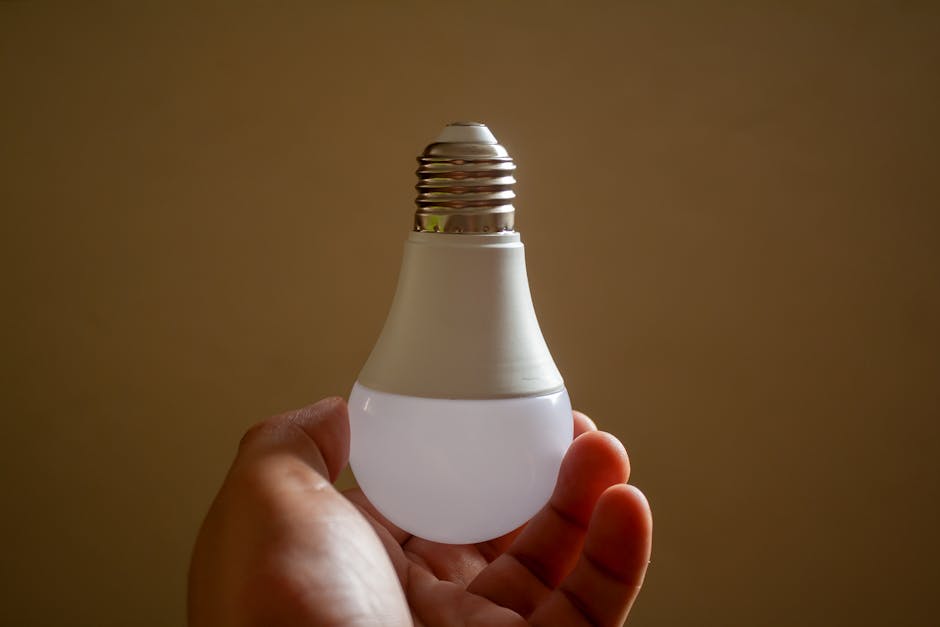
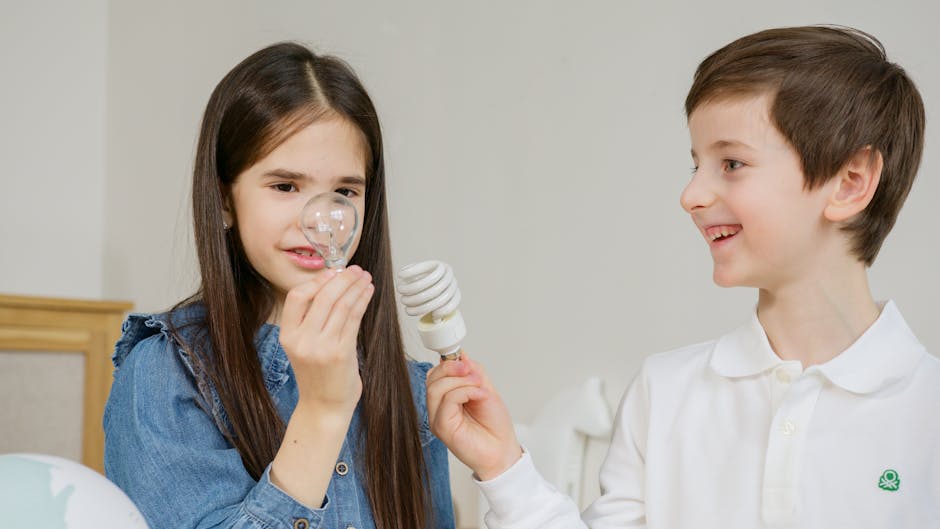
Traditional incandescent and even older CFL bulbs waste significant energy as heat rather than visible light. Smart LED bulbs operate at 90% efficiency, converting nearly all electrical input into usable illumination. The fundamental advantage lies in three areas: energy consumption, lifespan, and control sophistication.
Energy Consumption Differences
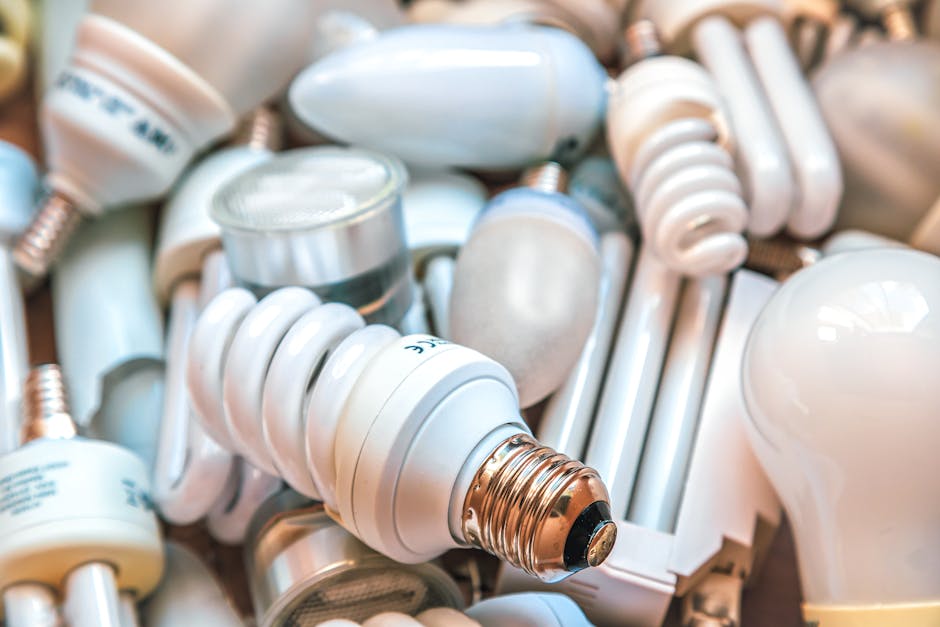
A 60-watt incandescent bulb consumes substantially more power than a 9-watt smart LED producing equivalent brightness. Over a year, this difference compounds significantly. If you replace just ten bulbs throughout your home, the annual energy savings exceed 500 kilowatt-hours, translating to $60-80 in reduced electricity bills depending on your local rates.
Extended Lifespan and Reliability
Smart LED bulbs last 25,000-50,000 hours compared to 1,000 hours for incandescent bulbs. This means fewer replacements, reduced maintenance costs, and less environmental waste. A smart bulb installed in an average room may never require replacement during your ownership of the home.
Intelligent Control and Automation
Smart bulbs enable scheduling, remote dimming, color temperature adjustment, and integration with other smart home devices. You can automate lights to turn on at sunset, adjust brightness based on time of day, or control them remotely while away from home—capabilities completely unavailable with traditional bulbs.
How Do You Choose the Right Smart Lighting System for Your Home?
Selecting an appropriate smart lighting system requires evaluating compatibility, features, budget, and your existing smart home infrastructure. Begin by assessing which rooms benefit most from smart lighting—typically entryways, bedrooms, and living spaces where convenience and security matter most.
Compatibility and Ecosystem Integration
Smart lighting systems operate within ecosystems like Amazon Alexa, Google Home, Apple HomeKit, or Samsung SmartThings. Before purchasing, determine which platform you already use or plan to adopt. Some bulbs work across multiple ecosystems, while others remain exclusive to one platform. Check manufacturer specifications carefully to ensure compatibility with your existing smart home devices. Smart Home Basics for Beginners provides comprehensive guidance on ecosystem selection if you’re starting from scratch.
Budget Considerations
Smart bulbs range from $10-50 per unit depending on features. A basic smart bulb costs less than a premium model with advanced color-changing capabilities. Calculate your total investment by multiplying the number of fixtures you plan to upgrade by the per-bulb cost. Many beginners start with 3-5 bulbs in high-traffic areas to test the system before expanding.
Feature Evaluation
Core features include on/off switching, brightness dimming, and scheduling. Advanced features encompass color changing (16 million colors), circadian rhythm adjustment, occupancy sensing, and energy monitoring. Determine which features align with your lifestyle. If you work irregular hours, scheduling matters less than motion detection. If you value ambiance, color-changing capabilities justify higher costs.
What Are the Common Mistakes Beginners Make With Smart Lighting?
New smart lighting users often encounter preventable issues that diminish their experience and efficiency gains. Understanding these mistakes helps you maximize your investment and satisfaction.
Overcomplicating Initial Setup
Beginners frequently purchase excessive features they never use, increasing costs unnecessarily. Start with basic dimmable smart bulbs in 2-3 key locations. Once comfortable with the system, expand gradually. This approach reduces initial expense while building your knowledge progressively.
Ignoring WiFi Network Stability
Smart bulbs require reliable WiFi connectivity. Poor network strength causes unreliable control and missed automation triggers. Before purchasing, verify your WiFi coverage in target rooms. If signal strength is weak, consider mesh WiFi systems or WiFi extenders. Many smart lighting problems stem from connectivity issues rather than bulb defects.
Neglecting Automation Setup
Purchasing smart bulbs but failing to configure schedules and automations wastes their primary advantage. Spend time setting up routines—morning brightness gradually increasing, evening dimming, away-mode security lighting. These automations deliver the greatest energy and convenience benefits.
Mixing Incompatible Brands
Combining bulbs from different manufacturers without verifying compatibility creates frustrating control fragmentation. Standardize on one ecosystem initially. Once experienced, you can selectively integrate compatible third-party devices.
How Do You Install and Set Up Energy-Efficient Smart Lighting?
Installation is straightforward for most smart bulbs, requiring no special wiring or professional assistance. The process involves physical installation, WiFi connection, and app configuration. Follow these steps for successful setup:
Physical Installation
Smart bulbs screw into standard light fixtures using E26 (standard US) or E27 (international) sockets. Turn off power at the fixture or wall switch before installation. Screw the bulb in firmly but gently—avoid over-tightening, which can damage the bulb. Turn power back on. The bulb should illuminate within seconds. If it doesn’t, verify the fixture power switch is on and the breaker hasn’t tripped.
WiFi Connection
Download the manufacturer’s app (Philips Hue, LIFX, Wyze, etc.) and create an account. Open the app and select “Add Device” or “Pair Bulb.” Place your smartphone near the bulb. The app will search for the newly powered bulb and prompt you to connect it to your WiFi network. Enter your WiFi password and confirm. Connection typically completes within 30 seconds. If the bulb doesn’t appear, ensure your phone is on the same WiFi network and the bulb is within range.
App Configuration
Once connected, customize the bulb name (e.g., “Living Room Lamp”), assign it to a room, and adjust default settings. Set brightness preferences, color temperature defaults, and enable any desired features. Create your first automation: perhaps scheduling the bedroom bulb to dim at 10 PM and turn off at midnight. Test the automation by manually triggering it through the app.
Voice Assistant Integration
If using Alexa, Google Home, or another voice assistant, open that app and enable the smart lighting skill. Link your smart bulb account and authorize access. Voice commands like “Alexa, dim the living room light to 50%” should work immediately. Test various commands to ensure proper integration.
Advanced Configuration
After basic setup, explore advanced features: create scenes (preset lighting configurations for different moods), set up occupancy-based automation, establish geofencing to turn lights on when you arrive home, or configure energy monitoring to track consumption. Most of these features exist in the manufacturer’s app under “Automation” or “Routines” sections. Begin with simple automations and gradually add complexity as you become comfortable.
What Are the Best Practices for Maximizing Energy Savings With Smart Lighting?
Beyond simply purchasing smart bulbs, specific practices amplify energy savings and efficiency gains. These strategies require minimal effort but deliver substantial results.
Strategic Placement and Scheduling
Install smart bulbs in rooms with highest usage: kitchens, living rooms, bedrooms, and entryways. Automate these spaces with schedules reflecting your routine. Program lights to turn on 30 minutes before sunrise during winter months when mornings are dark, and disable this automation during summer when natural light suffices. Schedule evening lights to gradually dim after sunset, signaling your body to prepare for sleep while reducing energy consumption.
Leveraging Occupancy Sensors
Many smart lighting systems integrate motion sensors or occupancy detection. Configure lights to turn off automatically when rooms are unoccupied for 10-15 minutes. This prevents wasted energy in bathrooms, home offices, and storage areas. Adjust sensitivity settings to avoid false triggering from pets or passing shadows.
Optimizing Brightness Levels
Smart bulbs consume less energy at reduced brightness levels. Configure your automation to use 70-80% brightness for daily tasks and reserve 100% brightness for specific needs. Many users find 60-70% brightness perfectly adequate for reading and general activities while reducing energy draw by 30-40%.
Monitoring Energy Consumption
Some smart bulbs and systems provide energy monitoring through their apps. Review these reports monthly to identify patterns and opportunities. Ecobee Home Energy Reports Guide for Users demonstrates how to interpret energy data effectively. Understanding your consumption patterns enables targeted optimization.
Seasonal Adjustments
Modify lighting schedules seasonally. During winter months with longer nights, earlier activation makes sense. In summer, delay activation until later in the evening. Smart Home Energy Saving Tips for Winter 2026 offers specific recommendations for cold-weather optimization. These adjustments prevent unnecessary energy consumption during seasons with different natural light patterns.
What Budget Should Beginners Expect for Energy-Efficient Smart Lighting?
Cost varies significantly based on the number of bulbs, features desired, and ecosystem chosen. Understanding typical expenses helps beginners plan appropriate investments.
Starter System (3-5 Bulbs)
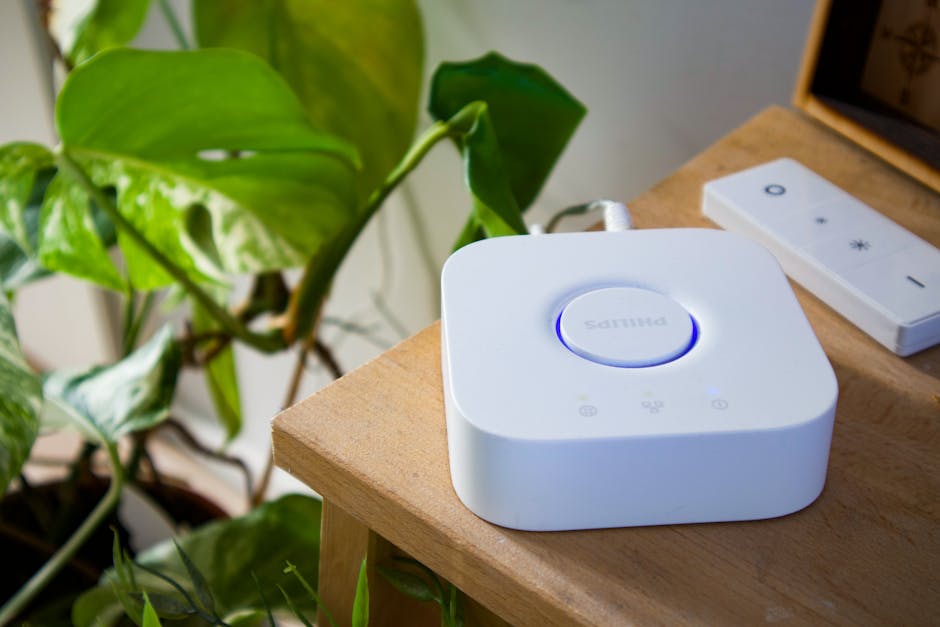
A basic starter system with 3-5 smart bulbs costs $30-100 depending on brand and features. Budget $10-20 per bulb for basic dimmable models and $20-40 for color-changing bulbs. A hub or bridge, required by some systems, adds $20-60. This entry-level investment provides immediate experience with smart lighting without significant financial commitment.
Whole-Home System (10-15 Bulbs)
Upgrading an entire home typically costs $150-400. This includes 10-15 bulbs at an average of $15-25 each, plus any necessary hubs or bridges. At these volumes, many retailers offer bundle discounts reducing per-unit costs by 10-15%.
Premium System with Advanced Features
Systems incorporating color-changing bulbs, advanced scheduling, occupancy sensors, and energy monitoring can exceed $500 for a complete home installation. However, energy savings of $100-200 annually mean premium systems achieve payback within 3-5 years while providing enhanced convenience and control.
Frequently Asked Questions
Do smart bulbs work with existing light switches?
Yes, smart bulbs function with standard light switches. However, leaving the physical switch on and controlling the bulb through your app or voice assistant provides optimal functionality. Avoid repeatedly toggling the physical switch, which can interrupt WiFi connectivity. Consider replacing switches with smart switches for seamless integration.
How much electricity do smart bulbs actually consume?
Smart LED bulbs consume 8-12 watts compared to 60 watts for incandescent bulbs producing similar brightness. This 85% reduction translates to approximately $1-2 per bulb annually in energy savings. Over 10 bulbs, annual savings reach $10-20 in electricity costs alone, excluding reduced replacement expenses.
Can smart bulbs work without internet connectivity?
Most smart bulbs require internet for remote control and automation features. However, local control through a hub often functions without internet. Basic on/off switching through the hub works during outages, though app control and voice commands remain unavailable. Check manufacturer specifications for offline capabilities.
What’s the difference between smart bulbs and smart switches?
Smart bulbs require replacing existing bulbs and work with any fixture. Smart switches replace the wall switch and control any bulb type. Switches cost more ($30-80) but control multiple fixtures simultaneously and work with non-smart bulbs. Choose bulbs for flexibility and targeted upgrades; choose switches for comprehensive room control.
Are smart bulbs compatible with dimmer switches?
Not all smart bulbs work with traditional dimmers. Check compatibility before purchasing. Some smart bulbs include dimming capability and should not be used with analog dimmers, which can damage them. Newer smart dimmers designed for LED bulbs work perfectly with smart lighting systems.
How do I troubleshoot smart bulbs that won’t connect?
Restart the bulb by turning off power for 10 seconds, then back on. Verify WiFi network strength and ensure the bulb is within range. Check that your phone app is updated to the latest version. Reset the bulb to factory settings through the app and attempt connection again. If problems persist, contact manufacturer support.
Is Energy-Efficient Smart Lighting Worth the Investment in 2026?
Energy-efficient smart lighting represents one of the most accessible and rewarding smart home investments for beginners in 2026. The combination of immediate energy savings, enhanced convenience, improved home security through automated lighting patterns, and declining bulb costs creates a compelling value proposition. Unlike complex smart home systems requiring professional installation, smart lighting requires no technical expertise—anyone can install bulbs and configure basic automations within 30 minutes.
The financial case strengthens when considering the complete picture: a $50-100 investment in 5 smart bulbs generates $15-25 in annual energy savings while eliminating replacement bulb purchases for 5+ years. Beyond economics, the convenience of voice-controlled lighting, automatic adjustment to circadian rhythms, and remote control while traveling appeals to most users. For those concerned about energy consumption and environmental impact, smart lighting delivers measurable reductions in household electricity use without sacrificing comfort or functionality.
Beginners should start modestly with 3-5 bulbs in frequently used spaces, then expand gradually as they become comfortable with the ecosystem and discover preferred features. This approach minimizes initial investment while building confidence and knowledge. By April 2026, smart lighting technology has matured significantly, with numerous affordable options from established manufacturers like Philips Hue, LIFX, Wyze, and others. Compatibility with major voice assistants and smart home platforms ensures long-term viability and integration possibilities.
The decision ultimately depends on your priorities: if energy savings, convenience, and home automation appeal to you, smart lighting deserves a place in your smart home strategy. If you’re budget-conscious but willing to invest modestly, the return on investment within 12-18 months makes the upgrade financially sensible. For anyone seeking to reduce their environmental footprint while gaining control over their home environment, energy-efficient smart lighting in 2026 represents an excellent starting point for broader smart home adoption.


Write Your Review
No reviews yet. Be the first to share your experience!