
Imagine walking into your home on a cold winter evening, and the lights automatically turn on, the temperature adjusts to your preference, and your favorite music starts playing. This isn’t science fiction anymore. Building a smart home has become more accessible and affordable than ever before, and you don’t need to be a tech expert to make it happen. Whether you’re starting from scratch or upgrading your existing space, learning how to build a smart home step by step will help you create a connected living environment that truly works for your lifestyle.
The smart home market continues to evolve rapidly in 2026, with new devices, platforms, and integration options appearing constantly. The good news is that the fundamentals of building a smart home remain straightforward. By following a methodical approach, you can avoid costly mistakes, ensure your devices work together seamlessly, and create a system that grows with your needs. This guide will take you through each stage of the process, from initial planning through advanced automation.
In this comprehensive guide, we’ll cover everything you need to know about how to build a smart home step by step. You’ll learn how to assess your needs, choose the right platform, select compatible devices, set up your hub, and create automations that make your life easier. By the end, you’ll have a clear roadmap for transforming your house into an intelligent, responsive home.
Step 1: Assess Your Needs and Set Your Goals
Before you purchase a single smart device, take time to think about what you actually want to accomplish. This foundational step is crucial because it prevents impulse buying and ensures every device you add serves a real purpose in your daily life. When learning how to build a smart home step by step, starting with clear goals keeps you focused and on budget.

Identify Your Pain Points
What frustrates you most about your current home? Do you wish you could control your lights without getting out of bed? Are you concerned about energy waste? Do you want better security monitoring? Write down three to five specific problems you want to solve. These become your priority areas and help you decide which devices to purchase first.
Set Realistic Priorities
Not everything needs to be smart. Focus on areas where automation will genuinely improve your life. For most people, lighting and temperature control are great starting points because you interact with them daily. Security and energy monitoring come next for many homeowners. Entertainment and convenience features can follow once your core systems are working smoothly.
Determine Your Budget
Smart home systems range from minimal investment to significant expenses. Decide how much you’re willing to spend initially and plan for future expansion. Remember that you can start small and grow your system over time. If you’re cost-conscious, our guide on how to start a smart home on a small budget offers practical strategies for building gradually without breaking the bank.
Step 2: Choose Your Smart Home Platform
Your smart home platform is the foundation upon which everything else builds. This is one of the most important decisions you’ll make when learning how to build a smart home step by step because it determines which devices will work together and how you’ll control them. The three major platforms are Amazon Alexa, Google Home, and Apple HomeKit, each with distinct advantages.
Understanding Platform Ecosystems
Amazon Alexa offers the widest device compatibility and is often the most affordable option. Google Home integrates beautifully with Google services and provides excellent automation capabilities. Apple HomeKit prioritizes privacy and security, though it has fewer compatible devices. Consider which services you already use and which devices you’re most interested in controlling.
Evaluating Device Compatibility
Before committing to a platform, research whether your desired devices work with it. Check manufacturer websites and compatibility lists. Many devices work with multiple platforms, but some are exclusive. Make a list of devices you want and verify they’re compatible with your chosen platform before making purchases.
Considering Multi-Platform Strategies
Some experienced smart home users run multiple platforms simultaneously. While this offers maximum flexibility, it can complicate setup and automation. For most people, choosing one primary platform and adding compatibility where needed works best. You can always expand later as your comfort level grows.
Step 3: Set Up Your Smart Home Hub
A smart home hub acts as the central command center for your connected devices. It enables remote access, automation, and communication between devices even when you’re away from home. This is a critical component when you’re learning how to build a smart home step by step because without a hub, your capabilities are severely limited. For detailed setup instructions, check out our complete guide on how to set up a smart home hub.

Choosing the Right Hub Device
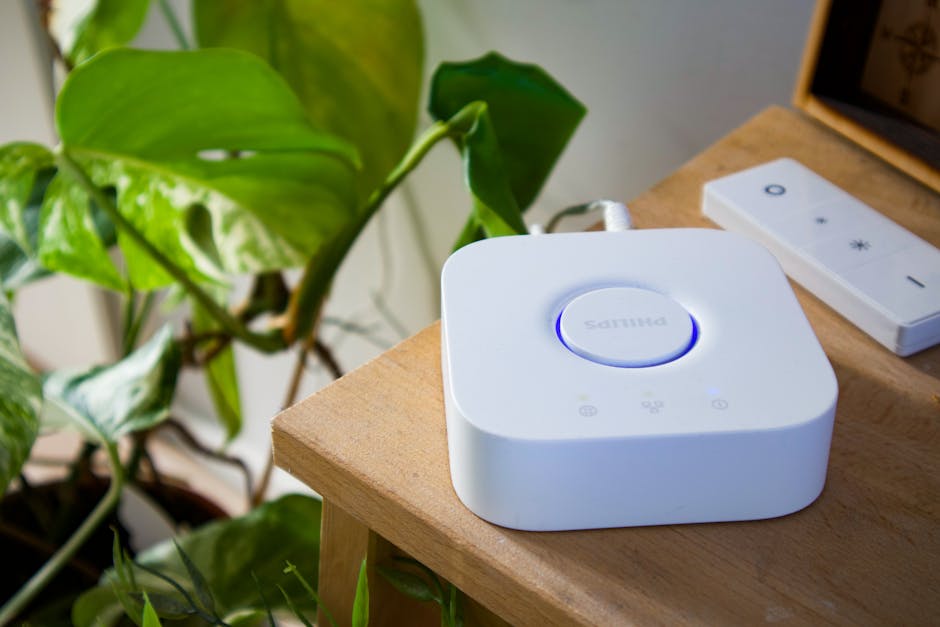
Hub options vary by platform. Amazon Echo devices serve as Alexa hubs, Google Nest devices work with Google Home, and Apple TV or HomePod mini function as HomeKit hubs. Select a hub that’s compatible with your chosen platform and fits your home’s layout. Place it in a central location for optimal wireless coverage.
Network Requirements
Your hub needs a strong, stable internet connection to function properly. Ensure your WiFi network reaches the hub location and consider upgrading your router if you have weak signal areas. A reliable network is essential for smooth automation and remote access to your smart home.
Initial Hub Configuration
Follow the manufacturer’s setup instructions to connect your hub to power and WiFi, then sign into your account. Configure any additional settings like location and time zone. Test that you can access and control the hub from both your home network and remotely using your smartphone.
Step 4: Select and Install Your First Smart Devices
Now comes the exciting part. With your hub in place and platform chosen, you’re ready to add actual smart devices. When learning how to build a smart home step by step, starting with the right devices makes a huge difference in your satisfaction and success rate.

Starting with Smart Lighting
Smart lights are an excellent first purchase. They’re relatively affordable, easy to install, and provide immediate value. You can control brightness and color, create schedules, and set automations. Start with one room or area to get comfortable with the system before expanding throughout your home.
Adding Smart Thermostats
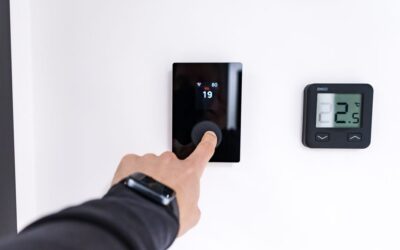
A smart thermostat is one of the most impactful devices you can install. It learns your preferences, adjusts temperature automatically, and helps reduce energy costs. Installation typically requires basic electrical knowledge or a professional installer. Once set up, it provides measurable savings and comfort improvements.
Expanding with Smart Plugs and Switches
Smart plugs let you control any device plugged into them, from coffee makers to fans. Smart switches replace existing light switches and control hardwired lights. Both are straightforward to install and expand your automation capabilities significantly. These are cost-effective ways to add intelligence to devices that weren’t originally designed to be smart.
Installation Best Practices
- Read all instructions before starting installation
- Turn off power at the breaker when installing switches
- Take photos of existing wiring before making changes
- Keep all packaging and documentation for warranty purposes
- Add devices one at a time to troubleshoot issues easily
- Test each device immediately after installation
Step 5: Create Automations and Routines
The real magic of a smart home happens when devices work together automatically. Automations and routines transform your collection of smart devices into a cohesive system that anticipates your needs. This is where you truly leverage what you’ve built when learning how to build a smart home step by step.
Understanding Automations vs. Routines
Automations trigger based on specific conditions like time of day, location, sensor readings, or device states. Routines are sequences of actions you initiate manually or through automation. For example, an automation might turn on lights at sunset, while a routine called “Good Night” turns off all lights, locks doors, and adjusts the thermostat when you say a voice command.
Creating Your First Automation
Start simple. Create an automation that turns on lights in your entryway at sunset or when you arrive home. Test it for a few days to ensure it works reliably. Once comfortable, add more automations gradually. This approach prevents overwhelming yourself and helps you identify any issues with individual automations.
Building Useful Routines
Consider your daily patterns and create routines that match them. A morning routine might brew coffee, turn on lights, and read weather updates. An evening routine could close blinds, dim lights, and adjust temperature. A leaving-home routine might turn off all lights, lock doors, and set the thermostat to away mode. These routines save time and create consistent, comfortable experiences.
Pro Tips and Best Practices
Prioritize Security and Privacy
Use strong, unique passwords for all accounts. Enable two-factor authentication where available. Review privacy settings regularly and disable data collection features you don’t need. Keep your hub and devices updated with the latest firmware to patch security vulnerabilities.
Plan Your WiFi Network Carefully
Smart devices require reliable WiFi connectivity. Invest in a quality router with good range, or add WiFi extenders to reach all areas of your home. A dedicated 2.4 GHz network for smart devices often works better than 5 GHz, though modern routers handle both automatically.
Document Your Setup
Keep notes about your devices, their locations, passwords, and configurations. Take photos of your setup. This documentation helps when troubleshooting problems and is invaluable if you need to add devices later or explain your system to family members.
Test Automations Thoroughly
Before relying on an automation, test it multiple times under different conditions. Verify that sunrise and sunset automations work correctly on different dates. Check that location-based automations trigger accurately. Thorough testing prevents frustrating failures when you need your system most.
Consider Voice Control
Voice control is one of the most convenient features of smart homes. Set up voice commands for your most common actions. Practice using voice control regularly so it becomes natural. Voice assistants also provide accessibility benefits for people with mobility limitations.
Expand Gradually and Intentionally
Resist the urge to buy every smart device available. Add devices only when they solve specific problems or enhance your life meaningfully. This approach keeps costs manageable and prevents your home from becoming overly complicated.
Common Mistakes to Avoid
Buying Without Compatibility Verification
The biggest mistake people make when learning how to build a smart home step by step is purchasing devices without confirming they work with their chosen platform. Always verify compatibility before buying. Returning incompatible devices wastes time and money.
Neglecting Network Infrastructure
Smart homes depend entirely on reliable WiFi. Don’t skimp on your router or network setup. Poor connectivity causes devices to disconnect, automations to fail, and overall frustration. Invest in quality networking infrastructure as part of your smart home foundation.
Overcomplicating Automations
Complex automations with many conditions and actions are prone to failure and difficult to troubleshoot. Keep automations simple and focused. If an automation requires multiple steps to explain, it’s probably too complicated. Simple automations are more reliable and easier to maintain.
Ignoring Security Updates
Firmware updates for your hub and devices patch security vulnerabilities and improve performance. Don’t ignore update notifications. Enable automatic updates when possible, or manually update devices regularly to keep your smart home secure.
Failing to Plan for Guest Access
If family members or guests need access to your smart home, set up appropriate permissions in advance. Create guest accounts with limited access rather than sharing your main password. Plan how guests will control devices and what they can access before they arrive.
Conclusion
Learning how to build a smart home step by step is an achievable goal for anyone willing to invest time in planning and setup. By starting with clear goals, choosing a compatible platform, installing a hub, adding devices gradually, and creating useful automations, you’ll build a smart home that genuinely improves your daily life. Remember that your smart home is never truly finished. It evolves as your needs change and new technology emerges. The key is starting with solid fundamentals and expanding thoughtfully.
Take action today by assessing your needs and choosing your platform. Start small with one or two devices, get comfortable with the system, then expand gradually. Before you know it, you’ll have a fully functional smart home that responds to your needs and makes your life easier. For more detailed guidance on controlling your smart home, explore our comprehensive guide on how to control your smart home with your phone.
Frequently Asked Questions
Do I need a smart home hub to build a smart home?
While some devices work without a hub using direct WiFi connection, a hub is essential for remote access, automations, and reliable operation. If you want your smart home to function when you’re away, a hub is practically necessary.
How much does it cost to build a smart home?
Smart homes can start for under $100 with basic devices and scale to thousands of dollars for comprehensive systems. Most people spend $500 to $2,000 initially, then expand gradually. Your budget depends entirely on your goals and priorities.
Can I mix devices from different brands?
Yes, as long as they’re compatible with your chosen platform. Most major brands support Alexa, Google Home, or HomeKit. Check compatibility before purchasing, but mixing brands is normal and often necessary to get the best device for each application.
How long does it take to set up a smart home?
Setting up a hub and a few devices typically takes a few hours. More complex installations like smart thermostats may require professional help. The timeline depends on how many devices you’re installing and how comfortable you are with technology.
What’s the best way to learn about automations?
Start with simple automations and test them thoroughly. Read your platform’s documentation and watch tutorial videos. Join online communities where other smart home users share automation ideas and solutions to common problems.
Is a smart home difficult to maintain?
Once set up, smart homes require minimal maintenance. Periodically update firmware, check that automations still work as intended, and replace batteries in wireless devices. Most people find the ongoing maintenance minimal compared to the benefits they receive.



Write Your Review
No reviews yet. Be the first to share your experience!