

What Is Smart Thermostat Geofencing and How Does It Work in 2026?
Smart thermostat geofencing is a location-based automation feature that adjusts your home’s temperature based on your smartphone’s proximity to your house. When you leave a defined geographic boundary, your thermostat automatically switches to energy-saving mode. When you return within range, it pre-heats or pre-cools your home to your preferred comfort level. This technology uses GPS signals, Bluetooth, or WiFi triangulation to determine your location. Geofencing eliminates manual temperature adjustments and reduces energy waste when nobody is home. In 2026, most modern smart thermostats include this feature as standard functionality.
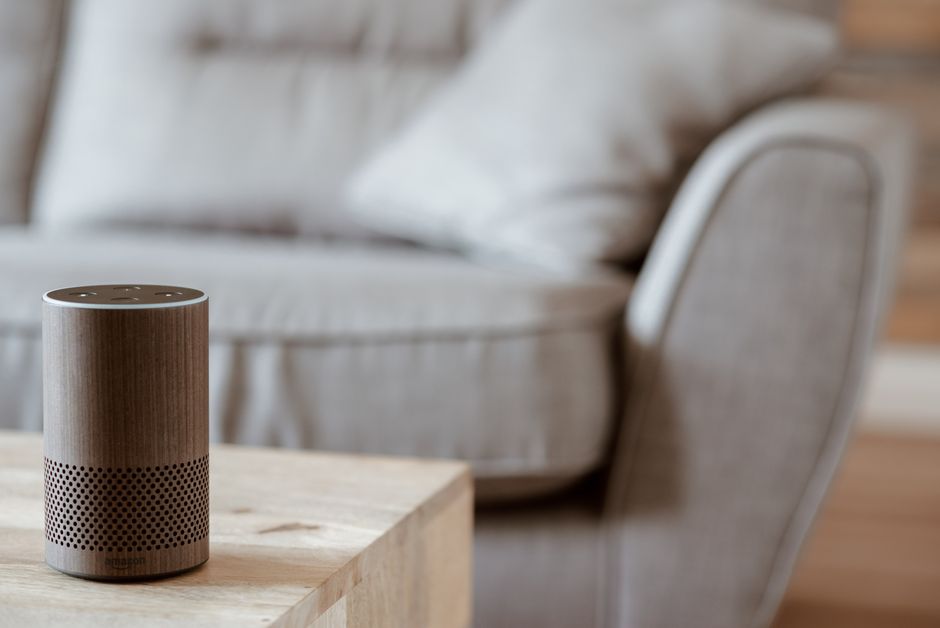
The system works through a mobile app connected to your thermostat. You define a virtual boundary around your home, typically ranging from 500 feet to several miles. Your phone’s location is continuously monitored by the app. When you cross that boundary, the thermostat receives a command and activates your preset away or home settings. This seamless integration saves energy without sacrificing comfort or requiring manual intervention.
Key Takeaway: Geofencing automates temperature control based on your real-time location, saving energy and ensuring comfort.
How Does Geofencing Actually Save You Money on Energy Bills?
Geofencing reduces heating and cooling costs by preventing energy waste when your home is empty. Heating or cooling an unoccupied space wastes 10-15% of your annual HVAC energy consumption. When geofencing detects you’ve left, your thermostat switches to away mode, reducing temperature adjustments by 5-10 degrees. This lower setting maintains your home without active conditioning. Upon arrival, the system gradually adjusts temperatures back to comfort levels. Over a heating or cooling season, these savings compound significantly.
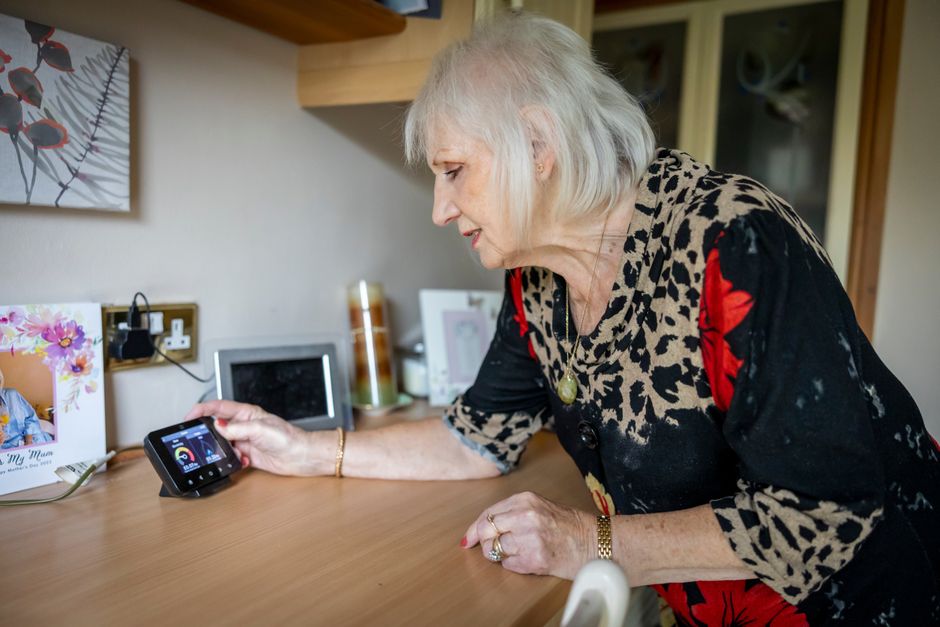
According to the U.S. Environmental Protection Agency Energy Star program, smart thermostats with geofencing can reduce energy consumption by 10-23% annually. A typical household saves between $100-300 per year, depending on climate, home size, and usage patterns. Savings increase in extreme climates where heating or cooling demands are highest. The exact amount depends on your local energy rates and how often you’re away from home.
Real-World Savings Breakdown
- Away mode typically reduces energy use by 10-15% when properly configured.
- Homes with predictable schedules see 15-20% savings from consistent automation.
- Mild climates benefit less; extreme climates maximize geofencing advantages.
- Payback period averages 1-3 years depending on thermostat cost and local rates.
For detailed energy savings analysis, read our complete breakdown on how much a smart thermostat can actually save you.
Key Takeaway: Geofencing typically saves $100-300 annually by preventing unnecessary heating and cooling when you’re away.
What Are the Key Features and Settings You Need to Know?
Modern smart thermostats in 2026 offer multiple geofencing customization options to match your lifestyle. Most apps allow you to set separate away and home temperature targets. You can create different profiles for weekdays and weekends. Many systems support multiple family members, triggering home mode only when the last person arrives. This prevents unnecessary pre-conditioning when someone is still away. Advanced models include buffer zones that gradually transition temperatures instead of sudden changes.
Geofencing radius settings are crucial for optimal performance. A radius too small triggers frequent mode switches on short trips. A radius too large wastes energy by keeping your home conditioned when you’re still away. Most experts recommend 500-1000 feet for urban homes and 0.5-1 mile for suburban properties. You can adjust these settings through your thermostat’s mobile app based on your commute patterns and preferences.
Essential Geofencing Settings to Configure
- Away temperature: typically 58-62°F in winter, 78-82°F in summer.
- Home temperature: your comfort preference, usually 68-72°F year-round.
- Geofence radius: 500 feet to 1 mile depending on location density.
- Pre-conditioning time: how early to adjust temperature before arrival (15-60 minutes).
- Multiple user support: enable if household has varying schedules.
Key Takeaway: Customizable geofencing settings let you optimize comfort and savings based on your specific lifestyle and commute.
What Technical Requirements Does Your Home Need for Geofencing?
Geofencing requires a reliable WiFi connection and a compatible smart thermostat. Your thermostat must connect to your home’s internet network to receive location-based commands from the mobile app. A weak WiFi signal causes delayed responses or missed geofence triggers. Most smart thermostats operate on 2.4 GHz WiFi bands, though some support 5 GHz. Your router should be positioned centrally in your home for optimal coverage.

Your smartphone must have location services enabled and the thermostat’s official app installed. The app continuously monitors your phone’s GPS location and communicates with your thermostat through cloud servers. This requires a stable internet connection on both your phone and home network. If you experience WiFi disconnections, read our guide on why your smart thermostat keeps losing WiFi for troubleshooting solutions.
Technical Requirements Checklist
- Smart thermostat with geofencing capability (most 2026 models include this).
- Stable 2.4 GHz or 5 GHz WiFi network with strong home coverage.
- Mobile device with GPS enabled and location services active.
- Thermostat manufacturer’s official mobile app installed and updated.
- Cloud account registered with thermostat manufacturer.
- Consistent internet connection for real-time location tracking.
Key Takeaway: Geofencing requires a compatible thermostat, stable WiFi, and location services enabled on your smartphone.
How Do You Set Up Geofencing on Your Smart Thermostat?
Setting up geofencing typically takes 5-10 minutes through your thermostat’s mobile app. Open the app and navigate to the geofencing or location settings menu. Most apps display a map with your home’s address pre-filled. You’ll draw or adjust a circular boundary around your property using the app’s interface. Start with a conservative radius and adjust based on your commute patterns and results.

Next, define your away and home temperature targets. Set away temperatures 5-10 degrees lower in winter or higher in summer than your comfort preference. Configure any additional preferences like pre-conditioning time or multi-user settings. Save your settings and test the geofence by driving away from your home while monitoring the app. Your thermostat should switch to away mode within 2-5 minutes. Return home and verify it switches back to home mode automatically.
Step-by-Step Geofencing Setup Guide
- Open your thermostat app and log into your account.
- Navigate to settings and select geofencing or location-based automation.
- Confirm your home address appears on the map.
- Adjust the geofence radius to 500-1000 feet initially.
- Set your away mode temperature (5-10 degrees different from comfort setting).
- Set your home mode temperature to your preferred comfort level.
- Enable pre-conditioning if available (typically 15-30 minutes before arrival).
- Save settings and test by driving away from home.
- Monitor the app to confirm mode switches occur correctly.
- Fine-tune radius and settings based on real-world performance.
Key Takeaway: Geofencing setup is straightforward and takes under 10 minutes through your thermostat’s mobile app.
What Common Problems Occur With Geofencing and How Do You Fix Them?
Geofencing sometimes fails to trigger mode switches due to GPS inaccuracy, weak WiFi signals, or app synchronization issues. If your thermostat doesn’t switch to away mode when you leave, first check that location services are enabled on your phone and the app has permission to access your location. Restart the mobile app and verify your WiFi connection is strong. Reboot your thermostat by turning it off for 30 seconds, then turning it back on.
Another common issue is delayed mode switching, where your thermostat takes 10-20 minutes to respond instead of 2-5 minutes. This typically indicates a weak WiFi signal or poor cloud server communication. Move your router closer to your thermostat or upgrade to a mesh WiFi system for better coverage. If delays persist, contact your thermostat manufacturer’s support team. Some users also experience false triggers where the thermostat switches modes incorrectly due to GPS drift or app bugs.
Troubleshooting Geofencing Problems
- Enable location services in your phone’s settings and app permissions.
- Ensure your WiFi signal strength is strong (above -67 dBm near thermostat).
- Restart your mobile app and thermostat to clear synchronization errors.
- Adjust geofence radius if triggers occur too early or too late.
- Disable geofencing temporarily and re-enable it to reset the feature.
- Check for app updates and install the latest version.
- Contact manufacturer support if problems persist after troubleshooting.
Key Takeaway: Most geofencing issues stem from location permissions, weak WiFi, or app sync problems and are easily resolved.
How Does Geofencing Compare to Other Smart Thermostat Automation Features?
Geofencing is one of several automation methods available on modern smart thermostats. Schedule-based automation sets temperature changes at specific times regardless of your location. This works well for predictable routines but wastes energy if your schedule changes. Geofencing adapts to your actual location, making it more flexible for variable schedules. Some thermostats combine both methods, using schedules as backup when geofencing fails or when multiple family members have different schedules.
Machine learning represents another advanced automation approach. Your thermostat learns your patterns over weeks and months, automatically adjusting temperatures based on historical behavior. This method requires no manual configuration but takes time to optimize. Geofencing provides immediate benefits without learning periods. Many users combine geofencing with remote sensors for whole-home temperature control. Our guide on how thermostat remote sensors work explains this integration in detail.
Comparison of Smart Thermostat Automation Methods
- Geofencing: location-based, responsive, flexible for variable schedules.
- Schedule automation: time-based, predictable, requires manual adjustments for changes.
- Machine learning: adaptive, automatic optimization, requires several weeks to learn.
- Remote sensors: multi-room temperature control, works with any automation method.
- Voice control: manual but convenient, requires active user input.
Key Takeaway: Geofencing offers superior flexibility compared to schedules but works best combined with other automation methods.
Are There Privacy and Security Concerns With Geofencing Technology?
Geofencing requires your thermostat manufacturer to access your location data, raising legitimate privacy questions. Reputable manufacturers encrypt location data and store it securely on their servers. They typically do not share your location information with third parties without explicit consent. Review your thermostat manufacturer’s privacy policy to understand exactly how your data is handled. Most major manufacturers comply with data protection regulations like GDPR and CCPA.
Security risks are minimal if you use strong passwords and enable two-factor authentication on your thermostat account. Keep your mobile app and thermostat firmware updated to patch any security vulnerabilities. Disable geofencing if you’re uncomfortable with location tracking, as your thermostat will function normally with manual or schedule-based controls. Some users disable geofencing when traveling or selling their home to maintain privacy.
Key Takeaway: Geofencing privacy concerns are manageable through strong passwords, updated software, and reviewing manufacturer privacy policies.
What Should You Know About Geofencing Accuracy and Limitations?
GPS accuracy varies between 5-30 feet in most urban and suburban areas, which can affect geofencing reliability. Urban canyons with tall buildings cause GPS signal reflections, reducing accuracy to 50+ feet. Your thermostat may trigger slightly before you arrive or after you leave due to this variance. Adjust your geofence radius to account for GPS inaccuracy—typically add 100-200 feet to your desired trigger point. Some thermostats use WiFi triangulation in addition to GPS for improved accuracy indoors.
Geofencing relies on continuous location tracking, which drains your smartphone battery faster than normal use. Modern smartphones manage this efficiently, but older devices may experience noticeable battery drain. If battery drain becomes problematic, consider using schedule-based automation instead. Geofencing also fails if you forget your phone at home or if your phone’s location services are disabled accidentally.
Key Takeaway: GPS accuracy limitations and smartphone battery drain are minor trade-offs for the convenience and savings geofencing provides.
Frequently Asked Questions
Does geofencing work if I have multiple family members with different schedules?
Most smart thermostats support multiple users with individual geofences. Home mode activates when any family member arrives, and away mode activates only when the last person leaves. This prevents wasted energy from pre-conditioning when someone is still away. Configure each family member’s phone in your thermostat app settings. Some advanced models allow different temperature preferences per user, though the thermostat can only maintain one temperature at a time.
Can geofencing work without WiFi or internet connection?
No, geofencing requires a continuous internet connection. Your thermostat needs to communicate with cloud servers to receive location-based commands from your mobile app. Without internet, your thermostat reverts to manual or schedule-based control only. If you experience frequent WiFi outages, consider a mesh WiFi system or backup internet solution. Some manufacturers offer offline schedules as fallback automation when internet fails.
How accurate is geofencing in urban areas versus suburban areas?
GPS accuracy in suburban areas is typically 15-30 feet, while urban areas experience 30-50+ feet accuracy due to building interference. This variance rarely causes noticeable problems since geofence radii are usually 500+ feet. Urban users may need slightly larger geofence radii to account for GPS signal reflections. WiFi triangulation helps improve accuracy indoors and in dense urban environments.
Does geofencing drain your smartphone battery significantly?
Geofencing causes moderate battery drain, typically 3-8% additional daily battery consumption on modern smartphones. The impact depends on your phone model, how often you leave home, and your location tracking frequency. Most users find this acceptable given the energy savings and convenience benefits. If battery drain becomes problematic, disable geofencing and use schedule-based automation instead.
What happens if my phone dies while I’m away from home?
If your phone dies, your thermostat remains in away mode until you manually switch it or until a scheduled automation triggers. This is actually beneficial since your home stays in energy-saving mode. When your phone charges and reconnects, geofencing resumes normal operation. Configure backup schedules as safety nets to ensure your home reaches comfortable temperatures if geofencing fails.
Can you use geofencing with older HVAC systems?
Geofencing requires a smart thermostat compatible with your HVAC system. Most modern smart thermostats work with standard gas furnaces, air conditioning, and heat pumps. However, compatibility varies with older systems and specialized equipment like baseboard heaters. Read our guide on using smart thermostats with baseboard heat for system-specific compatibility information.
Should You Enable Geofencing on Your Smart Thermostat in 2026?
Smart thermostat geofencing is a valuable feature that saves energy and improves convenience for most households. If you have a predictable routine and leave your home regularly, geofencing delivers measurable savings of $100-300 annually. The setup process takes under 10 minutes, and most issues are easily resolved through troubleshooting. Geofencing works best when combined with other automation methods like schedules and remote sensors for comprehensive home temperature control.
Privacy and security concerns are minimal if you use strong passwords and keep your devices updated. GPS accuracy limitations rarely cause practical problems in real-world usage. If you’re uncomfortable with location tracking or have highly variable schedules, schedule-based automation or machine learning provide effective alternatives. Most experts recommend enabling geofencing as a default feature since you can disable it anytime without affecting your thermostat’s core functionality.
The decision ultimately depends on your comfort level with location tracking and your home’s usage patterns. Early adopters and energy-conscious homeowners should enable geofencing immediately. Conservative users can test it for one month to evaluate savings and convenience before deciding to keep it enabled permanently.
Key Takeaway: Geofencing is worth enabling for most households due to energy savings, convenience, and minimal setup complexity in 2026.




Write Your Review
No reviews yet. Be the first to share your experience!