

How Do Smart Motion Sensors Work in a Security Setup?
Smart motion sensors are the eyes of modern home security systems. They detect movement using infrared technology, radar, or microwave signals. When motion is detected, sensors trigger alerts on your phone, activate cameras, or sound alarms. In August 2026, these devices have become essential for comprehensive home protection. Most sensors connect wirelessly to your security hub via Wi-Fi or Zigbee protocols. They work 24/7, even when you’re away, providing real-time notifications and recording footage. Integration with smart home platforms like Google Home and Alexa allows voice control and automation routines. A typical motion sensor costs between $30 and $150, depending on features and brand reputation.
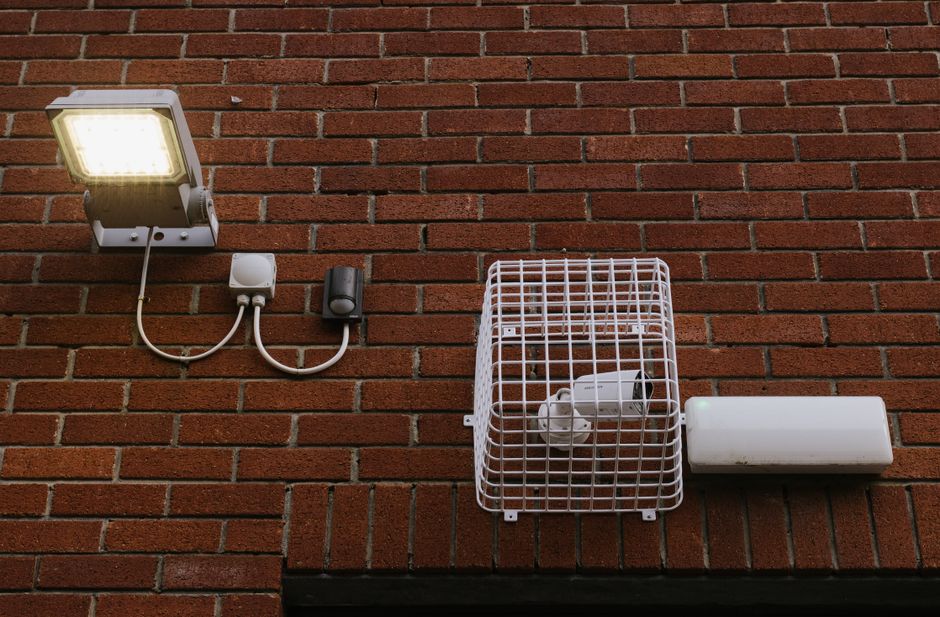
The core technology behind motion sensors relies on passive infrared (PIR) sensors. These devices measure heat signatures emitted by people and animals. When body heat moves across the sensor’s field of view, it triggers detection. Modern sensors use advanced algorithms to reduce false alarms from pets or moving objects. They’re installed at entry points, hallways, and vulnerable areas throughout your home. Battery-powered models last 2-3 years before requiring replacement. Wired sensors offer unlimited power but require professional installation. Understanding how these sensors function helps you optimize placement and reduce false positives.
Key Takeaway: Smart motion sensors use infrared and radar technology to detect movement, triggering instant alerts and security responses in your home.
What Types of Motion Sensors Are Available for Home Security?
Multiple motion sensor technologies exist, each with distinct advantages and limitations. Passive infrared sensors remain the most popular choice for residential security systems. They’re affordable, reliable, and require minimal power consumption. Dual-technology sensors combine PIR with microwave detection, reducing false alarms significantly. These hybrid models are ideal for homes with pets or variable lighting conditions. Radar-based sensors detect motion through walls and obstacles, offering superior coverage. They cost more but provide comprehensive area protection without line-of-sight requirements.
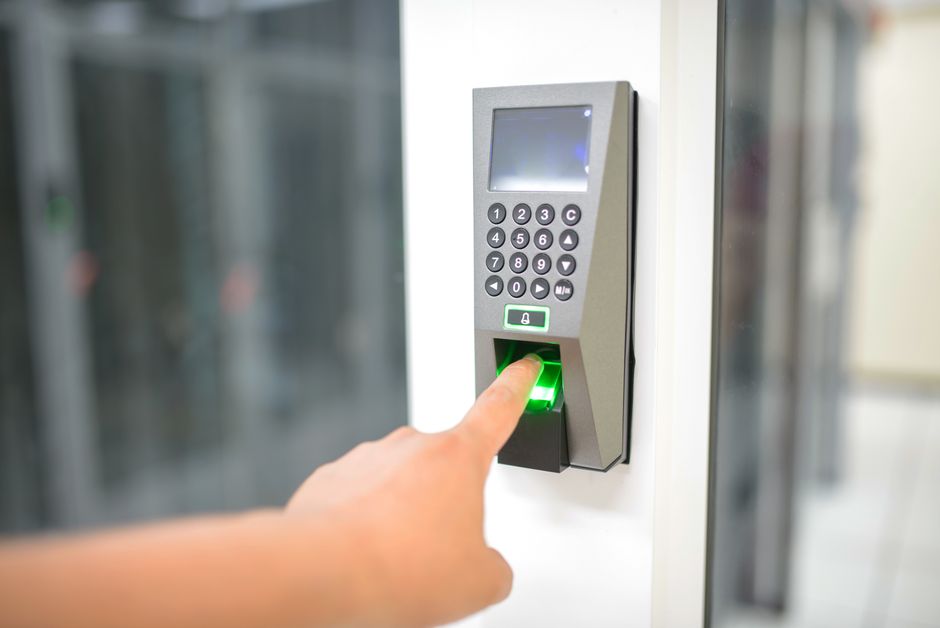
Passive Infrared (PIR) Sensors
PIR sensors detect heat changes in their field of view. They’re most sensitive to moving objects rather than stationary heat sources. Installation is straightforward—mount them on walls 4-6 feet high for optimal detection. PIR sensors work best in stable temperature environments. Sudden temperature changes can trigger false alarms, so avoid placing them near heating vents or direct sunlight.
- Cost: $30-$80 per sensor
- Detection range: 20-40 feet depending on model
- Battery life: 2-3 years on AA or AAA batteries
- Best for: Entry doors, hallways, living rooms
Dual-Technology Sensors
Dual-tech sensors require both PIR and microwave signals to trigger alarms. This combination dramatically reduces false positives from pets or falling objects. They’re more expensive than PIR-only models but worth the investment for homes with multiple pets. Battery life typically ranges from 2-4 years. These sensors excel in busy households where false alarms cause frustration and security fatigue.
- Cost: $80-$150 per sensor
- Detection range: 25-35 feet
- False alarm reduction: 70-85% improvement
- Best for: Homes with pets, busy environments
Radar and Microwave Sensors
Radar sensors emit microwave signals and detect reflections from moving objects. They penetrate walls, windows, and obstacles that block PIR sensors. These advanced sensors provide 360-degree coverage with minimal blind spots. They’re ideal for garages, basements, and perimeter security. Installation requires careful positioning to avoid detecting outside movement through windows.
- Cost: $120-$200 per sensor
- Detection range: 30-50 feet
- Coverage: Through walls and obstacles
- Best for: Garages, basements, perimeter areas
Key Takeaway: PIR sensors are affordable and popular, while dual-tech and radar sensors offer superior accuracy and coverage for demanding environments.
How Should You Position Motion Sensors for Maximum Security Coverage?
Proper sensor placement is crucial for effective home security. Entry points like doors and windows require priority positioning. Mount sensors 4-6 feet high on walls for optimal PIR detection angles. Avoid placing sensors directly facing windows, as sunlight can cause false triggers. Create overlapping coverage zones to eliminate blind spots throughout your home. Test each sensor after installation to confirm detection range and responsiveness. Document sensor locations on a home security map for future reference and maintenance.
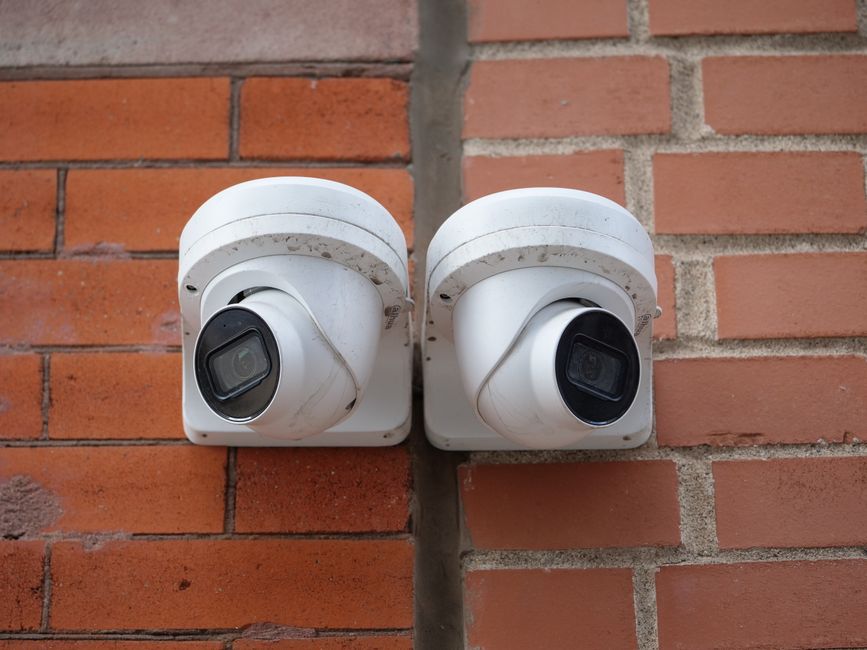
Strategic Placement Locations
Front and back doors need sensors mounted nearby to detect unauthorized entry. Hallways connecting different rooms should have sensors for comprehensive coverage. Windows on ground floors and accessible upper floors require protection. Stairways and basement entrances are common intrusion points often overlooked. Garage doors and side entrances demand equal attention to primary entry points. Corner placements provide wider detection angles than wall centers.
- Front entrance: Mount on wall 4-6 feet high, angled downward
- Back door: Position to cover approach path and entry area
- Hallways: Place at room junctions for maximum coverage overlap
- Windows: Mount 4-5 feet high, avoid direct sunlight exposure
- Stairways: Position at top and bottom for complete stair coverage
- Garage: Mount near entry doors and windows at 5-6 feet height
Avoiding False Alarms Through Smart Placement
Never place sensors directly above heating vents or air conditioning units. These environmental factors cause temperature fluctuations that trigger false alarms. Keep sensors away from direct sunlight, which can interfere with PIR sensitivity. Don’t position sensors where pets frequently jump or move rapidly. Avoid mounting sensors in corners where they can’t see approaching movement. Test sensor sensitivity settings after installation to match your home’s specific conditions.
Key Takeaway: Mount sensors 4-6 feet high at entry points and hallways, avoiding vents, sunlight, and pet pathways to ensure reliable detection.
How Do Smart Motion Sensors Integrate with Your Home Security System?
Modern motion sensors connect to security hubs using wireless protocols like Zigbee, Z-Wave, or Wi-Fi. These wireless connections eliminate complicated wiring and enable easy installation. Your security hub receives signals from all sensors and triggers coordinated responses. When motion is detected, the system can activate cameras, send phone notifications, and sound alarms simultaneously. Integration with voice assistants allows you to arm and disarm systems using voice commands. Cloud storage saves footage for 24-48 hours, accessible anytime from your smartphone. Most systems support multiple sensor types working together in a unified platform.
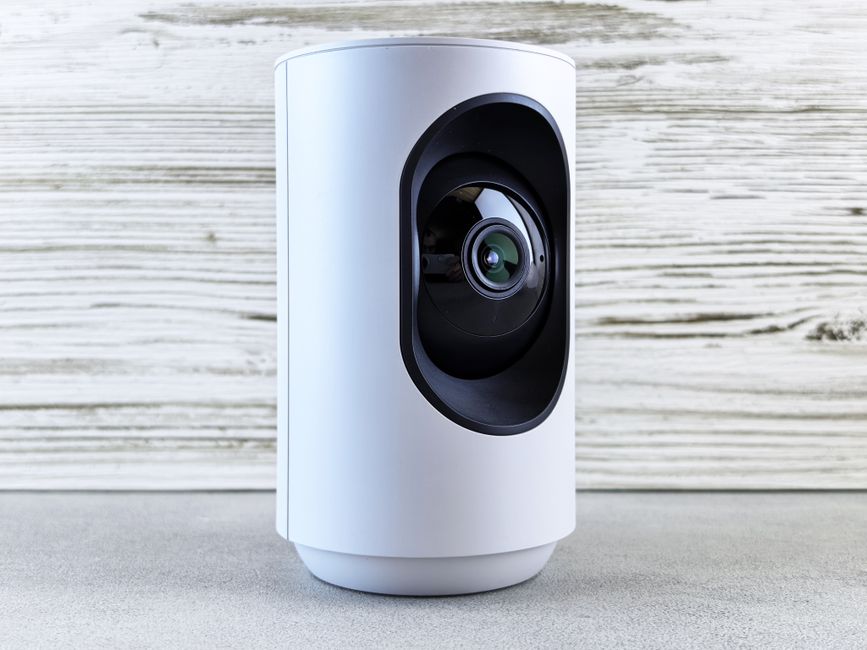
Wireless Connectivity Options
Zigbee and Z-Wave protocols offer reliable, low-power wireless communication for home security. These mesh networks allow sensors to relay signals through multiple devices, extending coverage. Wi-Fi-connected sensors provide direct hub communication but consume more battery power. Hybrid systems combine multiple protocols for maximum flexibility and redundancy. Choose sensors that match your existing security system’s wireless standard. Incompatible protocols won’t communicate, requiring complete system replacement or additional hubs.
- Zigbee: Low power, mesh network, 100-foot range
- Z-Wave: Similar to Zigbee, excellent reliability, widely supported
- Wi-Fi: Direct connection, faster response, higher battery drain
- Hybrid systems: Support multiple protocols from single hub
Smart Home Platform Integration
Motion sensors integrate seamlessly with Google Home and Alexa ecosystems. You can create automation routines triggered by motion detection. For example, motion in the garage at night can automatically turn on lights and alert you. Integration with smart home security systems enables sophisticated automation scenarios. Sensors can trigger different responses based on time of day, armed status, or location. IFTTT (If This Then That) platforms allow custom integrations with third-party services. Real-time notifications keep you informed regardless of your location.
- Google Home integration: Voice control, automation routines, notifications
- Alexa compatibility: Arm/disarm security, trigger smart home scenes
- IFTTT support: Custom automations with third-party services
- Cloud storage: 24-48 hour footage retention, remote access
- Mobile app alerts: Instant notifications with photo/video evidence
Key Takeaway: Motion sensors connect via Zigbee, Z-Wave, or Wi-Fi to security hubs, integrating with Google Home and Alexa for comprehensive automation.
What Are the Best Practices for Installing and Maintaining Motion Sensors?
Professional installation ensures optimal sensor performance and coverage. However, most homeowners can install sensors themselves with basic tools and instructions. Start by mapping your home layout and identifying priority areas needing protection. Test wireless signal strength at each planned location before final installation. Use the manufacturer’s mobile app to verify connectivity and sensor responsiveness. Change batteries annually or when low-battery alerts appear. Clean sensor lenses quarterly to remove dust and debris affecting detection accuracy.
Installation Steps
- Map entry points and priority areas on paper
- Test wireless signal strength with security hub at each location
- Mount sensors 4-6 feet high using provided brackets
- Pair sensors with security hub following manufacturer instructions
- Test detection range and adjust sensitivity settings
- Document sensor locations and settings for future reference
Maintenance and Troubleshooting
Regular maintenance extends sensor lifespan and ensures reliable operation. Replace batteries annually even if not fully depleted. Clean sensor lenses with a soft, dry cloth to maintain detection accuracy. Test sensors monthly to confirm proper functionality and wireless connectivity. Update firmware regularly through your security system’s mobile app. If sensors fail to detect motion, check battery level, wireless signal strength, and lens cleanliness. Persistent issues may require sensor replacement or professional service.
- Battery replacement: Annually or when low-battery alerts appear
- Lens cleaning: Quarterly with soft, dry cloth
- Firmware updates: Monthly through security app
- Sensitivity testing: Monthly verification of detection range
- Connectivity checks: Confirm wireless signal strength weekly
Key Takeaway: Mount sensors 4-6 feet high, replace batteries annually, and clean lenses quarterly for optimal performance and reliability.
How Can You Reduce False Alarms from Motion Sensors?
False alarms frustrate homeowners and reduce security system effectiveness. Proper sensor selection and placement prevent most false positives. Dual-technology sensors reduce false alarms by 70-85% compared to PIR-only models. Sensitivity settings should match your home’s specific environment and pet population. Create separate armed and disarmed modes for different times of day. Test your system thoroughly after installation and after any changes. Document which sensors trigger false alarms and adjust placement or sensitivity accordingly.
Common False Alarm Triggers
- Pets moving rapidly through detection zones
- Direct sunlight or heat from vents
- Curtains or blinds moving from air circulation
- Insects crawling across sensor lenses
- Temperature fluctuations near sensors
- Loose sensor mounting causing vibration sensitivity
Strategies to Minimize False Positives
Dual-technology sensors are the best investment for homes with pets. Adjust sensitivity settings lower in areas with high air circulation. Mount sensors securely to prevent vibration-triggered false alarms. Use pet-immune settings if your system supports them for specific sensors. Create separate security zones for pet areas and restricted zones. Schedule system tests during low-activity periods to identify problem sensors. Consider installing sensors only in areas where pets cannot access.
Key Takeaway: Use dual-tech sensors, adjust sensitivity, and secure mounting to reduce false alarms by 70-85%.
What Is the Cost and ROI of Installing Smart Motion Sensors?
Motion sensor costs vary significantly based on technology type and brand. Basic PIR sensors cost $30-$80 each, while dual-tech models range from $80-$150. A complete security system with 4-6 sensors typically costs $300-$800 for hardware alone. Professional installation adds $500-$1,500 depending on system complexity. Monthly monitoring services cost $15-$50, though self-monitoring through mobile apps is free. Insurance discounts of 5-20% often offset initial investment costs within 2-3 years. Home value increases 3-5% with visible security systems installed.
Budget-Friendly Setup Options
- DIY installation: Save $500-$1,500 in labor costs
- Basic PIR sensors: $30-$50 per unit for entry points
- Self-monitoring app: Free real-time alerts without monthly fees
- Phased installation: Start with entry doors, expand gradually
Long-Term Value Considerations
Insurance discounts typically provide 5-20% annual savings on homeowner’s insurance. Home security systems increase property value by 3-5% at resale. Reduced theft losses and property damage justify initial investment quickly. Peace of mind from 24/7 monitoring has immeasurable personal value. Energy savings from integrated smart home features offset some costs. Battery-powered sensors require minimal ongoing maintenance expenses beyond annual battery replacements.
Key Takeaway: Motion sensors cost $300-$800 for a basic home system, with insurance discounts and property value increases providing strong ROI within 2-3 years.
Frequently Asked Questions
Can motion sensors detect through walls and windows?
Radar and microwave sensors can detect motion through walls and windows. Passive infrared sensors cannot penetrate solid barriers. Dual-technology sensors using both PIR and microwave offer partial penetration capability. Window placement matters—direct sunlight can interfere with detection. For perimeter security, radar sensors provide superior through-wall detection at higher cost. Choose sensor types based on your specific coverage requirements.
How long do motion sensor batteries last?
Most motion sensor batteries last 2-3 years with standard AA or AAA batteries. Battery life depends on detection frequency and wireless signal strength. Sensors in high-traffic areas drain batteries faster than lightly-used zones. Modern sensors alert you when battery levels drop below 20%. Replace batteries annually to prevent unexpected system failures. Some wired sensors eliminate battery concerns entirely with continuous power supply.
Do motion sensors work during power outages?
Battery-powered motion sensors continue functioning during power outages. Wireless hubs require backup batteries to maintain connectivity. Cloud-based systems store footage on remote servers, accessible even without local power. Cellular backup options ensure emergency alerts reach you during outages. Check your system’s backup power specifications before purchasing. Redundant backup batteries provide protection for extended power disruptions.
Can pets trigger motion sensor false alarms?
Pets frequently trigger standard PIR motion sensors, especially cats and dogs. Dual-technology sensors reduce pet-triggered alarms by 70-85%. Pet-immune settings in advanced systems ignore motion below certain heights. Proper sensor placement above pet pathways minimizes false triggers. Consider pet-friendly sensor models specifically designed for homes with animals. Test your system thoroughly with pets present before relying on it.
How many motion sensors do I need for complete home coverage?
Most homes need 4-8 motion sensors for comprehensive coverage. Place sensors at all entry points and major hallways. Single-story homes typically require 4-6 sensors. Multi-story homes may need 8-12 sensors for complete protection. Consider your home’s layout, pet population, and vulnerable areas. Professional security assessments can determine optimal sensor placement. Start with entry points and expand coverage gradually based on needs.
What’s the difference between wired and wireless motion sensors?
Wired sensors require professional installation but offer unlimited power and reliability. Wireless sensors install easily but depend on batteries lasting 2-3 years. Wired systems cost more upfront but eliminate battery maintenance. Wireless systems provide flexibility and easier expansion. Hybrid systems combine both for optimal coverage and reliability. Choose based on your budget, installation preferences, and long-term maintenance tolerance.
How Should You Choose the Right Motion Sensors for Your Home Security Setup?
Selecting appropriate motion sensors requires evaluating your home’s unique characteristics. Consider pet population, climate conditions, and architectural layout when choosing sensor types. Budget constraints may limit options, but basic systems provide solid protection at affordable prices. Wireless compatibility with existing smart home devices simplifies integration. Read customer reviews from verified purchasers to understand real-world performance. Start with reputable brands offering 2-year warranties and responsive customer support. Test sensors before committing to full-system installation.
Your home security needs evolve over time, so choose expandable systems. Start with entry points and high-traffic areas, then add sensors as needed. Dual-technology sensors offer the best balance of accuracy and cost for most homes. Integration with smart locks and mobile phone access creates comprehensive security ecosystems. Professional installation ensures optimal placement and configuration. Regular maintenance and testing keep your system reliable year-round.
Key Takeaway: Choose dual-tech sensors for homes with pets, evaluate wireless compatibility, and start with entry points before expanding coverage gradually.
What Are the Latest Advancements in Smart Motion Sensor Technology for 2026?
August 2026 brings significant improvements in motion sensor accuracy and integration. AI-powered algorithms distinguish between human intruders and animals with 95%+ accuracy. Sensors now include environmental sensors measuring temperature, humidity, and light levels. Integration with facial recognition cameras enables person-specific alerts and responses. Battery technology improvements extend sensor life to 5+ years. Edge computing processes detection locally, reducing cloud dependency and improving response speed. Enhanced encryption protects sensor data from hacking and unauthorized access.
AI and Machine Learning Improvements
Modern sensors use machine learning to adapt to your home’s unique patterns. They learn normal movement routines and alert you only to unusual activity. False alarm rates have dropped 80-90% with advanced AI algorithms. Sensors distinguish between humans, pets, and moving objects with remarkable accuracy. Continuous learning improves detection accuracy over time. Privacy-focused processing keeps data on local hubs rather than cloud servers.
- AI accuracy: 95%+ human vs. animal detection
- False alarm reduction: 80-90% improvement over standard sensors
- Learning capability: Adapts to your home’s unique patterns
- Privacy-first processing: Local data analysis without cloud upload
Enhanced Sensor Capabilities
2026 motion sensors now include environmental monitoring features. Temperature and humidity sensors help optimize smart thermostat settings. Light sensors enable automatic lighting automation based on room occupancy. Air quality sensors integrate with ventilation systems for health optimization. Multi-sensor fusion provides comprehensive home environment data. These additions transform motion sensors from security devices into smart home intelligence hubs.
Key Takeaway: 2026 sensors feature AI-powered accuracy, extended battery life, and integrated environmental monitoring for comprehensive smart home intelligence.
How Can You Troubleshoot Common Motion Sensor Problems?
Motion sensor issues often have simple solutions requiring basic troubleshooting. Start by checking battery level and wireless signal strength. Clean sensor lenses with a soft cloth to remove dust and debris. Verify sensor placement hasn’t shifted from original mounting. Test wireless connectivity by walking through detection zones. Review sensitivity settings in your security app and adjust if needed. Restart your security hub and re-pair problematic sensors. Contact manufacturer support if issues persist after troubleshooting.
Common Issues and Solutions
- No detection: Check batteries, wireless signal, and lens cleanliness
- False alarms: Lower sensitivity settings or relocate sensor away from vents
- Weak signal: Move security hub closer or add wireless repeater
- Delayed alerts: Check Wi-Fi connection and cloud service status
- Battery drain: Verify sensor isn’t in high-traffic area causing constant detection
- App disconnection: Restart hub and re-pair sensor through security app
Key Takeaway: Check batteries, clean lenses, verify placement, and adjust sensitivity settings to resolve most motion sensor problems.
Conclusion: Building a Comprehensive Motion Sensor Security Strategy
Smart motion sensors form the foundation of modern home security systems. Understanding how these devices work empowers you to make informed installation decisions. Proper placement, regular maintenance, and appropriate sensor selection ensure reliable protection. Integration with smart home platforms creates sophisticated automation scenarios beyond basic security. Start with entry points and expand coverage based on your home’s specific vulnerabilities. Regular testing and maintenance keep your system performing optimally year-round. Invest in quality sensors from reputable manufacturers offering strong warranties and customer support. Your home security investment pays dividends through insurance discounts, increased property value, and peace of mind knowing your family is protected 24/7.








Write Your Review
No reviews yet. Be the first to share your experience!