

What Is a Smart Thermostat and How Does It Work in Apartments?
A smart thermostat is a connected device that learns your temperature preferences and automatically adjusts heating and cooling to maximize comfort and efficiency. Unlike traditional thermostats, smart models connect to your home WiFi and smartphone, allowing remote control from anywhere. In apartments, smart thermostats offer renters a way to reduce energy costs without permanent installation, since many models mount magnetically or use temporary adhesive. These devices integrate with voice assistants like Google Home and Alexa, making temperature adjustments as simple as a voice command. By analyzing your daily patterns, smart thermostats can reduce energy waste by 10-23%, according to Energy Star.
Apartment living presents unique challenges for smart thermostat use. Most apartments have centralized HVAC systems controlled by landlords, limiting what you can customize independently. However, portable smart thermostats designed for renters bypass this issue by working with existing systems without requiring rewiring. These devices communicate with your apartment’s heating and cooling infrastructure while giving you personal control through a mobile app. Understanding your lease restrictions and your building’s HVAC setup is essential before purchasing a smart thermostat for your apartment.
Key Takeaway: Smart thermostats offer apartment dwellers convenient temperature control and energy savings without permanent modifications to rental properties.
Can You Install a Smart Thermostat in an Apartment?
Yes, you can install a smart thermostat in an apartment, but your approach depends on your lease agreement and building’s HVAC system. Renters should always check with landlords before making any modifications. Most apartments have centralized heating systems, which means your thermostat controls only your unit’s airflow, not the whole building’s temperature. Portable smart thermostats designed for apartments don’t require any wiring changes or permanent installation, making them ideal for renters who want flexibility.
Renter-Friendly Installation Options
Portable smart thermostats mount using magnetic backing or adhesive strips on your existing wall thermostat. These models work by reading your current temperature and sending signals to your HVAC system without replacing the original unit. Installation takes 5-10 minutes and requires no tools or technical expertise. When you move out, simply remove the device and restore the wall to its original condition. This approach satisfies lease requirements while giving you full smartphone control.
- Magnetic mounting requires a metal surface near your thermostat.
- Adhesive strips work on drywall and painted surfaces.
- No wiring modifications needed for portable models.
- Device removal leaves no permanent damage or marks.
Getting Landlord Approval
Before purchasing any smart thermostat, contact your landlord or property management in writing. Request permission to install a temporary, non-permanent device that doesn’t alter the building’s systems. Most landlords approve portable smart thermostats since they’re removable and don’t affect property infrastructure. Document their approval in an email to protect yourself legally. If your landlord refuses, you can still use a smart thermostat in standalone mode, which displays temperature readings without controlling your HVAC system.
Key Takeaway: Renter-friendly portable smart thermostats install without permanent modifications, making them the best choice for apartment dwellers.
How Do You Set Up and Configure Your Smart Thermostat?
Setting up a smart thermostat in your apartment involves four main steps: downloading the app, creating an account, connecting to WiFi, and pairing with your HVAC system. Most setup processes take 10-15 minutes and require only your smartphone and WiFi password. The manufacturer’s app guides you through each step with clear on-screen instructions. After initial setup, you can customize settings like temperature preferences, scheduling, and energy-saving modes directly through the mobile interface.
Step-by-Step Setup Process
- Download the manufacturer’s app from your phone’s app store.
- Create a user account with your email address and secure password.
- Connect the thermostat to your home WiFi network.
- Follow in-app prompts to pair with your HVAC system.
- Set your preferred temperature range and comfort settings.
- Enable remote access so you can control temperature from anywhere.
Connecting to Voice Assistants
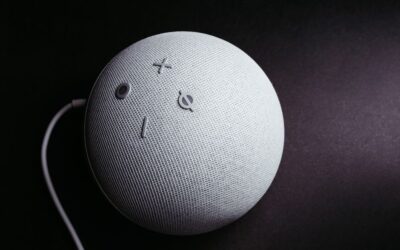
After basic setup, you can connect your smart thermostat to Google Home or Amazon Alexa for voice control. Visit the voice assistant’s app, search for your thermostat brand in the Skills or Actions section, and link your accounts. Once connected, you can adjust temperature by saying “Hey Google, set the thermostat to 72 degrees” or similar commands. This integration eliminates the need to open the app every time you want to change temperature. For detailed instructions, see our guide on connecting a smart thermostat to Google Home or connecting to Alexa.
Key Takeaway: Smart thermostat setup takes 15 minutes and enables both app and voice control for convenient temperature management.
What Features Should You Use to Maximize Comfort and Savings?
Smart thermostats offer multiple features designed to improve comfort while reducing energy consumption. Learning algorithms adapt to your temperature preferences over time, automatically adjusting schedules based on your habits. Geofencing detects when you leave or arrive home and adjusts temperature accordingly, preventing energy waste when no one is present. Energy usage reports show exactly how much heating and cooling you’re using, helping you identify wasteful patterns. These features work together to create a personalized climate control system that saves money without sacrificing comfort.
Using Scheduling and Automation
Create heating and cooling schedules that match your daily routine. Set your thermostat to lower temperatures during work hours and raise them before you arrive home. Most smart thermostats allow multiple schedules for weekdays, weekends, and special occasions. Automation rules can trigger temperature changes based on time of day, outdoor weather, or your location. For a complete guide, check our article on setting up heating and cooling schedules.
- Weekday schedule: 68°F during work hours, 72°F in evenings.
- Weekend schedule: 70°F throughout the day for comfort.
- Sleep mode: Lower temperature at night to reduce costs.
- Away mode: Minimal heating or cooling when apartment is empty.
Monitoring Energy Usage
Check your thermostat’s energy dashboard weekly to understand consumption patterns. Most apps display hourly, daily, and monthly energy usage broken down by heating and cooling. Identify peak usage times and adjust your schedule to shift usage to off-peak hours if your utility offers time-of-use rates. Compare your energy consumption to similar apartments to see if you’re using more or less than average. This data-driven approach helps you fine-tune settings for maximum savings. Learn more in our guide on saving money with a smart thermostat.
Key Takeaway: Scheduling, geofencing, and energy monitoring features work together to reduce bills by 10-23% annually.
What Are Practical Tips for Using a Smart Thermostat in Your Apartment?
Maximize your smart thermostat’s effectiveness with these apartment-specific strategies. Start by setting a baseline temperature range that balances comfort with efficiency—most experts recommend 68-72°F during occupied hours. Position your thermostat away from direct sunlight, heat sources, and air vents, which can cause inaccurate temperature readings. Keep your smartphone app updated to access the latest features and security patches. Test your system’s responsiveness by adjusting temperature from your phone and confirming the HVAC reacts within 2-3 minutes.
Optimization Tips for Apartment Living
- Set thermostat 2-3 degrees lower in winter, higher in summer than usual comfort level.
- Use geofencing to automatically adjust temperature when you leave or arrive.
- Enable eco-mode during extended absences to minimize energy waste.
- Check WiFi signal strength—weak connections cause delayed temperature adjustments.
- Close unused room vents to direct airflow where you spend most time.
- Clean or replace HVAC filters monthly for optimal system performance.
Troubleshooting Common Issues
If your thermostat isn’t responding to app commands, verify your WiFi connection first. Restart your router and thermostat by unplugging both devices for 30 seconds. Check that your app is logged in and your account has remote access enabled. If temperature readings seem incorrect, ensure the thermostat isn’t exposed to direct sunlight or located near heating appliances. For persistent issues, contact your thermostat manufacturer’s support team—most offer 24/7 assistance through phone or chat.
Key Takeaway: Smart thermostat success in apartments depends on proper placement, regular app updates, and basic troubleshooting knowledge.
How Can You Integrate Your Smart Thermostat with Other Smart Home Devices?
Smart thermostats work best as part of a larger smart home ecosystem. Connect your thermostat with smart lighting, door locks, and security cameras to create automated routines that enhance comfort and security. When you arrive home, a routine can unlock your door, turn on lights, and set the thermostat to your preferred temperature simultaneously. During vacation mode, your thermostat can coordinate with security systems to simulate occupancy by varying temperature throughout the day. These integrations require only a few minutes of setup in your voice assistant app.
Creating Automated Routines
Use your voice assistant to create routines that combine thermostat control with other smart devices. For example, “Good Morning” routine could raise temperature to 72°F, open blinds, and start coffee brewing. “Leaving Home” routine could lower temperature to 65°F and lock your front door. “Movie Time” routine could lower temperature slightly and dim lights. These routines save time and ensure consistent comfort settings without manual adjustments. Most routines execute in under 10 seconds once triggered.
- Morning routine: Raise temperature, turn on lights, unlock door.
- Work routine: Lower temperature, lock door, activate security system.
- Evening routine: Set comfortable temperature, close blinds, dim lights.
- Vacation routine: Vary temperature daily to simulate occupancy.
Key Takeaway: Integrating your smart thermostat with other devices creates automated routines that maximize convenience and energy efficiency.
What Should You Know About Smart Thermostat Security in Apartments?
Protecting your smart thermostat from unauthorized access is crucial in apartment buildings where multiple residents share WiFi networks. Use a strong, unique password for your thermostat account—avoid simple passwords like “123456” or “password.” Enable two-factor authentication if your thermostat app offers it, adding an extra security layer. Never share your login credentials with roommates or neighbors; instead, use the app’s sharing features to grant limited access. Update your thermostat’s firmware regularly, as manufacturers release security patches to protect against emerging threats.
Best Security Practices
- Create a password with 12+ characters combining uppercase, lowercase, numbers, and symbols.
- Use a unique password different from other smart home devices.
- Enable two-factor authentication for added account protection.
- Review connected devices monthly and remove any unfamiliar entries.
- Use the app’s sharing feature to grant temporary access instead of sharing passwords.
- Disable remote access if you don’t need smartphone control.
Managing Shared Access Safely
If you have roommates, use your thermostat app’s built-in sharing features instead of sharing login credentials. Most apps allow you to invite other users and set permission levels—some users can only view temperature while others can adjust settings. You retain full control and can revoke access at any time. When roommates move out, immediately remove their access from the app. This approach prevents security breaches while maintaining household comfort control.
Key Takeaway: Strong passwords, two-factor authentication, and proper sharing settings protect your smart thermostat from unauthorized access.
Frequently Asked Questions
Do I need my landlord’s permission to install a smart thermostat in my apartment?
Yes, always request written permission from your landlord before installing any device. Most landlords approve temporary, non-permanent smart thermostats that don’t modify building systems. Portable models using magnetic or adhesive mounting are ideal for renters. Getting approval protects you legally and maintains your relationship with property management. If your landlord refuses, you can still use the thermostat in display-only mode to monitor temperature without control capabilities.
Can a smart thermostat work with my apartment’s centralized HVAC system?
Yes, portable smart thermostats are specifically designed for apartments with centralized systems. These models mount over your existing thermostat and communicate with your building’s HVAC without requiring rewiring. They control airflow to your individual unit while leaving the building’s central system unchanged. Contact your thermostat manufacturer to confirm compatibility with your specific HVAC type before purchasing. Most modern smart thermostats work with 95% of residential HVAC systems.
How much can I save on energy bills using a smart thermostat in my apartment?
Smart thermostats typically reduce energy consumption by 10-23% annually, translating to $100-300 yearly savings depending on your climate and usage. Apartment dwellers often see smaller savings than homeowners because landlords control building temperature settings. However, geofencing and scheduling still provide significant savings by preventing unnecessary heating or cooling. Your actual savings depend on your current thermostat habits and local energy rates. Track your usage through the app’s energy dashboard to measure your specific savings.
What happens to my smart thermostat when I move out of my apartment?
Simply remove the device from your wall—magnetic and adhesive-mounted thermostats leave no permanent damage. Take photos of the original thermostat before installation so you can restore it to its original condition if needed. Most portable smart thermostats are fully portable and can be reinstalled in your next home. Your account data transfers automatically to your new location once you update your home address in the app. Many renters use the same smart thermostat across multiple apartments throughout their lives.
Can I control my apartment’s thermostat remotely from my phone?
Yes, remote access is one of the primary benefits of smart thermostats. Download the manufacturer’s app, log in with your account, and you can adjust temperature from anywhere with an internet connection. Remote access works whether you’re at work, traveling, or away for extended periods. You can also receive notifications when temperature reaches certain levels, alerting you to potential HVAC issues. Ensure your WiFi connection is stable and your app has remote access permissions enabled for reliable control.
What’s the best temperature setting for saving energy in my apartment?
Set your thermostat to 68°F in winter and 78°F in summer while home, adjusting 2-3 degrees when away. Every degree change reduces energy consumption by approximately 1-3%. During sleep hours, lower temperature to 66°F for better sleep quality and additional savings. In summer, raise temperature slightly when away to reduce cooling costs. Use your thermostat’s eco or away mode to automate these adjustments. Combine scheduling with geofencing for maximum efficiency without sacrificing comfort.
How Should You Choose Between Different Smart Thermostat Models for Your Apartment?
Selecting the right smart thermostat for your apartment requires comparing several key factors. Prioritize models specifically designed for renters that don’t require permanent installation or wiring modifications. Check compatibility with your HVAC system type—most modern thermostats work with standard systems, but older units may need verification. Compare app features like scheduling, geofencing, and energy reporting to find the most user-friendly interface. Read reviews from other apartment dwellers to understand real-world performance in multi-unit buildings. Price ranges from $80-$300, with mid-range models ($150-$200) offering the best value for apartment use.
Key Features to Compare
- Renter-friendly installation without permanent modifications or wiring.
- Voice assistant compatibility with Google Home or Alexa.
- Intuitive mobile app with scheduling and geofencing features.
- Energy usage reporting to track consumption and savings.
- Learning algorithms that adapt to your temperature preferences.
- Reliable customer support with multiple contact methods.
Popular Models for Apartments
Several smart thermostat brands offer excellent renter-friendly options. Ecobee SmartThermostat with Voice Control combines temperature management with built-in Alexa, eliminating the need for a separate speaker. Nest Learning Thermostat learns your schedule and automatically adjusts temperature, reducing energy waste without manual input. Honeywell Home T9 offers geofencing and remote access at an affordable price point. Emerson Sensi Touch provides detailed energy reports and works with most HVAC systems. Research each model’s specific apartment compatibility before purchasing to ensure it meets your building’s requirements.
Key Takeaway: Choose renter-friendly models with compatible installation methods, strong app features, and positive apartment-specific reviews.
Conclusion: Mastering Smart Thermostat Use in Your Apartment
Using a smart thermostat in your apartment provides convenient temperature control, energy savings, and enhanced comfort without permanent modifications to your rental property. Start by securing landlord approval, then select a renter-friendly model that matches your HVAC system and lifestyle needs. Complete the initial setup in 15 minutes, connect to your voice assistant, and customize scheduling to match your daily routine. Monitor energy usage through your app and adjust settings based on actual consumption data. With proper configuration and regular optimization, you’ll reduce energy bills by 10-23% while enjoying smartphone-controlled climate management from anywhere. Explore our related guides on smart thermostat installation and energy savings strategies to deepen your knowledge and maximize your smart home investment.






Write Your Review
No reviews yet. Be the first to share your experience!