

How to Protect Your Smart Home from Hackers in 2026?
Smart home security requires multi-layered protection across devices, networks, and accounts. In 2026, hackers increasingly target connected homes through weak passwords, unpatched software, and unsecured WiFi networks. Implementing strong authentication, regular updates, network segmentation, and monitoring tools significantly reduces breach risks. This guide covers essential security practices to safeguard your smart home ecosystem from unauthorized access and data theft.
As smart home adoption accelerates, security threats evolve alongside the technology. According to CISA (Cybersecurity and Infrastructure Security Agency), connected device vulnerabilities remain a top attack vector. Your smart thermostat, cameras, locks, and speakers collect sensitive data about your daily routines and home layout. Protecting these devices prevents criminals from accessing your location patterns, security footage, and personal information.
What Are the Most Common Smart Home Security Vulnerabilities?
Weak passwords remain the primary entry point for smart home attacks. Many users default to simple credentials like “admin” or “12345” on their devices and accounts. Hackers use automated tools to crack these passwords within seconds. Additionally, default manufacturer settings often include known security flaws that attackers exploit immediately.
Unpatched software creates exploitable gaps in your smart home defenses. Device manufacturers release security updates to fix discovered vulnerabilities. However, many users delay or skip updates entirely. Each missed patch leaves your devices exposed to known attack methods that hackers actively use.
- Weak or default passwords on devices and accounts
- Delayed or skipped firmware and software updates
- Unsecured home WiFi networks without encryption
- Devices with outdated or discontinued manufacturer support
- Sharing login credentials across multiple platforms
- Lack of two-factor authentication on critical accounts
Network Security Gaps in Smart Homes
Most households use a single WiFi network for all devices—phones, computers, and smart home equipment. This approach allows a compromised smart bulb to potentially access your laptop or smartphone. Network segmentation separates your IoT devices onto isolated networks, preventing lateral movement by attackers.
Key Takeaway: Network segmentation and device isolation are critical defenses against widespread smart home compromises.
How Do You Secure Your Smart Home Network in 2026?
A strong WiFi network forms the foundation of smart home security. Start by changing your default router password immediately after installation. Use a complex passphrase combining uppercase, lowercase, numbers, and symbols. This prevents neighbors or nearby attackers from gaining WiFi access and infiltrating your connected devices.
Enable WPA3 encryption on your router if available. WPA3 is the latest WiFi security standard that prevents password-cracking attacks. Older WPA2 networks remain vulnerable to brute-force attempts. Check your router settings to confirm encryption is active and properly configured.
- Change default router password to a strong, unique passphrase
- Enable WPA3 encryption (or WPA2 if WPA3 unavailable)
- Disable WPS (WiFi Protected Setup) feature entirely
- Hide SSID broadcast if additional security is desired
- Update router firmware monthly or enable automatic updates
- Disable remote management features on your router
Creating Separate Networks for IoT Devices
Most modern routers support guest networks or VLAN functionality. Create a dedicated network exclusively for smart home devices. Keep your personal devices (phones, laptops) on the primary network. This isolation prevents a compromised smart speaker from accessing your banking applications or personal files.
When setting up your IoT network, use a strong password distinct from your primary WiFi password. This ensures that even if someone gains access to your smart devices, they cannot easily pivot to your main network. Document your network structure for future reference and troubleshooting.
Key Takeaway: Segmented networks with strong encryption prevent attackers from moving laterally through your smart home.
What Password Strategies Protect Your Smart Home Devices?
Every smart home device and associated account requires a unique, strong password. Using the same password across multiple devices means one breach compromises your entire system. A password manager like Bitwarden or 1Password generates and stores complex passwords securely. This eliminates the temptation to reuse weak credentials.
Strong passwords contain at least 16 characters mixing uppercase, lowercase, numbers, and symbols. Avoid dictionary words, personal information, or sequential patterns. For example, “Tr0pic@lSunset#2026” is stronger than “password123” or “summer2026.”
- Use a password manager to generate and store unique passwords
- Create 16+ character passwords with mixed character types
- Avoid dictionary words, birthdays, or personal information
- Never share passwords via email or messaging apps
- Change passwords every 90 days for critical accounts
- Use passphrases for devices you access frequently
Implementing Two-Factor Authentication
Two-factor authentication (2FA) adds a second verification step beyond passwords. After entering your password, you receive a code via text, email, or authenticator app. Even if hackers obtain your password, they cannot access your account without this second factor. Enable 2FA on all smart home platforms and associated email accounts.
Authenticator apps like Google Authenticator or Authy are more secure than SMS-based codes. SMS messages can be intercepted through SIM swapping attacks. Time-based one-time passwords (TOTP) generated by authenticator apps remain secure even if your phone number is compromised.
Key Takeaway: Unique, strong passwords combined with two-factor authentication create formidable barriers against unauthorized account access.
How Should You Manage Device Updates and Firmware?
Firmware updates patch security vulnerabilities that manufacturers discover after device release. Delaying updates leaves known exploits unpatched. Enable automatic updates whenever possible so your devices receive security fixes without manual intervention. Check manufacturer websites monthly for devices that don’t support automatic updates.
Create a device inventory listing all smart home equipment, their manufacturers, and current firmware versions. This helps you track which devices need updates and identify discontinued products no longer receiving security support. Devices older than five years often lack security updates and should be replaced.
- Enable automatic firmware updates on all devices
- Check manufacturer websites monthly for update availability
- Document device models and current firmware versions
- Replace devices that no longer receive security updates
- Test updates on non-critical devices first if possible
- Subscribe to manufacturer security alerts via email
Handling End-of-Life Devices
Smart home devices eventually reach end-of-life when manufacturers stop releasing security updates. These devices become increasingly vulnerable as new exploits emerge. Plan to replace devices before they lose manufacturer support. Check the product specification sheet or contact manufacturers to determine support timelines.
When replacing a device, securely remove your data before disposal. Factory reset the device to erase stored WiFi credentials and personal information. Remove the device from your account settings on manufacturer platforms. This prevents someone from accessing your account through an abandoned device.
Key Takeaway: Regular updates and timely device replacement eliminate security gaps created by outdated firmware.
What Monitoring and Detection Tools Protect Your Smart Home?
Active monitoring detects suspicious activity before attackers cause damage. Many routers include built-in security features that alert you to unknown devices connecting to your network. Review your connected device list weekly to identify unfamiliar equipment. Investigate and remove any devices you don’t recognize immediately.
Consider security cameras with encrypted cloud storage for monitoring your home physically. Ensure cameras require authentication and support two-factor login. Disable cloud features if you prefer local storage only. Position cameras to monitor entry points and valuable items without recording private spaces.
- Review connected devices on your router weekly
- Enable security alerts from your WiFi router
- Use security cameras with encryption and 2FA
- Monitor device activity logs through manufacturer apps
- Set up notifications for unusual login attempts
- Consider a network monitoring tool like Wireshark
Setting Up Smart Home Security Alerts
Most smart home platforms allow you to configure notifications for unusual activities. Enable alerts for login attempts from new locations or devices. Receive notifications when someone accesses your smart locks, cameras, or other sensitive devices. These warnings help you respond quickly to potential breaches.
Create a dedicated email address for smart home platform notifications. This prevents alert emails from getting lost in your main inbox. Check this email daily for security warnings. Respond immediately to any suspicious activity by changing passwords and reviewing account access.
Key Takeaway: Continuous monitoring and real-time alerts enable rapid detection and response to security threats.
How Can You Safely Connect Smart Home Devices to WiFi?
Proper device onboarding prevents security issues from the moment devices connect to your network. During setup, use a secure location away from public view. Never connect devices on public WiFi networks. Change all default credentials before connecting the device to your home network permanently.
For additional setup guidance, refer to our comprehensive guide on how to connect smart home devices to WiFi in 2026. This resource covers detailed connection procedures for various device types. Proper connection procedures establish secure communication from the start.
- Change default passwords before connecting to your network
- Use your secure IoT network for device connections
- Disable Bluetooth after initial setup if not needed
- Verify SSL/TLS certificates during connection setup
- Document device MAC addresses for network management
- Never connect devices on public or guest WiFi networks
Verifying Device Authenticity
Counterfeit smart home devices flood online marketplaces. These fake products contain malware or lack security features entirely. Purchase from authorized retailers and official manufacturer websites. Verify packaging, serial numbers, and documentation match official specifications. Contact manufacturers if you suspect a counterfeit product.
Key Takeaway: Careful device selection and secure onboarding prevent security compromises from the installation phase.
What Practical Steps Should You Take Today?
Smart home security is an ongoing process, not a one-time setup. Start with immediate actions that provide maximum protection. Then establish monthly and quarterly routines to maintain security over time. This layered approach ensures continuous protection as threats evolve.
Immediate Actions (This Week)
- Change all default passwords on smart home devices and accounts
- Enable two-factor authentication on critical accounts
- Update firmware on all connected devices
- Review and remove unknown devices from your WiFi network
- Change your router password to a strong passphrase
- Enable WPA3 encryption on your WiFi network
Monthly Maintenance Tasks
- Review connected devices on your router
- Check manufacturer websites for available firmware updates
- Review account login history for unusual activity
- Update passwords for frequently accessed accounts
- Check security alert notifications from devices
- Verify two-factor authentication remains enabled
Quarterly Security Reviews
- Audit all smart home devices for manufacturer support status
- Plan replacements for devices nearing end-of-life
- Review and update network segmentation configuration
- Test backup and recovery procedures
- Update device inventory with current information
- Rotate passwords for all critical accounts
Key Takeaway: Establishing weekly, monthly, and quarterly security routines maintains consistent protection throughout the year.
How Does Smart Home Automation Affect Security?
Automation routines and integrations create additional security considerations. When you connect devices across multiple platforms, you expand potential attack surfaces. Each integration point represents a potential vulnerability. Review automation rules regularly to ensure they remain necessary and don’t expose sensitive information unnecessarily.
For detailed automation guidance, explore our guide on how to create a smart home routine with Alexa in 2026. This resource covers secure automation setup practices. Similarly, our guide on automating your home with Google Home in 2026 includes security best practices for Google ecosystem devices.
- Limit automation rules to essential functions only
- Review automation permissions quarterly
- Disable automations you no longer use
- Avoid automations that reveal security information publicly
- Test automations thoroughly before enabling
- Document all active automations for reference
Key Takeaway: Careful automation management balances convenience with security by limiting unnecessary device integrations.
Frequently Asked Questions
Can hackers access my smart home if I have a strong password?
A strong password is essential but insufficient alone. Hackers exploit unpatched software, weak WiFi encryption, and phishing attacks to gain access. Combine strong passwords with two-factor authentication, network segmentation, regular updates, and monitoring. This multi-layered approach significantly reduces breach risk even against sophisticated attackers.
How often should I change my smart home device passwords?
Change passwords every 90 days for accounts with sensitive data access, such as smart locks and cameras. For less critical devices like smart bulbs, change passwords annually. If you suspect a breach or receive security alerts, change passwords immediately. Use a password manager to track and manage rotation schedules easily.
Is it safe to use my smart home devices while traveling?
Yes, but take additional precautions. Ensure two-factor authentication is enabled on all accounts. Use a VPN when accessing devices from public WiFi networks. Disable remote access features you don’t need while traveling. Monitor account activity and device access logs regularly for suspicious activity from unfamiliar locations.
What should I do if I suspect my smart home has been hacked?
Change all passwords immediately, starting with your email account. Review account login history for unauthorized access. Check connected device lists for unknown equipment. Perform factory resets on all devices and reconfigure them with new credentials. Contact device manufacturers if you discover malware. File a report with CISA if you believe sensitive data was compromised.
Are smart home hubs more secure than individual devices?
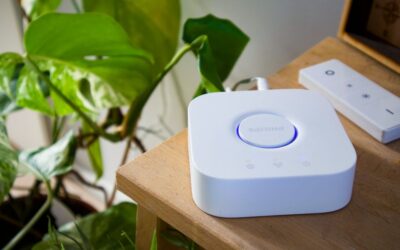
Hubs can improve security by centralizing device management and updates. However, hubs introduce a single point of failure—if the hub is compromised, all connected devices may be affected. Hubs should still be secured with strong passwords, two-factor authentication, and regular updates. Learn more in our guide on how to make your home smart without a hub in 2026.
Do I need antivirus software for smart home security?
Traditional antivirus software doesn’t protect smart home devices effectively. Instead, focus on network-level security through router protections and device-level security through firmware updates. Some advanced routers include built-in threat detection for connected devices. Network monitoring tools provide additional visibility into device behavior and suspicious communications.
How Can You Build a Comprehensive Smart Home Security Strategy?
Effective smart home security requires combining multiple protection layers. No single solution prevents all attacks. Instead, implement overlapping defenses that make your home increasingly difficult to compromise. Start with network security, then add device-level protections, and finally establish monitoring and response procedures.
Regularly reassess your security posture as new threats emerge. Join smart home security communities and subscribe to manufacturer security bulletins. Stay informed about vulnerabilities affecting your specific devices. Update this article’s recommendations as 2026 progresses and new attack methods surface. Security is an ongoing commitment, not a completed project.
Your smart home should enhance your life without creating security risks. By implementing these protective measures, you maintain the convenience of connected devices while safeguarding your privacy and physical security. The effort invested today prevents costly breaches tomorrow. Begin with immediate actions, establish maintenance routines, and continuously improve your security posture throughout 2026.
Key Takeaway: Comprehensive smart home security combines strong passwords, network segmentation, regular updates, and continuous monitoring into a layered defense strategy.



Write Your Review
No reviews yet. Be the first to share your experience!