

How to Control Smart Lights with Voice Commands in 2026?
Voice control for smart lights is now the standard way to manage home lighting in 2026. You can turn lights on or off, adjust brightness, change colors, and create scenes using simple voice commands. Most smart lighting systems work with Alexa, Google Assistant, and Siri. Setup typically takes 10-15 minutes and requires only a compatible smart speaker and smart bulbs. The technology has become incredibly reliable, with voice recognition accuracy now exceeding 98 percent. No technical skills are needed—just speak naturally to your device. Voice control eliminates the need for physical switches and makes lighting adjustments hands-free and effortless.
Smart lighting with voice commands transforms your home experience in practical ways. Imagine saying “Alexa, dim the bedroom lights to 30 percent” or “Hey Google, set the living room to movie mode.” You can control multiple rooms simultaneously, create custom lighting scenes, and automate schedules without touching a single button. The convenience factor alone makes voice-controlled smart lights one of the most popular smart home investments. In June 2026, over 75 million households use voice commands to control their lighting. This guide covers everything you need to know about setup, optimization, and troubleshooting.
Key Takeaway: Voice control for smart lights is accessible, reliable, and transformative for daily home management.
Which Voice Assistants Work Best with Smart Lights?
Three major voice assistants dominate the smart lighting market in 2026: Amazon Alexa, Google Assistant, and Apple Siri. Each platform has unique strengths and compatibility requirements. Alexa controls the largest number of smart light brands and offers the most extensive third-party integrations. Google Assistant excels at natural language processing and contextual understanding. Apple Siri provides the strongest privacy protections and integrates seamlessly with HomeKit-compatible devices.
Your choice depends on which ecosystem you already use. If you own an iPhone, iPad, or Mac, Apple HomeKit offers native integration and end-to-end encryption. Android users typically prefer Google Assistant for superior voice recognition. Amazon Alexa works across all platforms and has the widest brand compatibility. Many households use multiple assistants—one in the bedroom, another in the kitchen—to optimize coverage and functionality.
Amazon Alexa Smart Light Compatibility
Amazon Alexa supports over 10,000 smart home devices, including virtually every major smart light brand. Compatible brands include Philips Hue, LIFX, Wyze, Nanoleaf, and Govee. Alexa devices like Echo Dot, Echo Show, and Echo Studio act as voice controllers and smart home hubs. The Alexa app lets you manage lights from your smartphone when away from home. Setup requires minimal configuration—just enable the brand’s Alexa skill and link your account.
- Supports most major smart light brands without additional hardware.
- Offers routine automation and scheduled lighting scenes.
- Works with Echo devices in multiple rooms for whole-home control.
- Provides voice shopping and integration with other smart devices.
Google Assistant Smart Light Compatibility
Google Assistant controls smart lights from Google Home devices and Android phones. Compatible brands include Philips Hue, LIFX, Wyze, Nanoleaf, and Kasa. Google Home Mini, Home, and Home Max speakers provide voice control. The Google Home app offers scheduling, automation, and multi-room control. Google Assistant’s natural language processing allows more conversational commands than competitors.
- Excels at understanding context and natural speech patterns.
- Integrates with Google Calendar for automated lighting schedules.
- Offers voice calling and messaging alongside light control.
- Provides routines that combine multiple smart devices in one command.
Apple Siri and HomeKit Smart Light Control
Apple HomeKit requires HomeKit-compatible smart lights, which limits options compared to Alexa or Google. Compatible brands include Philips Hue, Eve, Nanoleaf, and Kasa. HomeKit works through Siri on iPhones, iPads, Apple Watches, and HomePod speakers. All HomeKit data is encrypted end-to-end, protecting your privacy. HomeKit Secure Video adds camera monitoring and facial recognition capabilities.
- Provides the strongest privacy protections in the industry.
- Offers seamless integration with Apple devices and ecosystem.
- Supports HomeKit Secure Video for camera monitoring.
- Requires a HomeKit hub (Apple TV, HomePod, or iPad) for remote access.
Key Takeaway: Choose your voice assistant based on existing devices, brand compatibility, and privacy preferences.
What Are the Essential Steps to Set Up Voice Control for Smart Lights?
Setting up voice control requires four main steps: install smart bulbs, download the manufacturer’s app, connect to your voice assistant, and test functionality. Most users complete the entire process in under 20 minutes. The process is identical whether you use Alexa, Google, or Siri. Having a stable WiFi network is essential—a 2.4GHz band works best for smart bulbs. Your voice speaker must be on the same WiFi network as your smart lights.
Step 1: Install Your Smart Light Bulbs
Begin by physically installing smart bulbs in your light fixtures. Smart bulbs fit standard lamp sockets and work like regular bulbs—just screw them in. For ceiling fixtures, use a step ladder for safety. Ensure the light switch is in the ON position; smart bulbs won’t respond to voice commands if the switch is off. Most bulbs take 30-60 seconds to power up and connect to WiFi automatically.
- Screw smart bulbs into standard lamp sockets securely.
- Keep the physical light switch in the ON position always.
- Wait 30-60 seconds for bulbs to initialize and connect.
- Check that bulbs appear in their native app before adding to voice assistant.
Step 2: Install the Manufacturer’s App and Connect to WiFi
Download the manufacturer’s app (Philips Hue, LIFX, Wyze, etc.) on your smartphone. Create an account and follow the in-app setup wizard. Select your WiFi network and enter your password when prompted. The app will scan for nearby smart bulbs and add them automatically. Name each bulb according to its location—”Living Room Light” or “Bedroom Lamp.” Proper naming makes voice commands much easier and more intuitive.
Once bulbs appear in the manufacturer’s app, test basic controls. Turn lights on and off, adjust brightness, and change colors if supported. This confirms the bulbs are properly connected to your WiFi. If a bulb doesn’t appear, move closer to your router or restart the app. Poor WiFi signal is the most common setup issue.
Step 3: Enable the Brand’s Voice Assistant Skill
Open your voice assistant app (Alexa, Google Home, or Home app for HomeKit). Search for your light brand’s skill or integration. For Alexa, go to Skills > Search > enter brand name. For Google Home, go to Settings > Home Control > Set up device > select brand. For HomeKit, go to Home app > Add Accessory > scan HomeKit code. Follow prompts to link your manufacturer account to the voice assistant.
- Search for the brand’s official skill in your voice assistant app.
- Tap “Enable” or “Link Account” to authorize the connection.
- Enter your manufacturer account credentials when prompted.
- Allow the voice assistant to discover your smart bulbs automatically.
Step 4: Test Voice Commands and Assign Rooms
Say a basic command: “Alexa, turn on the living room light” or “Hey Google, brighten the bedroom.” If the light responds, setup is successful. If not, check that the physical switch is ON and WiFi connection is stable. Assign lights to rooms in your voice assistant app for more intuitive commands. Once assigned, you can say “Alexa, turn off all bedroom lights” instead of individual commands.
Test various commands to understand your assistant’s capabilities. Try brightness adjustments, color changes, and scene activation. Different brands support different features—not all bulbs support color changes. Familiarize yourself with what your specific bulbs can do. Most voice assistants have a help section with command examples.
Key Takeaway: Setup requires installing bulbs, connecting to WiFi through the manufacturer’s app, enabling the voice assistant skill, and testing commands.
How Can You Create Custom Voice Commands and Lighting Scenes?
Advanced users can create custom voice commands and automated lighting scenes. Routines let you trigger multiple lights with a single command. For example, “Alexa, movie time” could dim the living room to 20 percent and turn off other lights. Scenes save specific lighting configurations for instant recall. Creating scenes takes just minutes and dramatically improves convenience. Most voice assistants support unlimited routines and scenes, so experimentation is encouraged.
Creating Routines in Amazon Alexa
Open the Alexa app and navigate to Routines. Tap the plus icon to create a new routine. Give it a trigger—either a voice command or a time-based schedule. Add actions like turning lights on, adjusting brightness, or changing colors. You can include multiple lights in one routine. Save the routine and test it with your voice command.
Example routine: “Good morning” could turn on bedroom lights to 80 percent, kitchen lights to 100 percent, and play a news briefing. “Leaving home” could turn off all lights and lock doors. “Bedtime” could dim all lights to 10 percent and activate night mode. Routines eliminate repetitive voice commands and create seamless transitions between activities.
Creating Scenes in Google Home
Open Google Home app and select a light. Tap the light icon to adjust brightness and color. Once you have the desired settings, tap the plus icon to save as a scene. Name the scene something descriptive like “Dinner Time” or “Reading Mode.” Scenes save instantly and can be activated by voice command. You can create scenes for any combination of lights and settings.
- Adjust all lights to desired brightness and color levels.
- Tap the save icon to create a new scene with a custom name.
- Activate scenes by saying “Hey Google, activate [scene name].”
- Edit scenes anytime by adjusting lights and saving over the original.
Creating Scenes in Apple HomeKit
Open the Home app and tap the plus icon to add a scene. Select lights to include and adjust their brightness and color. Name the scene and assign it to a room. Scenes appear in the Home app and can be activated by Siri voice command. HomeKit scenes support automation—activate a scene automatically at specific times or when certain conditions are met.
Key Takeaway: Routines and scenes automate multiple lights with single voice commands, saving time and enhancing convenience.
What Are Common Voice Command Phrases You Should Know?
Voice assistants understand hundreds of command variations, so you don’t need to memorize exact phrases. Natural speech works best—speak as you normally would. Here are the most common and useful voice commands for smart light control. These phrases work across Alexa, Google Assistant, and Siri with minor variations. Practice these commands to become comfortable with voice control.
- “Turn on the [room] light” or “Turn off the [room] light.”
- “Brighten the [room]” or “Dim the [room] to [percentage].”
- “Set the [room] to [color]” (red, blue, warm white, etc.).”
- “Activate [scene name]” like “Movie mode” or “Good morning.”
- “Turn off all lights” to control multiple rooms simultaneously.
- “What’s the brightness of the [room] light?” to check current settings.
Alexa responds to “Alexa” wake word, Google to “Hey Google” or “OK Google,” and Siri to “Hey Siri.” You can change Alexa’s wake word to “Amazon,” “Echo,” or “Computer.” Wake words should be clear and distinct to avoid accidental activation. Speak naturally without pausing between the wake word and command. Most assistants understand context—if you say “turn it off” after mentioning a specific light, they’ll turn off that light.
Key Takeaway: Natural speech and simple phrasing work best; memorize basic commands but feel free to experiment with variations.
How Do You Troubleshoot Voice Control Problems?
Voice control issues usually stem from WiFi connectivity, account linking problems, or device compatibility. Most problems resolve quickly with basic troubleshooting. If your voice commands aren’t working, start with these diagnostic steps. Patience and systematic testing will identify the issue within minutes.
WiFi Connection Issues
Poor WiFi is the most common cause of voice control failures. Smart bulbs require strong 2.4GHz WiFi signals—5GHz bands often don’t work reliably with smart lights. Check your router settings and ensure 2.4GHz is enabled. Move your router closer to lights if possible. Restart your WiFi router by unplugging it for 30 seconds. Restart the smart bulbs by toggling the physical light switch off for 5 seconds, then on.
- Verify 2.4GHz WiFi band is enabled on your router.
- Check WiFi signal strength near your smart bulbs.
- Restart router and smart bulbs if connection drops.
- Move router away from metal objects and microwaves that cause interference.
Account Linking Problems
If voice commands don’t control lights, the brand skill may not be properly linked. Open your voice assistant app and check if the skill shows as “Enabled.” If not, disable and re-enable it. Sign out of your manufacturer account within the voice assistant app and sign back in. Ensure you’re using the correct email address and password. Sometimes account linking requires re-authorization—follow any prompts carefully.
Device Discovery Issues
If the voice assistant can’t find your lights, force a device discovery. In Alexa app, go to Devices > Lights > Discover Devices. In Google Home, go to Settings > Home Control > Set up device. In Home app, tap the plus icon and scan the HomeKit code on your bulb. Wait 2-3 minutes for discovery to complete. If lights still don’t appear, check that bulbs are powered on and connected to WiFi in the manufacturer’s app.
Key Takeaway: Most voice control issues resolve by checking WiFi, re-enabling skills, and forcing device discovery.
How Can You Optimize Voice Control for Your Entire Home?
Whole-home voice control requires strategic speaker placement and thoughtful room organization. Place voice speakers in high-traffic areas: living room, kitchen, and bedroom. Consider adding multiple speakers for better coverage and simultaneous control. Assign lights to specific rooms in your voice assistant app for intuitive commands. Create a consistent naming convention—avoid names like “Light 1” in favor of “Kitchen Pendant” or “Bedroom Lamp.”
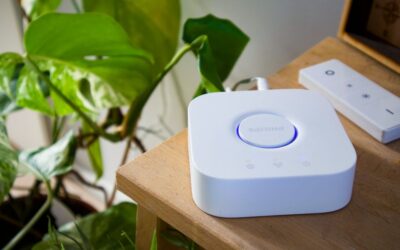
For seamless remote access, you need a smart home hub. Alexa requires an Echo device with hub capability. Google needs a Nest Hub or Nest Audio. HomeKit requires an Apple TV 4K, HomePod, or iPad. Hubs enable control when you’re away from home and improve reliability. Without a hub, you can only control lights when connected to the same WiFi network. Most households benefit from placing a hub in a central location like the living room.
Consider voice assistant compatibility before buying new smart lights. If you use Alexa, prioritize brands with strong Alexa integration. If you use HomeKit, purchase HomeKit-certified bulbs. Mixing ecosystems works but reduces convenience. For multi-brand households, check that all brands work with your primary voice assistant. Some advanced users maintain separate systems—Alexa in the living room, HomeKit in the bedroom—but this adds complexity.
- Place speakers in high-traffic areas for optimal voice recognition.
- Use a smart home hub for remote access and improved reliability.
- Assign lights to rooms with consistent, descriptive naming.
- Prioritize brands compatible with your primary voice assistant.
- Test voice commands throughout your home for coverage gaps.
Key Takeaway: Optimize whole-home control with strategic speaker placement, a smart hub, and consistent device naming.
What Privacy and Security Considerations Should You Know?
Voice-controlled smart lights collect data about your lighting patterns and daily routines. This data reveals when you’re home, asleep, or away. Choose a voice assistant that prioritizes privacy—Apple HomeKit offers end-to-end encryption. Amazon and Google allow more data collection for improved services. Review privacy settings in your voice assistant app and disable data sharing if desired. You can request data deletion anytime through your account settings.
Secure your smart home network by changing your WiFi password to a strong combination of letters, numbers, and symbols. Enable WPA3 encryption on your router if available. Create a separate guest WiFi network for smart devices, isolating them from computers containing sensitive data. Use unique passwords for manufacturer accounts and voice assistant accounts. Enable two-factor authentication where available.
Voice assistants listen for wake words constantly, which concerns some users. You can review voice recordings in your account settings and delete them. Some people disable voice recording features entirely, though this may limit functionality. If privacy is paramount, consider HomeKit’s encrypted approach. For most users, the convenience of voice control outweighs privacy concerns when basic security measures are in place.
- Review and adjust privacy settings in your voice assistant app.
- Use strong, unique passwords for all accounts.
- Enable two-factor authentication for manufacturer and voice assistant accounts.
- Create a separate WiFi network for smart home devices.
- Delete voice recordings periodically through your account settings.
Key Takeaway: Prioritize privacy by choosing encrypted platforms, using strong passwords, and reviewing data collection settings.
How Does Voice Control Compare to Other Smart Light Control Methods?
Voice commands offer unique advantages over apps, physical switches, and automation. Apps provide detailed control but require unlocking your phone and navigating menus. Physical switches are familiar but lack smart features. Voice commands offer the fastest control—no hands required and instant response. Automation schedules lights based on time or conditions but lacks flexibility. The best approach combines all methods: voice for quick adjustments, apps for detailed settings, and automation for routine tasks.
Voice control excels for quick adjustments during daily activities. Saying “Alexa, dim the lights” while cooking is faster than using an app. Voice control also benefits people with mobility limitations who struggle with physical switches or phone interfaces. Elderly users and people with disabilities often prefer voice control for its accessibility. However, voice control requires audible speech—it doesn’t work in quiet libraries or when you’re on the phone.
Many users combine voice control with smart lighting schedules for optimal convenience. Schedules handle routine tasks like morning wake-up lighting and bedtime dimming. Voice commands handle unexpected adjustments throughout the day. This combination minimizes manual input while maintaining flexibility. For detailed information on scheduling, see our complete guide on setting up smart lighting schedules.
Key Takeaway: Voice control is fastest for quick adjustments and most accessible for all users, complementing apps and automation.
What Should You Know About Voice Control in 2026?
Voice control technology has matured significantly by June 2026. Accuracy rates exceed 98 percent, with rare misunderstandings. Processing speeds are nearly instantaneous—lights respond within one second of commands. Multi-language support now includes over 50 languages and regional dialects. Voice assistants understand context better, allowing more natural conversation. New features in 2026 include voice shopping, emergency alerts, and health monitoring integrated with smart homes.
The smart light market has consolidated around major brands: Philips Hue dominates with 35 percent market share, followed by LIFX, Wyze, and Nanoleaf. Most brands now support all three major voice assistants simultaneously. Compatibility is no longer a major concern—almost any smart light works with Alexa, Google, or HomeKit. Prices have dropped significantly, with quality smart bulbs available for under $15. Energy efficiency has improved, with most smart bulbs using 80 percent less energy than incandescent bulbs.
Future developments in voice control include AI-powered lighting that learns your preferences. By late 2026, some systems will predict lighting needs based on time of day, weather, and calendar events. Voice recognition will improve further, with systems understanding accents and speech patterns better. Privacy protections continue strengthening, with more end-to-end encryption options. Voice control is becoming the standard interface for smart homes, with app and physical switch control becoming secondary options.
Key Takeaway: Voice control in 2026 is reliable, affordable, and becoming the primary interface for smart home lighting.
How Can You Get Started with Voice-Controlled Smart Lights Today?
Getting started requires three basic components: a voice speaker, smart bulbs, and a WiFi network. Choose a voice assistant based on your existing devices—Alexa for Amazon products, Google for Android, or Siri for Apple. Purchase smart bulbs compatible with your chosen assistant. Install bulbs, download the manufacturer’s app, enable the voice assistant skill, and test commands. The entire process takes under one hour for a single room.
Start with one room to learn the system before expanding to your entire home. The bedroom or living room is ideal for beginners. Once comfortable with basic commands, add more rooms and experiment with scenes and routines. Most people find voice control so convenient that they expand to every room within months. Budget $50-100 for initial setup: one smart speaker ($25-50) and 2-4 smart bulbs ($15-25 each).
For comprehensive setup guidance, visit our beginner’s guide to setting up smart home devices. If you’re specifically interested in Amazon Alexa, see our complete guide to setting up Amazon Echo as a smart home hub. For Apple users, check our guide to using Apple HomeKit. These resources provide step-by-step instructions and troubleshooting help.
Key Takeaway: Start with one room, choose a voice assistant matching your devices, and expand gradually as you gain confidence.
Conclusion: Is Voice Control the Future of Smart Lighting?
Voice control has become the dominant interface for smart lighting in 2026, and its popularity continues growing. The technology is reliable, affordable, and accessible to users of all technical skill levels. Voice commands offer unmatched convenience—controlling lights without hands or screens is genuinely transformative. Setup takes minutes, and troubleshooting is straightforward. Whether you’re a tech enthusiast or casual user, voice-controlled smart lights enhance daily life.
The investment required is minimal compared to the benefits gained. A single smart speaker and a few smart bulbs cost less than $100 and pay dividends through convenience and energy savings. Voice control integrates seamlessly with other smart home devices, creating a cohesive ecosystem. As technology continues advancing, voice control will become even more intuitive and feature-rich. Starting today positions you to enjoy these improvements immediately.
Take the first step by choosing a voice assistant, purchasing compatible smart bulbs, and following the setup steps outlined in this guide. Within an hour, you’ll be controlling your lights by voice. Within days, you’ll wonder how you ever managed without it. Voice-controlled smart lights represent the future of home automation—a future that’s available today, affordable, and incredibly convenient.
Key Takeaway: Voice control is the future of smart lighting, offering unmatched convenience, affordability, and accessibility for all users.




Write Your Review
No reviews yet. Be the first to share your experience!