

How Can You Install a Smart Light Switch Without a Neutral Wire?
Installing a smart light switch without a neutral wire is possible in 2026 using specially designed switches that operate on low power. Many modern smart switches now support no-neutral installation through advanced technology. These switches draw minimal current from the hot and load wires, eliminating the neutral wire requirement. This breakthrough makes smart home upgrades feasible in older homes with limited wiring. Understanding your switch options and installation method is essential for success.
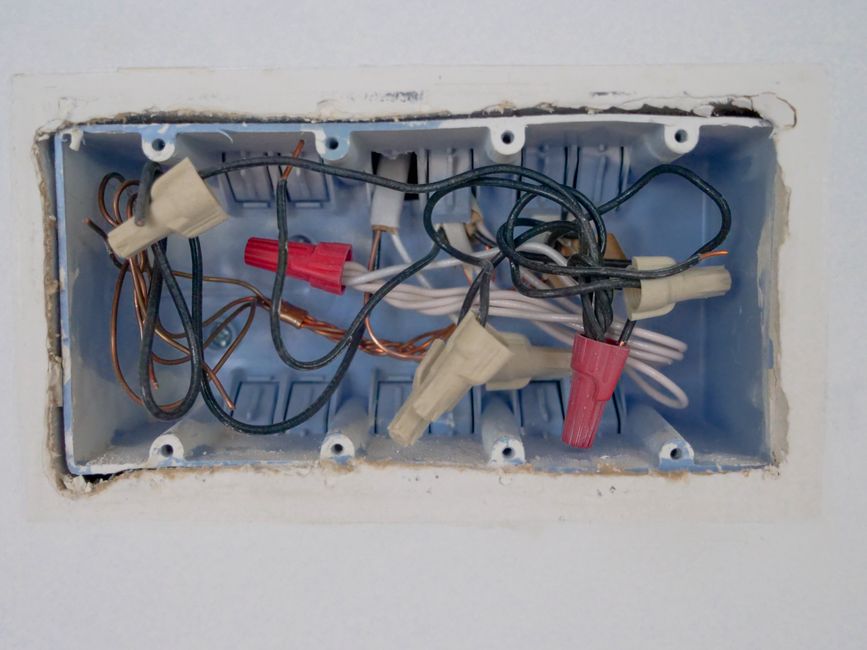
Older homes built before the 1980s often lack neutral wires in light switch boxes. This electrical limitation has traditionally prevented smart switch installation. However, manufacturers have engineered solutions specifically for this challenge. No-neutral smart switches use innovative designs to function safely and effectively. Your success depends on choosing the right device and following proper installation procedures carefully.
What Are No-Neutral Smart Switches and How Do They Work?
No-neutral smart switches operate differently from traditional smart switches that require a neutral wire. These devices draw minimal power through the light load itself, creating a complete circuit without needing a neutral connection. The switch uses advanced electronics to function on just the hot and load wires. This technology represents a significant advancement in smart home accessibility for older homes. Understanding this mechanism helps you select the right product for your situation.

Key Technology Behind No-Neutral Operation
No-neutral switches employ several clever engineering solutions. Some models use the connected light bulb as a path for minimal current draw. Others incorporate capacitive coupling technology to sense switch position changes. The switch’s internal circuitry is designed to operate on extremely low power consumption. This allows the device to function safely without the neutral wire pathway.
- Minimal current draw through load wire and connected bulb
- Capacitive sensing for switch position detection
- Advanced microprocessor requiring only milliamps to operate
- Built-in protection against power surges and overloads
- LED indicator lights for status confirmation
Key Takeaway: No-neutral smart switches use innovative technology to operate safely without a neutral wire connection.
Which Smart Light Switches Work Without a Neutral Wire?
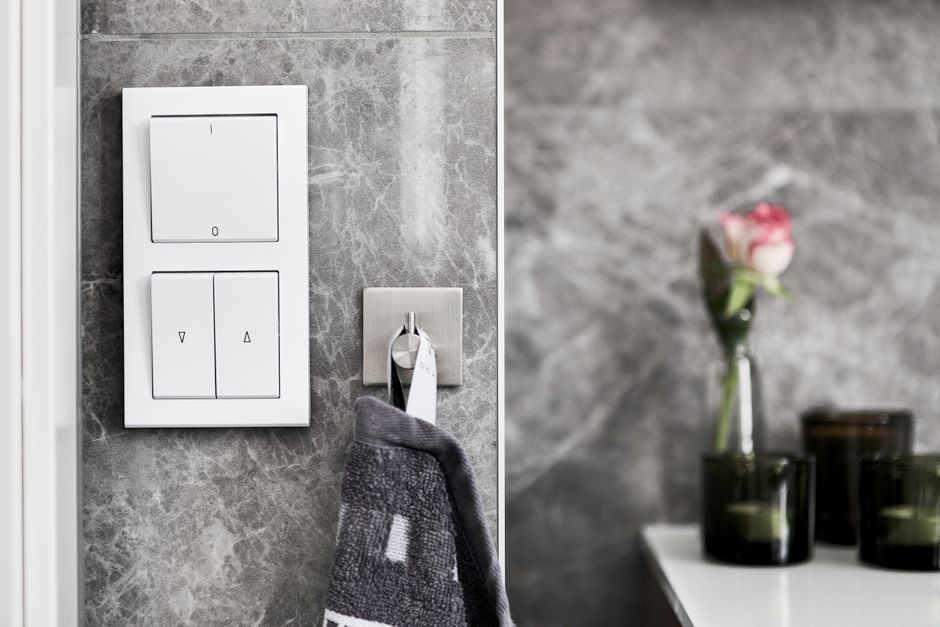
Several manufacturers now offer compatible no-neutral smart switches as of 2026. Lutron Caseta switches have been industry leaders in this space for years. GE Enbrighten also provides reliable no-neutral options. Leviton has expanded their no-neutral switch lineup significantly. Kasa Smart and other brands continue developing compatible models. Researching current compatibility is crucial since new products launch regularly.
Popular No-Neutral Switch Brands and Models
- Lutron Caseta: Industry standard with excellent reliability and wide dimming range
- GE Enbrighten: Budget-friendly option with solid performance and app control
- Leviton Decora: Multiple models supporting various automation platforms
- Kasa Smart: Cloud-based control with no-neutral versions available
- Inovelli Red Series: Advanced features with Z-Wave protocol support
Before purchasing, verify that your chosen switch explicitly states no-neutral compatibility. Check manufacturer specifications and customer reviews from users in similar situations. Some switches work better with specific light bulb types. Dimmer switches have different requirements than on-off switches. Always confirm compatibility with your existing electrical setup before buying.
Key Takeaway: Multiple reputable brands offer no-neutral smart switches, but verification of compatibility is essential before purchase.
What Are the Step-by-Step Installation Instructions for No-Neutral Switches?
Installing a no-neutral smart switch requires careful attention to electrical safety. Turn off power at the breaker and verify it’s off using a voltage tester. Remove the existing switch carefully, noting wire positions and colors. Take photos before disconnecting any wires to reference during reinstallation. This preparation prevents mistakes and ensures proper reconnection of all components.
Installation Process Overview
- Turn off power at the circuit breaker for the light switch circuit
- Use a voltage tester to confirm power is completely off at the switch
- Remove the switch plate cover and unscrew the existing switch from the box
- Disconnect the wires from the old switch, taking photos for reference
- Connect the hot wire (typically black) to the line terminal on the new switch
- Connect the load wire (typically red or another color) to the load terminal
- If present, connect the ground wire (green or bare copper) to the ground terminal
- Carefully push the switch back into the box without bending wires
- Screw the switch securely to the box, ensuring it sits flush
- Attach the switch plate cover and restore power at the breaker
Never force wires into terminals or over-tighten screws. Use backstab holes only if the switch supports them, though screw terminals are more reliable. Ensure all wire connections are tight and secure before pushing the switch into the box. The switch should sit flush against the wall without gaps. Turn on power and test the switch function before considering the installation complete.
Key Takeaway: Proper preparation and careful wire connection are critical for safe and functional no-neutral switch installation.
How Do You Identify Your Home’s Wiring Configuration?
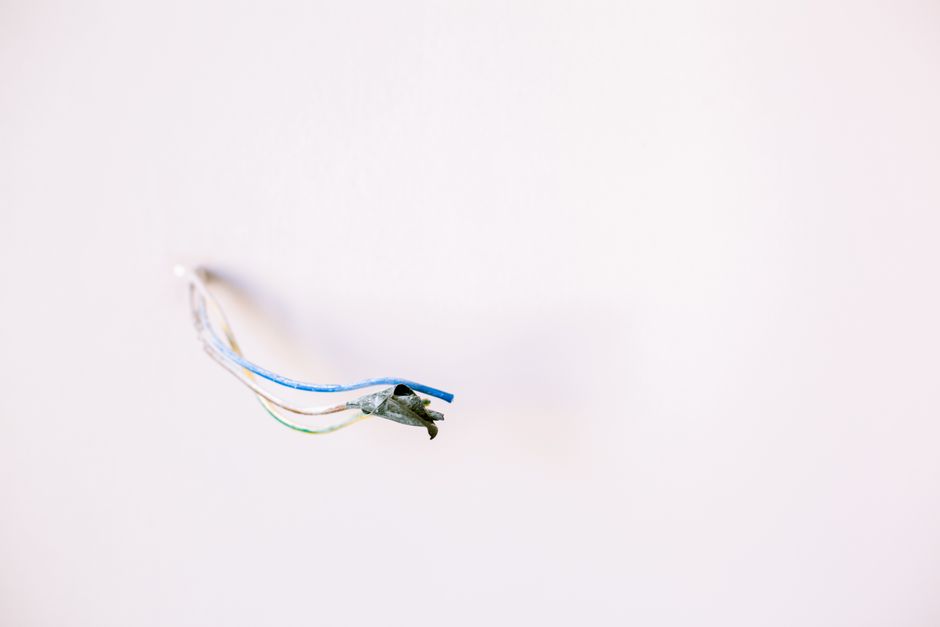
Before installing a no-neutral switch, you must understand your home’s electrical setup. Turn off power and carefully remove the existing switch from the box. Examine the wires present in the switch box to determine your configuration. Older homes typically have only two wires: hot and load. Some homes may have additional wires depending on circuit design and modifications. Proper identification prevents installation errors and safety hazards.
Common Wiring Scenarios in Older Homes
- Two-wire setup: Hot (black) and load (red/black) only, no neutral or ground
- Three-wire setup: Hot, load, and ground wire present
- Four-wire setup: Hot, load, neutral, and ground wires all present
- Three-way switch: Multiple switches controlling one light from different locations
- Four-way switch: Three or more switches controlling one light
Wire colors provide clues but aren’t always reliable in older homes. Black wires are typically hot, but older wiring may use different conventions. Red wires usually indicate load connections. Green or bare copper indicates ground wires. White wires typically indicate neutral, though this varies in older installations. When uncertain, consult a licensed electrician to avoid dangerous mistakes.
Key Takeaway: Accurate wiring identification is essential before selecting and installing your no-neutral smart switch.
What Compatibility Issues Should You Watch For?
Not all light bulbs work well with no-neutral switches, particularly dimmers. Incandescent and halogen bulbs are generally compatible but increasingly rare. LED bulbs require special consideration since many aren’t designed for low-power switch operation. Smart bulbs and regular LEDs may flicker or fail to dim properly. Testing bulb compatibility before full installation prevents frustration and wasted purchases.
Bulb Type Compatibility Matrix
- Incandescent: Excellent compatibility with all no-neutral switches
- LED (dimmable): Good compatibility but verify switch specifications
- LED (non-dimmable): May not work with dimmer-type no-neutral switches
- CFL: Generally incompatible with dimmer switches, risky with no-neutral
- Halogen: Compatible but becoming obsolete
- Smart bulbs: Verify compatibility with your specific switch model
Manufacturer compatibility charts provide detailed bulb recommendations for each switch model. Many no-neutral switches have minimum load requirements, typically 10-20 watts. Using bulbs below the minimum load can cause flickering or switch malfunction. For optimal results, use dimmable LED bulbs specifically rated for your switch model. Keep manufacturer documentation handy for reference during and after installation.
For additional smart lighting guidance, explore how to install smart light bulbs step by step for comprehensive setup instructions. You might also benefit from learning about saving energy with smart lighting in 2026 to maximize your investment.
Key Takeaway: Bulb compatibility is critical for no-neutral switch performance, and proper selection prevents operational issues.
What Common Installation Problems Can You Troubleshoot?
Even with careful installation, problems sometimes occur with no-neutral switches. The most common issue is flickering lights caused by incompatible bulbs or insufficient load. Another frequent problem is the switch not responding to commands or failing to connect to your home network. Some users experience the switch not turning the light fully off or on. Understanding these issues helps you identify and resolve problems quickly.
Troubleshooting Common Issues
- Flickering lights: Replace bulbs with manufacturer-recommended dimmable LEDs
- No network connection: Reset the switch and reconnect to WiFi or hub
- Partial on-off function: Verify correct wire connections, especially hot and load terminals
- Switch unresponsive: Check power supply and confirm breaker isn’t tripped
- Delayed response: Move WiFi router closer or add a mesh network extender
- Dimming doesn’t work: Confirm switch is dimmer-capable and bulbs are dimmable
If flickering persists after bulb replacement, the switch may be incompatible with your wiring. Consult the manufacturer’s support documentation or contact their customer service team. For connectivity issues, try factory resetting the switch and reconfiguring it from scratch. Ensure your home WiFi network is stable and has adequate signal strength at the switch location. If problems continue, a licensed electrician can inspect your wiring and diagnose underlying electrical issues.
Key Takeaway: Most no-neutral switch problems stem from bulb incompatibility or connection issues, which are usually resolvable.
When Should You Call a Professional Electrician?
Some situations require professional electrical expertise rather than DIY installation. If you’re uncertain about your home’s wiring configuration, consult an electrician before proceeding. Homes with aluminum wiring, outdated fuses, or unusual switch configurations need expert evaluation. If you discover unexpected wires or connections during removal, stop and seek professional help. Safety must always be your top priority in electrical work.
Electricians can identify wiring issues, verify compatibility, and ensure code compliance. They can also install additional neutral wires if your home’s infrastructure supports it. This option may be more cost-effective than purchasing no-neutral switches for multiple locations. Professional installation provides peace of mind and warranty protection. Many electricians now specialize in smart home upgrades and understand no-neutral switch technology thoroughly.
For comprehensive smart home integration, learn about setting up Amazon Echo as a smart home hub or using Apple HomeKit to control smart devices. You can also explore connecting multiple smart home brands together for seamless automation.
Key Takeaway: Professional electricians should handle complex wiring situations or when you’re uncertain about any aspect of installation.
What Advanced Features Do Modern No-Neutral Switches Offer?
Today’s no-neutral smart switches include features beyond basic on-off functionality. Many models support remote control through smartphone apps and voice assistants. Scheduling capabilities allow you to automate lights based on time of day or occupancy. Some switches include motion sensors for automatic lighting when you enter a room. Integration with other smart home devices creates comprehensive automation possibilities.
Popular Smart Features in 2026
- Voice control through Alexa, Google Assistant, or Apple Siri
- Scheduling and automation based on time or location
- Dimming capability with adjustable brightness levels
- Built-in motion or occupancy sensors
- Scene creation for coordinated multi-light control
- Energy monitoring to track usage and costs
- Integration with security systems and smart home hubs
These advanced features enhance convenience and energy efficiency throughout your home. Voice control eliminates the need to physically interact with switches. Scheduling ensures lights are on when you need them and off when you don’t. Motion sensors provide hands-free operation in hallways and bathrooms. Energy monitoring helps identify usage patterns and reduce electricity bills. Explore controlling smart lights with voice commands to maximize these capabilities.
Key Takeaway: Modern no-neutral switches offer automation and control features that enhance convenience and energy efficiency.
How Can You Optimize Your No-Neutral Switch Setup?
Once installed, proper configuration ensures optimal performance and reliability. Connect your switch to your home WiFi network during initial setup. Name the switch descriptively to identify it easily in your smart home app. Group switches by room or function for intuitive control and automation. Test all features before finalizing your setup to catch any issues early. Regular maintenance and updates keep your switches functioning smoothly.
Create lighting scenes for different times of day or activities. Morning scenes might include bright, cool-toned lighting to energize. Evening scenes could feature warm, dimmed lighting for relaxation. Away scenes turn off all lights to simulate occupancy for security. Consider creating lighting scenes with smart bulbs to complement your switch setup. You might also explore setting up circadian lighting in your home for health benefits.
Schedule regular firmware updates when available through your switch’s app. These updates improve performance and add new features. Keep your WiFi password secure to prevent unauthorized access to your lights. Monitor energy usage through built-in reporting features. Replace bulbs promptly if flickering occurs to prevent switch damage.
Key Takeaway: Proper setup and maintenance maximize the benefits and lifespan of your no-neutral smart switches.
What Is the Cost Comparison for No-Neutral Switch Installation?
No-neutral smart switches typically cost between $30 and $80 per unit in 2026. Budget brands like Kasa offer affordable options around $30 to $40. Mid-range switches from GE Enbrighten or Leviton cost $40 to $60. Premium options like Lutron Caseta range from $60 to $80 per switch. Installation costs vary based on complexity and whether you hire a professional.
DIY installation saves labor costs but requires careful attention to safety. Professional installation typically costs $75 to $150 per switch depending on your location. Bulk purchases of multiple switches often include discounts. Consider the total cost of switches, bulbs, and any professional installation when budgeting. Compare this to the cost of running neutral wires, which can exceed $500 per location.
Long-term energy savings from smart lighting automation offset initial costs. Many homeowners recoup their investment within one to two years through reduced electricity consumption. The convenience and control features add value beyond simple cost analysis. Budget for compatible bulbs, which may cost more than standard options. Factor in potential professional consultation fees if you need expert guidance.
Key Takeaway: No-neutral switches offer an affordable smart home upgrade with potential for quick return on investment.
Is Installing a No-Neutral Smart Light Switch Right for Your Home?
No-neutral smart switches are ideal for older homes lacking neutral wires in switch boxes. They provide an accessible way to upgrade to smart lighting without extensive rewiring. If your home was built before the 1980s, you likely have this wiring limitation. No-neutral switches eliminate the need for expensive electrical work. They’re perfect for renters or homeowners avoiding permanent modifications.
However, no-neutral switches aren’t suitable for all situations. Homes with three-way or four-way switches require specialized solutions. Certain lighting fixtures may not work reliably with no-neutral switches. If your home has neutral wires available, standard smart switches might be better. Professional evaluation helps determine if no-neutral switches are appropriate for your needs.
Consider your long-term smart home goals when deciding on installation. No-neutral switches work well as a starting point for smart home automation. They integrate with popular platforms like Amazon Alexa and Google Home. If you plan extensive smart home expansion, a professional electrician might install neutral wires for greater flexibility. Evaluate your specific situation, budget, and goals before making a final decision.
Key Takeaway: No-neutral smart switches are excellent for older homes but require careful evaluation of your specific electrical situation.
What Are the Final Recommendations for Success?
Start by thoroughly researching switch options compatible with your home’s wiring. Read customer reviews from users with similar electrical configurations. Verify bulb compatibility before purchasing switches and bulbs. Take detailed photos of your existing wiring before removal. Double-check all wire connections before restoring power. Test the switch thoroughly before considering installation complete. Keep manufacturer documentation accessible for future reference and troubleshooting.
Don’t hesitate to consult a licensed electrician if you’re uncertain at any point. Professional guidance prevents costly mistakes and safety hazards. Many electricians offer affordable consultation fees for quick wiring evaluations. Consider professional installation if you’re uncomfortable working with electricity. The cost of professional help is minimal compared to potential risks of DIY mistakes.
Once successfully installed, enjoy the convenience and control of smart lighting. Explore automation possibilities through scheduling and scenes. Integrate your switches with other smart home devices for comprehensive automation. Monitor energy usage and adjust settings to optimize consumption. Share your success with others considering similar upgrades in older homes.
Key Takeaway: Proper research, careful installation, and professional consultation ensure successful no-neutral smart switch implementation.
FAQ
Can I install a no-neutral smart switch if I have aluminum wiring?
Aluminum wiring requires special consideration and compatibility verification. Consult a licensed electrician before attempting installation with aluminum wiring. Many modern switches work with aluminum, but connections must be secure and properly made. Aluminum wiring is more prone to oxidation and loose connections. Professional evaluation ensures safe and reliable operation in your specific situation.
What happens if I use a regular smart switch in a no-neutral situation?
Regular smart switches require a neutral wire and won’t function without one. Attempting installation without proper wiring creates safety hazards and electrical damage. The switch may not receive adequate power and could malfunction dangerously. Always use switches specifically designed for no-neutral installations. Verify compatibility labels before purchasing any smart switch product.
Do no-neutral switches work with all light bulb types?
No-neutral switches work best with incandescent and dimmable LED bulbs. Non-dimmable LEDs and CFLs often cause flickering or malfunction. Smart bulbs require verification of compatibility with your specific switch model. Manufacturer recommendations specify compatible bulb types and minimum wattage requirements. Always follow these guidelines to ensure proper operation and prevent switch damage.
How long does a no-neutral switch installation typically take?
DIY installation usually takes 15 to 30 minutes per switch for experienced users. First-time installers may need 30 to 45 minutes for careful, safe work. Professional electricians complete installation in 20 to 30 minutes per switch. Total time includes power shutdown, wire removal, new switch installation, and testing. Plan additional time if you encounter unexpected wiring complications.
Can I add a neutral wire to my home instead of using no-neutral switches?
Adding neutral wires is possible but expensive, typically costing $500 to $2,000 per location. This option requires opening walls and running new electrical conduit. It’s most practical during major renovations or new construction. For single room upgrades, no-neutral switches are usually more cost-effective. Professional electricians can evaluate whether adding neutrals is feasible for your home.
What smart home platforms do no-neutral switches integrate with?
Most no-neutral switches integrate with Amazon Alexa, Google Home, and Apple HomeKit. Some models support Z-Wave or Zigbee protocols for hub-based control. Verify platform compatibility before purchasing to ensure integration with your existing setup. Many switches support multiple platforms simultaneously. Check manufacturer specifications for complete compatibility information before buying.




Write Your Review
No reviews yet. Be the first to share your experience!