

What Is an Alexa Smart Home Routine and Why Does It Matter?
An Alexa smart home routine is a sequence of automated actions triggered by a single voice command, schedule, or condition. Instead of manually controlling each device, routines let you execute multiple tasks simultaneously—like turning off lights, locking doors, and adjusting thermostats with one phrase. In June 2026, routines have become essential for energy efficiency, convenience, and home security. They reduce energy waste by automating device schedules and eliminate forgotten steps in your daily workflow. Routines transform your smart home from a collection of independent gadgets into an integrated system that anticipates your needs.

Setting up routines saves time and enhances your quality of life. Whether you’re leaving for work, preparing for bed, or arriving home, routines handle repetitive tasks instantly. They also improve home security by automating locks and lights when you’re away. Energy-conscious homeowners benefit significantly because routines can reduce consumption by automating heating, cooling, and lighting based on occupancy patterns.
Key Takeaway: Alexa routines automate multiple smart home actions with a single command, saving time and reducing energy consumption.
How Do You Access and Navigate the Alexa Routine Settings?
Accessing Alexa routines is straightforward through the Alexa mobile app or web interface. Open the Alexa app on your smartphone, tablet, or visit the web dashboard. Look for the “Routines” section in the main menu—usually located under “More” or the menu icon. From there, you can view existing routines, create new ones, and customize every detail. The interface in 2026 is intuitive, designed for both beginners and advanced users.
Navigation differs slightly between the mobile app and web version, but both offer identical functionality. The mobile app provides quick access and notifications, while the web interface offers a larger screen for detailed editing. Start by exploring existing routine templates that Amazon provides—these serve as excellent starting points for customization.
Step-by-Step Navigation Process
- Open the Alexa app and tap the “More” menu icon (three horizontal lines).
- Select “Routines” from the dropdown options.
- Browse existing routines or tap the “+” button to create a new one.
- Choose a routine name and set your trigger (voice command, schedule, or smart home device).
- Add actions and adjust settings before saving.
The Alexa app syncs across all your devices, so changes made on your phone automatically appear on your Echo speakers and displays. This cloud-based synchronization ensures consistency throughout your smart home ecosystem.
Key Takeaway: The Alexa app provides intuitive access to routines through the “More” menu, with seamless syncing across all devices.
What Types of Triggers Can You Use for Smart Home Routines?
Alexa routines support multiple trigger types, giving you flexibility in how you automate your home. Voice commands are the most popular—simply say “Alexa, good morning” to start your day routine. Time-based triggers let you schedule routines for specific times daily, weekly, or on custom intervals. Smart home device triggers activate routines when sensors detect motion, doors open, or devices change state. Location-based triggers use your phone’s GPS to start routines when you arrive or leave home.
Each trigger type serves different automation needs. Voice commands offer immediate control for spontaneous situations. Scheduled triggers handle predictable daily tasks like bedtime routines. Device-based triggers create responsive automation—for example, turning on lights when motion is detected. Location triggers provide seamless transitions as you move between home and away.
Available Trigger Options in 2026
- Voice commands: Say any custom phrase to activate routines instantly.
- Time-based schedules: Set routines for specific times, days, or recurring intervals.
- Smart device triggers: Use sensor data or device state changes to start actions.
- Location-based triggers: Activate routines based on your phone’s location.
- Alexa Guard integration: Trigger routines when security modes change.
- Conditional triggers: Combine multiple conditions for complex automation.
Combining multiple triggers creates sophisticated automation. For instance, you could set a routine that activates at sunset or when motion is detected after 9 PM. This layered approach ensures your home responds intelligently to various situations without redundant manual input.
Key Takeaway: Alexa routines support voice, schedule, device, and location triggers, enabling flexible automation for any situation.
Which Actions Can You Add to Your Alexa Routines?
Alexa routines support a vast range of actions that control your smart home devices. You can control smart lights, adjust thermostats, lock and unlock doors, play music, make announcements, and activate other routines. Each action executes in sequence, allowing you to orchestrate complex multi-device workflows. The available actions depend on your connected devices and their compatibility with Alexa.
Common routine actions include turning on or off lights, adjusting brightness and color, setting thermostat temperatures, and controlling smart plugs. You can also send notifications to your phone, play specific songs or playlists, and adjust volume levels. More advanced actions include activating scenes, starting specific routines, or sending commands to smart displays.
Popular Actions for Smart Home Routines
- Smart lighting: Turn on/off, adjust brightness, change colors, set scenes.
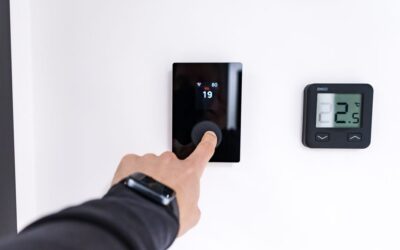
- Climate control: Adjust thermostat temperature, activate heating or cooling modes.
- Door locks: Lock or unlock doors, check lock status.
- Entertainment: Play music, podcasts, or audiobooks; adjust volume.
- Announcements: Make voice announcements to all Alexa devices.
- Notifications: Send alerts to your phone or Echo devices.
- Smart plugs: Turn connected appliances on or off.
- Cameras and displays: Activate camera feeds or display content.
For energy efficiency, consider adding thermostat adjustments and lighting controls to your routines. This combination reduces unnecessary consumption when you’re away or asleep. If you’re interested in monitoring energy use, check out our guide on how to track energy use per appliance in 2026 for detailed insights.
Key Takeaway: Alexa routines support lighting, climate, security, and entertainment actions, enabling comprehensive home automation.
How Do You Create Your First Smart Home Routine Step by Step?
Creating your first Alexa routine involves six essential steps. Start by opening the Alexa app and navigating to Routines. Tap the “+” button to create a new routine. Give it a descriptive name like “Morning Routine” or “Leave Home.” Then select your trigger—voice command, schedule, or device activation. Next, add actions by tapping “Add Action” and selecting devices and commands. Finally, review your settings and tap “Save” to activate the routine.
Detailed Creation Process
- Step 1: Open Alexa app and tap “More” → “Routines.”
- Step 2: Tap “+” button to start a new routine.
- Step 3: Enter a routine name that describes its purpose clearly.
- Step 4: Select your trigger type (voice, schedule, device, or location).
- Step 5: Tap “Add Action” and choose devices and commands.
- Step 6: Review all settings and tap “Save” to complete.
After saving, test your routine immediately. If you used a voice trigger, say the command aloud. If you set a schedule, wait for the time or manually trigger it to verify all actions execute correctly. Make adjustments if any device doesn’t respond as expected. Testing ensures your routine works reliably when you need it.
For advanced setups, consider integrating smart thermostats and lighting schedules. Our guide on how to set up automated lighting schedules in 2026 provides detailed instructions for energy-efficient lighting routines. Additionally, if you’re setting up smart thermostats without a C-wire, see our complete guide on installing smart thermostats without C-wire.
Key Takeaway: Creating routines takes six simple steps: name, trigger, actions, and save—then test immediately.
What Are Practical Examples of Effective Smart Home Routines?
Real-world routine examples help you understand practical applications. A “Good Morning” routine might turn on bedroom lights, start coffee brewing, and read the daily news. An “Away” routine locks doors, turns off lights, adjusts the thermostat, and activates security cameras. A “Bedtime” routine closes blinds, turns off all lights, locks doors, and sets the thermostat to sleep mode. These examples demonstrate how routines simplify daily tasks and improve home efficiency.
Sample Routine Configurations
- Morning Routine: Lights on (gradually increasing brightness), coffee maker on, weather announcement, news briefing.
- Away Routine: All lights off, thermostat set to away mode, doors locked, security cameras activated, garage door closed.
- Bedtime Routine: All lights off, front door locked, thermostat lowered, white noise playing on speaker.
- Movie Time Routine: Lights dimmed to 20%, blinds closed, TV turned on, volume adjusted, notifications muted.
- Arriving Home Routine: Entryway lights on, door unlocked, thermostat set to comfort temperature, garage door opened.
- Exercise Routine: Motivational music started, lights brightened, door locked, thermostat set to cool mode.
These examples are customizable to your lifestyle and smart home setup. Start with simple routines like bedtime or morning, then expand to more complex scenarios. Each routine should address a specific need or time in your day. The more aligned your routines are with your actual habits, the more value they provide.
To optimize energy consumption in your routines, review our guide on how to conduct a DIY home energy audit in 2026. This helps identify which devices consume the most energy and which automation strategies provide the greatest savings.
Key Takeaway: Effective routines address specific times or activities—morning, bedtime, away, or entertainment—and can be customized to your lifestyle.
How Can You Optimize Routines for Energy Efficiency and Sustainability?
Optimizing routines for energy savings requires strategic planning. Schedule thermostats to adjust temperatures when you’re away or sleeping—this alone can reduce HVAC consumption by 10-15%. Automate lighting to turn off in unoccupied rooms and adjust brightness based on natural daylight. Use routines to manage phantom power by turning off entertainment systems and appliances when not in use. Combine these strategies to create a comprehensive energy-efficient smart home.
Energy-conscious routines benefit both your wallet and the environment. Lighting typically accounts for 10-15% of home energy use, so automating it provides measurable savings. Climate control represents 40-50% of energy consumption, making thermostat automation highly impactful. By reducing unnecessary device operation, you lower your carbon footprint while decreasing utility bills.
Energy-Saving Routine Strategies
- Thermostat automation: Lower temperature by 7-10°F during sleep or away periods.
- Lighting schedules: Turn off lights in unoccupied rooms automatically.
- Smart plug management: Disconnect entertainment systems and appliances after use.
- Motion-based lighting: Activate lights only when rooms are occupied.
- Daylight optimization: Reduce artificial lighting during sunny hours.
- Peak hour avoidance: Schedule high-consumption tasks during off-peak hours.
Monitor your routine’s impact using energy tracking tools. Our guide on how to track carbon footprint on energy app in 2026 shows you how to measure savings from your automation efforts. For comprehensive home energy management, explore how to maximize self-consumption of solar energy in 2026 to align routines with renewable energy production.
Key Takeaway: Energy-optimized routines automate thermostats, lighting, and appliances to reduce consumption and lower utility bills significantly.
What Troubleshooting Steps Should You Take if Routines Fail?
Routine failures typically stem from connectivity issues, device incompatibility, or incorrect configuration. First, verify that all devices are connected to WiFi and responding in the Alexa app. Check that devices support the actions you’ve assigned—older devices may not be compatible with certain commands. Review your routine settings to ensure triggers and actions are configured correctly. If problems persist, restart your Alexa devices and reconnect them to WiFi.
Common issues include devices not responding, routines not triggering at scheduled times, or actions executing out of order. Device connectivity is the primary culprit—ensure your WiFi network is stable and devices are within range. For schedule-based routines, verify that your Echo device has the correct time zone set. Check your phone’s location permissions if using location-based triggers.
Troubleshooting Checklist
- Verify all devices show “Connected” status in the Alexa app.
- Restart your Echo device by unplugging for 30 seconds.
- Confirm WiFi network is stable with good signal strength.
- Check time zone settings on your Alexa device.
- Review routine trigger and action configuration for errors.
- Test routine manually before relying on automatic triggers.
- Update all device firmware to the latest version.
- Disable and re-enable the routine to reset its configuration.
If individual devices fail during a routine, that device may have connectivity problems. Test the device independently through the Alexa app. If it responds there but not in the routine, try removing and re-adding the action. For persistent issues, contact the device manufacturer’s support team—they can identify compatibility problems or firmware issues.
Key Takeaway: Routine failures usually stem from connectivity issues; verify device status, WiFi strength, and time zone settings first.
How Do Advanced Features Enhance Your Alexa Routine Capabilities?
Advanced features in 2026 include conditional logic, routine chaining, and integration with third-party services. Conditional logic lets you create “if-then” scenarios—for example, “if motion is detected after 10 PM, turn on lights at 20% brightness.” Routine chaining activates one routine after another, creating complex automation sequences. Third-party integrations expand functionality beyond native Alexa devices, connecting to services like IFTTT, SmartThings, and manufacturer-specific apps.
These features enable sophisticated home automation that responds intelligently to changing conditions. Conditional routines adapt to time of day, occupancy, weather, or device state. Routine chaining orchestrates multi-step processes without manual intervention. Integration with other platforms extends Alexa’s reach into non-Amazon ecosystems, creating a truly unified smart home.
Advanced Routine Features Available
- Conditional logic: Use “if-then” statements based on device state or time.
- Routine chaining: Trigger one routine from another for complex sequences.
- Smart home integration: Control non-Alexa devices through compatible platforms.
- Adaptive routines: Routines that adjust based on your habits and preferences.
- Geofencing: Precise location-based triggers using multiple devices.
- Time-based conditions: Different actions based on time of day or day of week.
Explore these advanced features once you’re comfortable with basic routines. They provide significant automation benefits but require more complex configuration. Start with simple conditional logic before moving to routine chaining. Ensure all devices are properly connected before implementing advanced features.
Key Takeaway: Advanced features like conditional logic and routine chaining enable sophisticated automation for complex smart home scenarios.
How Do You Ensure Security and Privacy in Your Smart Home Routines?
Security and privacy are critical when automating your home. Use strong, unique passwords for your Amazon account and enable two-factor authentication. Review which devices have access to your routines and limit sharing to trusted family members only. Be cautious with voice commands—ensure your routines don’t expose sensitive information through announcements or notifications. Regularly audit your connected devices and remove any that you no longer use.
Privacy concerns arise when routines announce personal information or control security devices. Never include sensitive details in routine names or announcements. Be mindful of who can hear voice commands in your home—children or guests might accidentally trigger routines. Disable voice purchasing and other financial features if you’re concerned about accidental activation.
Security Best Practices for Routines
- Enable two-factor authentication on your Amazon account.
- Use strong, unique passwords for all smart home accounts.
- Review routine permissions and limit sharing to trusted users.
- Avoid sensitive information in routine announcements or notifications.
- Regularly audit connected devices and remove unused ones.
- Keep all device firmware updated to patch security vulnerabilities.
- Use geofencing carefully to avoid privacy concerns.
- Disable voice purchasing on shared Echo devices.
If you’re concerned about data collection, review Amazon’s privacy policies and adjust settings in the Alexa app. You can delete voice recordings, disable voice history, and control data sharing. Consider using routines that don’t require voice commands if privacy is a primary concern. For smart home device connectivity, ensure your WiFi network is secured with a strong password as detailed in our guide on connecting smart home devices to WiFi in 2026.
Key Takeaway: Protect smart home routines with strong passwords, two-factor authentication, and careful control over shared access and data.
What Is the Best Way to Manage and Maintain Multiple Routines?
Managing multiple routines requires organization and regular maintenance. Create a naming convention that clearly identifies each routine’s purpose—use prefixes like “Morning,” “Evening,” or “Away” for easy identification. Group related routines together and avoid creating duplicate routines with similar triggers. Regularly review your routines to remove ones you no longer use. Test routines periodically to ensure they still function correctly after device updates or configuration changes.
As your smart home grows, routine management becomes increasingly important. Too many similar routines can cause conflicts or confusion. Consolidate routines where possible—for example, combine multiple lighting adjustments into a single routine with multiple actions. Document your routines and their purposes so you can troubleshoot issues quickly. Share routine documentation with family members who use your smart home.
Routine Management Best Practices
- Use clear, descriptive names that indicate routine purpose and timing.
- Organize routines by category (morning, evening, away, entertainment).
- Delete or disable routines you no longer use regularly.
- Test all routines monthly to verify they function correctly.
- Document routine purposes and trigger conditions for reference.
- Consolidate similar routines to reduce complexity and conflicts.
- Update routines when you add or remove smart home devices.
- Share routine documentation with family members.
Consider creating a spreadsheet listing all your routines, their triggers, and associated actions. This documentation helps new family members understand your automation system. It also simplifies troubleshooting when routines fail or devices are updated. Update this documentation whenever you create, modify, or delete routines.
Key Takeaway: Manage multiple routines with clear naming, regular testing, and documentation to maintain an organized smart home system.
How Can You Expand Your Routines Beyond Basic Alexa Devices?
Expanding routines beyond Amazon devices requires integrating compatible smart home platforms. Alexa works with thousands of third-party devices through direct integration or compatible hubs like SmartThings. Enable skills in the Alexa app to connect brands like Philips Hue, Nest, LIFX, and many others. Once connected, these devices appear in your routine actions alongside native Alexa devices. This integration creates a truly unified smart home where all brands work together seamlessly.
Third-party integrations dramatically expand what your routines can accomplish. Control security cameras, smart doorbells, pool systems, and appliances from brands not owned by Amazon. Some devices require their own apps or hubs, while others connect directly through Alexa skills. Always verify compatibility before purchasing devices—check if they support Alexa integration through the manufacturer’s website or product documentation.
Popular Third-Party Integrations
- Lighting: Philips Hue, LIFX, Nanoleaf, Wyze.
- Thermostats: Nest, Ecobee, Honeywell, Tado.
- Security: Ring, Arlo, Wyze, Logitech Circle.
- Locks: August, Yale, Schlage, Level.
- Hubs: SmartThings, Hubitat, Home Assistant.
- Appliances: GE, LG, Samsung, Whirlpool.
- Entertainment: Sony, Samsung, LG, Denon.
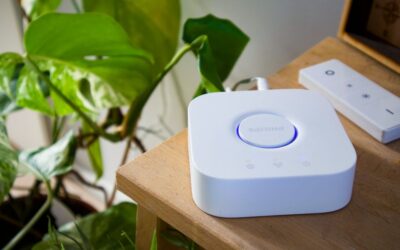
Hubs like SmartThings act as intermediaries, allowing Alexa to control devices that don’t have direct Alexa support. This expands your options significantly if you prefer specific brands. However, hubs add complexity and require additional setup. For most users, sticking with Alexa-compatible devices simplifies management and reduces troubleshooting needs.
Key Takeaway: Expand routines by enabling Alexa skills and integrating compatible third-party devices from major smart home brands.
What Final Tips Help You Master Alexa Smart Home Routines?
Mastering Alexa routines takes practice and experimentation. Start with one or two simple routines before expanding to complex automation. Test each routine thoroughly before relying on it for daily tasks. Join online smart home communities to learn from experienced users and discover creative routine ideas. Stay updated on new Alexa features and device capabilities that might enhance your routines. Most importantly, regularly evaluate whether your routines are delivering the convenience and efficiency you expected.
Remember that routines are tools to improve your life—not ends in themselves. Don’t create routines just for the sake of automation. Focus on routines that address genuine needs or save significant time. Be willing to modify or delete routines that aren’t working as intended. Your smart home should adapt to your lifestyle, not the other way around.
Key Takeaway: Master routines through practice, testing, community learning, and regular evaluation of their real-world value.
Does Creating Smart Home Routines with Alexa Require Technical Expertise?
Creating Alexa routines requires minimal technical expertise. The Alexa app interface is designed for non-technical users, with straightforward menus and clear options. If you can use a smartphone app, you can create routines. Amazon provides templates and suggestions to guide you through the process. Most users successfully create their first routine within minutes. However, understanding basic smart home concepts like triggers and actions helps you design more effective routines.
Advanced features like conditional logic may require more thought, but they’re still accessible to non-technical users. The Alexa app walks you through each configuration step. If you encounter issues, Amazon’s support documentation and online communities provide helpful guidance. Don’t hesitate to ask questions—smart home automation is becoming mainstream, and help is readily available.
Key Takeaway: Alexa routine creation is user-friendly and requires no technical expertise—the app guides you through every step.
Conclusion: How Do You Get Started Creating Your First Alexa Routine Today?
Creating smart home routines with Alexa is one of the most practical ways to enhance your home automation in 2026. Start by identifying a daily task that would benefit from automation—your morning routine, bedtime process, or departure from home. Open the Alexa app, navigate to Routines, and create your first routine using the steps outlined in this guide. Choose a simple trigger like a voice command and add 2-3 actions that directly address your chosen task. Test the routine immediately and adjust as needed.
Once you’ve mastered basic routines, explore advanced features like scheduling, conditional logic, and device integration. Build additional routines for different times of day and situations. Focus on energy-efficient automation that reduces utility consumption. Regularly maintain your routines by testing them, removing unused ones, and updating them when your smart home setup changes. With practice, you’ll develop a sophisticated automation system that seamlessly supports your daily life while reducing energy consumption and improving home security.
The investment of time to set up routines pays dividends through convenience, efficiency, and peace of mind. Your smart home becomes truly intelligent when it anticipates your needs and executes tasks automatically. Start today with one simple routine and expand from there.



Write Your Review
No reviews yet. Be the first to share your experience!