
Imagine waking up to your bedroom lights gradually brightening, your coffee maker already brewing, and your home temperature perfectly adjusted to your preference. This isn’t science fiction anymore. What is a smart home has evolved from a luxury concept to an achievable reality for homeowners at every budget level. Whether you’re curious about automating your first device or planning a complete home overhaul, understanding the fundamentals of smart home technology is your first step toward a more convenient, efficient, and secure living space.
In 2026, smart home adoption continues to accelerate as technology becomes more affordable and user-friendly. The question is no longer whether smart homes are worth it, but rather how to implement them effectively in your own home. This guide walks you through everything you need to know about what is a smart home, how it functions, and how you can start building your own automated environment today.
By the end of this article, you’ll understand the core concepts, common devices, potential benefits, and practical steps to begin your smart home journey. We’ll cover real-world applications, address common misconceptions, and provide actionable advice you can implement immediately.
Understanding What Is a Smart Home
A smart home is a residence equipped with devices and systems that can be remotely monitored, controlled, and automated through internet connectivity. At its core, what is a smart home is essentially an ecosystem of interconnected devices that communicate with each other and with you through a central hub or smartphone app. These devices use wireless technology like WiFi, Bluetooth, Zigbee, or Z-Wave to transmit data and respond to commands.

The defining characteristic of a smart home isn’t just having individual smart devices. Rather, it’s the integration and automation of these devices to work together seamlessly. Your smart thermostat can communicate with your smart lighting system. Your security cameras can alert your phone when motion is detected. Your smart locks can grant access to delivery drivers at specific times. This interconnectedness creates an intelligent living environment that adapts to your habits and preferences.
The Core Components of Smart Homes
Understanding what is a smart home requires knowing its essential building blocks. Most smart homes include a combination of these elements working together:
- Smart hub or control center that serves as the brain of your system
- Smart devices (lights, thermostats, locks, cameras, speakers)
- WiFi or wireless connectivity infrastructure
- Mobile apps or voice control interfaces for user interaction
- Automation rules and schedules you create
- Cloud services that enable remote access and data processing
How Smart Homes Communicate
When exploring what is a smart home, you’ll encounter different communication protocols. WiFi is the most common and offers good range and speed. Bluetooth works well for devices close to your phone or hub. Zigbee and Z-Wave are mesh network technologies that allow devices to relay signals through each other, extending range throughout your home. Understanding these technologies helps you choose compatible devices and avoid frustration during setup.
Key Benefits of Smart Home Technology
Knowing what is a smart home is valuable, but understanding why people invest in this technology matters more. The benefits extend beyond convenience to include genuine improvements in daily life, finances, and peace of mind.
Convenience and Comfort
Smart homes eliminate the need to manually control countless aspects of your environment. You can adjust your thermostat from bed, turn off lights from anywhere in your home, and unlock your door for guests without being present. Voice control through smart speakers lets you manage your home hands-free while cooking, exercising, or carrying groceries. This convenience adds up to significant time savings and improved comfort throughout your day.
Energy Efficiency and Cost Savings
Smart thermostats learn your schedule and preferences, automatically adjusting temperatures when you’re away or sleeping. Smart lighting systems turn off lights in unoccupied rooms and adjust brightness based on natural light. These automations can reduce your energy consumption by 10 to 23 percent, translating to lower utility bills. Over time, the savings often offset the initial investment in smart devices.
Enhanced Home Security
What is a smart home without security features? Smart locks, video doorbells, and security cameras provide real-time monitoring and alerts. You can see who’s at your door, lock or unlock doors remotely, and receive notifications of unusual activity. This visibility and control significantly enhance your home’s security posture, whether you’re at work, on vacation, or simply upstairs.
Improved Accessibility
For elderly residents or people with mobility challenges, smart home automation provides independence and safety. Voice commands eliminate the need to physically reach light switches or thermostats. Smart locks can be unlocked remotely for caregivers. Motion sensors can detect falls or unusual inactivity. These features enable aging in place and reduce reliance on others for daily tasks.
Common Smart Home Devices You Should Know About
When asking what is a smart home, it helps to know the actual devices that comprise these systems. Here are the most popular categories and their functions:
Smart Lighting
Smart bulbs and switches let you control brightness, color, and scheduling from your phone or voice commands. You can create scenes like “Movie Night” that dims lights and sets them to warm tones. Automated lighting responds to sunset and sunrise, improving circadian rhythm alignment and security through appearance of occupancy when you’re away. Learn more about choosing the right options in our guide to the best smart light bulbs for 2026.
Smart Thermostats and Climate Control
These devices learn your temperature preferences and schedule, automatically adjusting heating and cooling. Remote access lets you change settings from anywhere. Energy reports show consumption patterns, helping you identify savings opportunities. Geofencing features trigger adjustments when you leave or approach home, eliminating wasted heating or cooling of empty spaces.
Smart Locks and Entry Systems
Smart locks replace traditional keys with smartphone access, temporary codes, or biometric authentication. You can grant access remotely to guests, service providers, or family members. Activity logs show who entered and when. Many models include automatic locking features and integrate with security systems for comprehensive protection.
Smart Security Cameras and Video Doorbells
Cameras provide real-time monitoring and recording of your property. Video doorbells let you see and speak with visitors without opening the door. Motion detection triggers alerts on your phone. Cloud storage or local recording preserves footage for review. Our comprehensive comparison of the best smart security cameras for 2026 can help you select appropriate models for your needs.
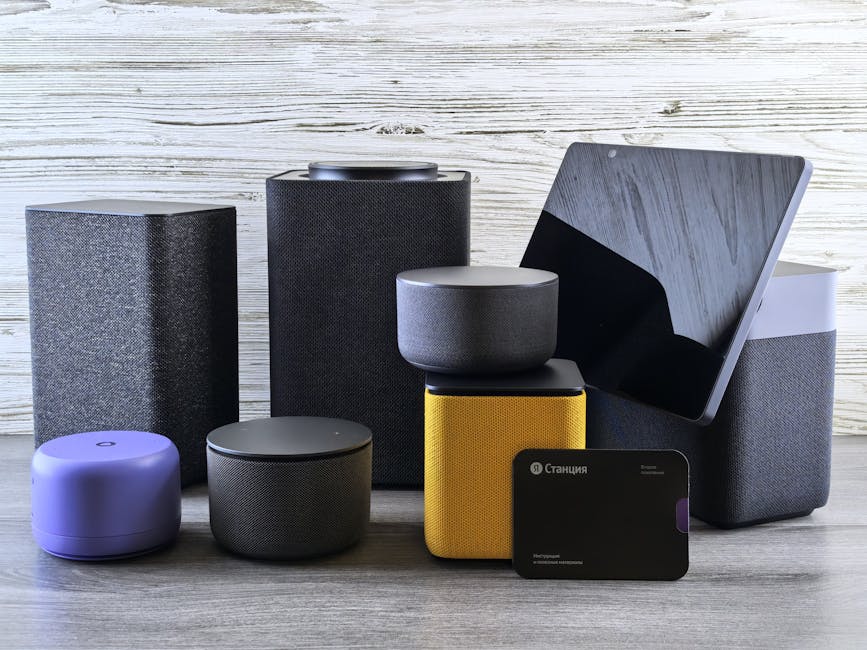
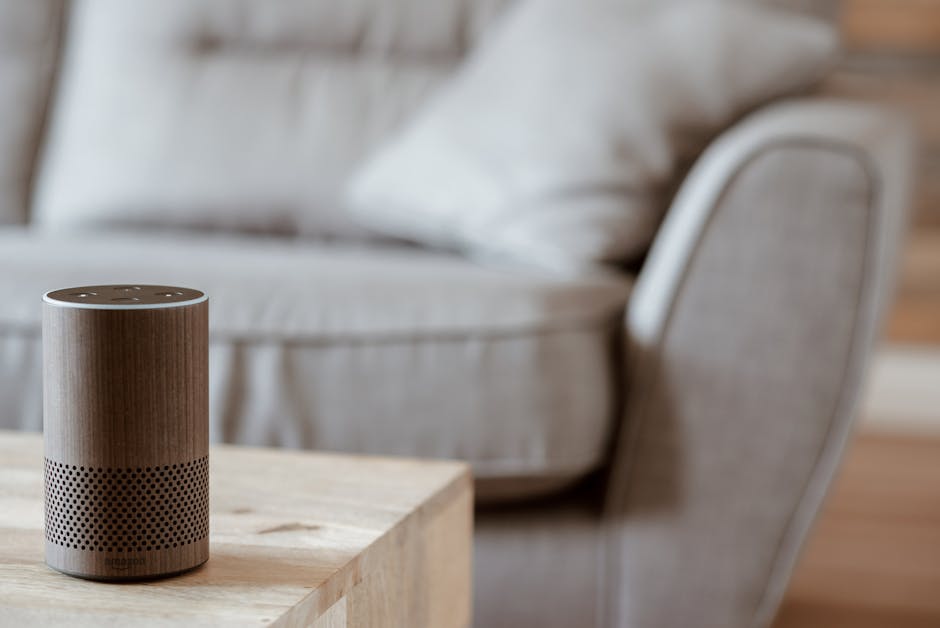
Smart Speakers and Voice Assistants
These devices serve as central hubs for voice control of other smart devices. Beyond voice commands, they provide music streaming, weather updates, news briefings, and smart home automation. Many act as the control center for your entire smart home ecosystem, making them essential starting points for automation.
Smart Appliances
Refrigerators, ovens, washing machines, and other appliances now offer smart features. You can receive notifications when laundry is done, preheat your oven remotely, or check refrigerator contents from the grocery store. These conveniences improve daily routines and reduce forgotten tasks.
Getting Started: Your First Steps Into Smart Home Automation
Understanding what is a smart home is one thing. Actually building one requires a strategic approach. Here’s how to begin your smart home journey effectively:
Step 1: Assess Your Needs and Goals
Before purchasing anything, identify what you want to accomplish. Are you focused on energy savings, security, convenience, or accessibility? Different goals lead to different device priorities. Someone prioritizing security might start with cameras and smart locks, while someone focused on comfort might begin with smart lighting and thermostats. Write down your specific pain points and what automation would solve them.
Step 2: Choose Your Smart Home Platform
Major platforms include Amazon Alexa, Google Home, Apple HomeKit, and Samsung SmartThings. Each has strengths and device compatibility differences. Consider which ecosystem aligns with devices you already own or prefer. Some people use multiple platforms, though this adds complexity. Research compatibility before committing to devices, as switching platforms later is costly and inconvenient.
Step 3: Start Small and Expand Gradually
Don’t attempt to automate your entire home at once. Begin with one or two devices that address your highest-priority needs. A smart speaker and one smart device like a light or thermostat is an excellent starting point. Once you’re comfortable with setup and automation, gradually add more devices. This approach prevents overwhelming yourself and allows you to learn the technology incrementally.
Step 4: Ensure Proper WiFi Infrastructure
Smart homes depend on reliable internet connectivity. Before adding many devices, assess your WiFi coverage. You may need to upgrade your router, add WiFi extenders, or use mesh WiFi systems for whole-home coverage. Poor connectivity causes device disconnections and automation failures, so this foundation is critical. If you’re planning substantial smart home expansion, consider this investment upfront.
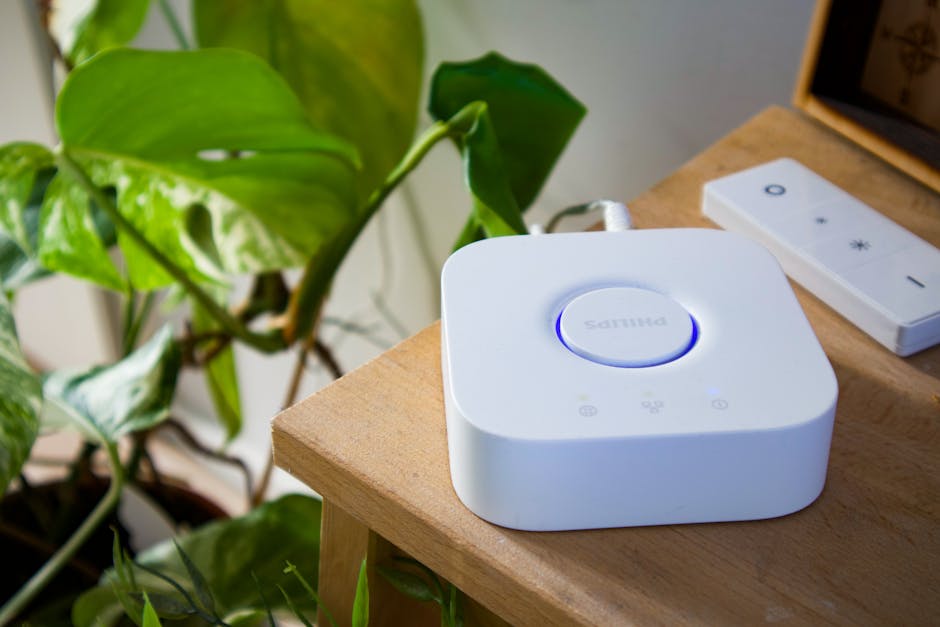
Step 5: Set Up Your Smart Hub
Most smart home systems benefit from a central hub that coordinates device communication and enables remote access. Smart speakers often serve this function, but dedicated hubs offer more reliability and features. Our complete guide to setting up a smart home hub provides detailed instructions for configuration and optimization. A properly configured hub makes automation smoother and more reliable.
Pro Tips and Best Practices for Smart Home Success
Create Meaningful Automation Routines
The real power of smart homes comes from automation, not just remote control. Create routines that trigger multiple actions based on a single condition. Your “Good Morning” routine might turn on lights, adjust the thermostat, and start your coffee maker. Your “Leaving Home” routine could lock doors, arm security cameras, and adjust the thermostat to away mode. These automations save time and ensure consistency.

Prioritize Security and Privacy
Smart homes collect data about your habits and preferences. Use strong, unique passwords for each device and your smart home hub. Enable two-factor authentication where available. Keep firmware updated on all devices. Review privacy settings and understand what data is collected and stored. These practices protect your home and personal information from unauthorized access.
Use Geofencing for Location-Based Automation
Geofencing triggers automations based on your location. Your home can adjust temperature and unlock doors when you approach, or enable security mode when everyone leaves. This eliminates manual adjustments and ensures your home is always optimized for your current situation. Most smart home platforms offer geofencing features that work reliably when properly configured.
Monitor Energy Consumption
Smart devices provide detailed energy usage data. Review these reports regularly to identify consumption patterns and optimization opportunities. You might discover that certain automations use more energy than expected, or that adjusting schedules saves money. This data-driven approach maximizes your return on investment in smart home technology.
Test Automations Before Relying on Them
New automations should be tested thoroughly before you depend on them. Run through scenarios to ensure they work as expected. Check that devices respond correctly and that the sequence of actions occurs properly. This prevents surprises like lights staying on when you expected them off, or doors unlocking at the wrong time.
Maintain Backup Control Methods
Always keep manual control options available. Smart locks should have physical keys or keypads. Smart lights should have wall switches. This ensures you can operate your home even if technology fails. Technology is convenient, but reliability comes from redundancy and backup options.
Common Mistakes to Avoid When Building Your Smart Home
Choosing Incompatible Devices
One of the biggest mistakes is purchasing devices from different ecosystems that don’t communicate with each other. Before buying, verify that devices work with your chosen platform. Incompatible devices sit in drawers unused, wasting money and creating frustration. Research compatibility thoroughly and stick with your chosen ecosystem, or use a hub that supports multiple protocols like SmartThings.
Neglecting WiFi Infrastructure
Many people underestimate WiFi requirements for smart homes. Weak signals cause devices to disconnect, automations to fail, and remote access to become unreliable. Investing in proper WiFi coverage upfront prevents months of troubleshooting and frustration. This is not an area to cut corners.
Ignoring Security and Privacy Concerns
Smart homes with weak passwords and unencrypted data are vulnerable to hacking. Hackers can access your cameras, unlock doors, or steal personal information. Always use strong passwords, enable encryption, keep firmware updated, and review privacy settings. Security isn’t an optional feature; it’s essential to smart home safety.
Automating Everything Immediately
Enthusiasm about smart homes sometimes leads to automating too much too quickly. You end up with complex systems you don’t fully understand, making troubleshooting difficult. Start simple, test thoroughly, and expand gradually. This approach builds knowledge and prevents overwhelming yourself with a system you can’t manage.
Failing to Read Instructions and Documentation
Many smart home problems stem from improper setup. Skipping instructions or documentation leads to missed features, incorrect configurations, and preventable issues. Take time to read setup guides, watch video tutorials, and understand your devices before troubleshooting. Most problems have simple solutions if you know where to look.
Conclusion: Your Smart Home Journey Begins Now
Understanding what is a smart home sets the foundation for transforming how you live. Smart homes offer genuine benefits in convenience, efficiency, security, and accessibility. By starting with clear goals, choosing compatible devices, and expanding gradually, you can build a system that genuinely improves your daily life without overwhelming complexity.
The technology continues advancing, and costs continue declining, making 2026 an excellent time to begin your smart home journey. Whether you’re motivated by energy savings, security, convenience, or all three, the steps outlined in this guide provide a practical roadmap. Start with one device, experience the benefits, and expand from there. Before long, you’ll wonder how you ever lived without your smart home. For more insights on specific devices, explore our guide to the best smart home devices for 2026 to find products that match your needs and budget.
Frequently Asked Questions About Smart Homes
What is a smart home and how does it differ from a regular home?
A smart home uses internet-connected devices that can be controlled remotely and automated to work together. A regular home requires manual control of everything. Smart homes offer convenience, efficiency, and advanced features that traditional homes cannot provide.
Do I need to replace all my devices to create a smart home?
No. You can start with just one or two smart devices and gradually add more over time. Smart devices integrate with existing systems, so you can upgrade incrementally without replacing everything at once.
Is a smart home secure and private?
Smart homes can be very secure if you follow best practices like using strong passwords, enabling encryption, and keeping firmware updated. However, poor security practices create vulnerabilities. Prioritize security from the beginning of your smart home journey.
How much does it cost to build a smart home?
Smart home costs vary widely depending on your goals and device choices. You can start with a basic smart speaker and one device for under 100 dollars, or spend thousands for a comprehensive system. Most people spend between 500 and 2000 dollars for a functional smart home.
What is a smart home hub and do I need one?
A smart home hub is a central device that coordinates communication between your smart devices and enables remote access. While not absolutely required, hubs significantly improve reliability and enable more advanced automations. Most smart home systems benefit from a dedicated hub.
Can I use smart home devices with my existing WiFi network?
Yes, most smart home devices connect through WiFi. However, ensure your network has adequate coverage and bandwidth to support multiple devices. You may need to upgrade your router or add WiFi extenders if you have weak coverage in certain areas.




Write Your Review
No reviews yet. Be the first to share your experience!