

What Is Thread Protocol in Smart Homes and How Does It Work?
Thread protocol is a low-power mesh networking standard that enables smart home devices to communicate reliably with each other and your home network in 2026. The key takeaway: Thread creates a self-healing network where devices relay messages through multiple pathways, ensuring your smart home stays connected even when individual devices lose signal. Thread operates on the 802.15.4 radio standard at 2.4 GHz, the same frequency band used by Wi-Fi and Bluetooth, but with significantly lower power consumption. Unlike Wi-Fi, which requires direct connection to a router, Thread devices form a mesh network where each device acts as a repeater, extending coverage throughout your home. This means a smart lock on your front door can communicate with a light switch in your bedroom through intermediate devices, creating redundancy and reliability. Thread was developed by the Thread Group (now part of the Connectivity Standards Alliance) and has gained major adoption from companies like Apple, Google, Samsung, and Amazon. In 2026, Thread integration is becoming standard in new smart home ecosystems, particularly with the Matter protocol, which uses Thread as its primary networking backbone. The protocol prioritizes security with AES-128 encryption and automatic key rotation, protecting your home automation data from unauthorized access.
How Does Thread Protocol Differ From Wi-Fi and Bluetooth in Smart Homes?
Thread, Wi-Fi, and Bluetooth represent three distinct approaches to wireless connectivity in smart homes, each with specific advantages and limitations. Understanding these differences helps you choose the right protocol for your 2026 smart home setup.
Range and Mesh Capabilities
Wi-Fi provides excellent range from a single router—typically 100-150 feet in open space—but requires direct line-of-sight connection and consumes significant power. Bluetooth offers shorter range (30-100 feet) and is designed for point-to-point connections between two devices, though modern Bluetooth mesh can extend coverage. Thread excels in mesh networking, where each device extends the network range by relaying messages through neighbors. A Thread network with 10 devices can cover a 3,000 square foot home effectively, with each device strengthening overall coverage. Unlike Wi-Fi’s star topology (all devices connect to one router), Thread’s mesh topology creates multiple pathways for data, so losing one device doesn’t disconnect others.
Power Consumption
Thread is engineered for battery-powered devices, consuming 10-100 times less power than Wi-Fi. A Thread-enabled door sensor can run on a single battery for 2-5 years, while a Wi-Fi sensor might drain batteries in months. Bluetooth Low Energy (BLE) approaches Thread’s efficiency, but Thread’s mesh design makes it more practical for whole-home networks. This power efficiency makes Thread ideal for wireless sensors, door locks, and motion detectors that operate independently.
Latency and Response Time
Thread provides sub-100 millisecond response times, making it suitable for real-time smart home automation. Wi-Fi typically responds in 50-200 milliseconds depending on router load, while Bluetooth can vary from 20-500 milliseconds. For controlling lights or security systems, Thread’s consistent latency is preferable to Bluetooth’s unpredictable performance.
Why Should You Choose Thread Protocol for Your 2026 Smart Home?
In 2026, Thread protocol offers compelling advantages for building a modern, scalable smart home ecosystem. The primary reasons to adopt Thread include reliability, security, interoperability, and future-proofing your home automation investment.

Reliability and Self-Healing Networks
Thread networks automatically reroute data if a device goes offline or loses signal. If your central hub loses connection, messages can travel through nearby devices to reach their destination. This self-healing capability means your smart home continues functioning even during Wi-Fi outages or when individual devices malfunction. For critical applications like smart locks or security systems, this redundancy is invaluable.
Matter Protocol Integration
Thread is the preferred transport layer for the Matter protocol, which aims to create universal compatibility across smart home brands. Devices certified for Matter in 2026 increasingly use Thread as their primary communication method. This means choosing Thread now ensures your devices will work seamlessly with future Matter-certified products from any manufacturer, eliminating vendor lock-in.
Security Standards
Thread implements military-grade AES-128 encryption with certificate-based authentication. Every message is encrypted, and the protocol supports secure joining of new devices without exposing your network credentials. Unlike older wireless protocols, Thread was designed from inception with security as a core requirement, not an afterthought.
Cost Efficiency
Thread devices require less power than Wi-Fi alternatives, reducing battery replacement costs and environmental impact. Additionally, you don’t need expensive Wi-Fi repeaters or mesh Wi-Fi systems to achieve whole-home coverage—Thread devices themselves extend the network at minimal cost.
What Are Common Mistakes When Implementing Thread in Smart Homes?
Many homeowners and installers make preventable errors when deploying Thread networks in 2026. Awareness of these mistakes helps you avoid frustration and optimize your setup.
Insufficient Border Router Deployment
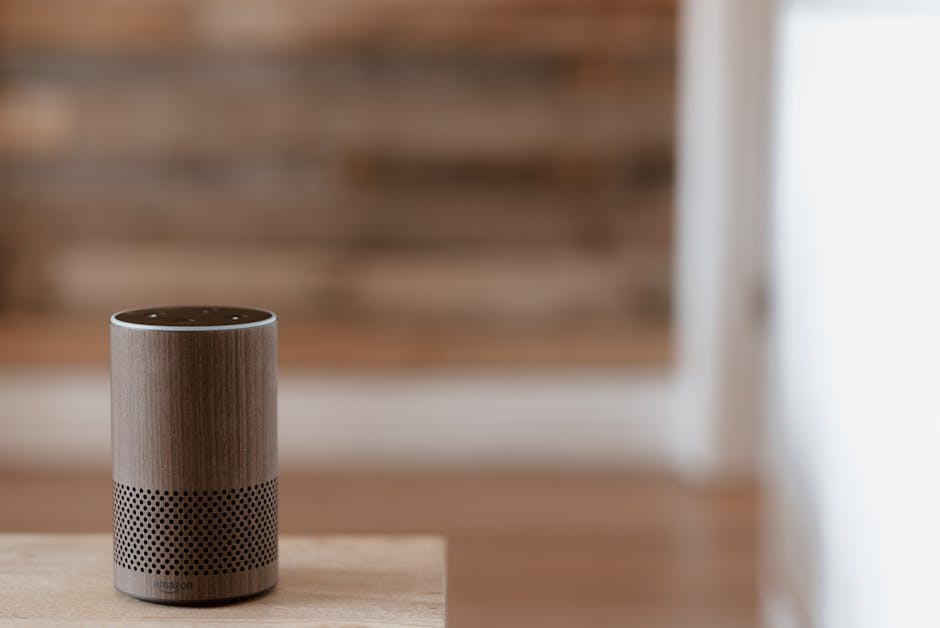
Thread networks require at least one Thread Border Router to connect to your home’s IP network and internet. Many people deploy only one border router, creating a single point of failure. Best practice in 2026 is deploying 2-3 border routers (often built into smart speakers or hubs) to ensure redundancy. If your primary border router fails, Thread devices continue communicating locally, and backup routers maintain internet connectivity.
Poor Device Placement
Thread devices should be distributed throughout your home to create a robust mesh. Clustering all devices in one room creates dead zones in distant areas. Position devices 20-30 feet apart for optimal coverage, and place devices that spend time in charging docks (like robot vacuums) strategically to act as temporary mesh nodes.
Mixing Protocols Without Planning
While Thread works alongside Wi-Fi and Bluetooth, mixing protocols without understanding your needs creates complexity. Devices using different protocols can’t directly communicate, requiring bridges or hubs for interoperability. In 2026, the trend is consolidating to Thread for most battery-powered devices and Wi-Fi for high-bandwidth applications like video doorbells.
Ignoring Firmware Updates
Thread devices receive security patches and performance improvements through firmware updates. Failing to update devices leaves your network vulnerable and prevents access to new features. Enable automatic updates on all Thread devices to maintain security and compatibility.
How Do You Set Up and Optimize Thread Protocol in Your Smart Home?
Setting up Thread in 2026 is straightforward if you follow a systematic approach. The process involves selecting compatible devices, establishing border routers, and configuring your network for optimal performance.
Step 1: Select Thread-Certified Devices
Start by choosing devices certified by the Connectivity Standards Alliance for Thread compatibility. Look for the Thread certification badge on product packaging or manufacturer websites. Popular 2026 options include smart locks from Level Lock and Yale, light switches from Nanoleaf and Lutron, motion sensors from Eve Systems, and smart hubs from Apple, Google, and Samsung. Verify that devices support both Thread and Matter protocols for maximum future compatibility. The smart home energy management systems for apartments in 2026 increasingly include Thread support, making Thread an excellent choice for renters and homeowners alike.
Step 2: Establish Border Routers
Deploy Thread Border Routers to connect your Thread mesh to your home network and internet. Common options in 2026 include Apple HomePod mini, Google Nest Hub Max, and Samsung SmartThings Hub. Position border routers centrally and at different locations in your home for redundancy. Each border router should be within Wi-Fi range of your main router. Most border routers automatically enable Thread when you add them to your smart home ecosystem—no manual configuration needed.
Step 3: Add Devices to Your Thread Network
Use your smart home app (Apple Home, Google Home, Samsung SmartThings) to add Thread devices. The process is similar to adding Wi-Fi devices: scan the device’s setup code, select your Thread network, and confirm. The app automatically assigns the device to your Thread mesh. Devices will typically join within 30 seconds and begin relaying data through the mesh.
Step 4: Optimize Mesh Coverage
After adding initial devices, walk around your home with your phone and check signal strength in the smart home app. Areas showing weak signal should receive additional Thread devices. Aim for at least two devices within range of any location you want to control. For large homes (5,000+ square feet), plan for 15-20 Thread devices to maintain robust mesh coverage. Position devices to create overlapping coverage zones rather than linear chains.
Step 5: Monitor Network Health
Most smart home platforms provide network diagnostics showing device connectivity and mesh topology. Review these diagnostics monthly to identify devices with weak connections or devices that aren’t relaying data effectively. Devices consistently showing poor connectivity should be relocated or replaced. In 2026, apps like Eve for HomeKit provide detailed Thread network visualization, showing exactly how data flows through your mesh.
Step 6: Plan for Scalability
Thread networks can support hundreds of devices, but practical smart homes in 2026 typically use 20-50 devices. When planning expansions, ensure you have sufficient border routers and mesh coverage before adding devices in new areas. Adding a new smart thermostat or security system? First, verify Thread coverage in that location by checking signal strength with an existing device.
How Does Thread Protocol Enhance Smart Home Energy Management in 2026?
Thread’s reliability and low power consumption make it ideal for energy management applications. The protocol enables real-time communication between smart thermostats, sensors, and energy management systems without the power drain of Wi-Fi.
Smart thermostat energy savings by brand in 2026 increasingly depend on Thread connectivity for rapid sensor data collection. Thread-enabled temperature and humidity sensors throughout your home send readings to your thermostat every few seconds, enabling precise climate control. This responsiveness allows your thermostat to react quickly to changing conditions, optimizing energy use without sacrificing comfort.
For homes with solar systems, Thread connects to smart meters and solar inverters, enabling real-time energy monitoring and load shifting. Thread’s low latency allows your system to redirect excess solar production to EV charging or water heating within seconds. Combined with smart EV charging based on time-of-use rates, Thread enables sophisticated energy optimization that reduces electricity costs.
Using EV battery as home energy storage backup in 2026 relies on Thread communication between your vehicle, charger, and home energy management system. Thread’s mesh network ensures reliable communication even if Wi-Fi is unavailable, critical for backup power scenarios.
Homeowners considering energy upgrades should explore federal smart home tax credits in 2026, which may include rebates for Thread-compatible smart thermostats and energy management systems.
What Role Does Thread Play in Matter Protocol Compatibility?
Thread is the backbone of Matter protocol in 2026, serving as the primary transport layer for device communication. While Matter defines what devices can do and how they communicate, Thread provides the underlying network infrastructure.
Matter devices can use Thread, Wi-Fi, or Ethernet for connectivity, but Thread is preferred for battery-powered devices due to its efficiency. A Matter-certified smart lock, for example, will prioritize Thread connection for low power consumption, falling back to Wi-Fi only if Thread is unavailable. This flexibility ensures devices work in any home configuration while optimizing for the best available connection.
The combination of Thread and Matter eliminates the need for device-specific hubs or bridges. Previously, different smart home brands required different hubs—Philips Hue lights needed a Hue Bridge, IKEA Tradfri devices needed a Tradfri Gateway. In 2026, any Matter-compatible border router (Apple HomePod mini, Google Nest Hub, Samsung SmartThings Hub) can control any Thread-based Matter device from any manufacturer, creating true interoperability.
How Does 5G Impact Thread Protocol Performance?
While 5G impacts smart home device responsiveness in 2026, it doesn’t directly affect Thread’s local operation. Thread operates independently of cellular networks, using the 2.4 GHz Wi-Fi band for local mesh communication. 5G’s primary benefit for smart homes is providing faster internet backhaul to cloud services, not improving Thread’s local performance.
However, 5G enables new applications like remote access to Thread devices with lower latency. If you’re away from home, your Thread devices communicate with cloud services over 5G, which provides faster response times than 4G LTE. This matters for applications like remote lock control or emergency security alerts, where sub-second response times improve user experience.
Frequently Asked Questions
What devices support Thread protocol in 2026?
Thread support in 2026 includes smart locks (Level Lock, Yale), light switches (Nanoleaf, Lutron), motion sensors (Eve Systems), door/window sensors (Eve, Nanoleaf), smart plugs (Eve, Nanoleaf), thermostats (Ecobee), and hubs (Apple HomePod mini, Google Nest Hub, Samsung SmartThings Hub). Check the Connectivity Standards Alliance website for the complete certified device list.
Do I need a Thread border router for my smart home?
Yes, at least one Thread Border Router is required to connect your Thread mesh to the internet and enable remote access. Most smart speakers (HomePod mini, Nest Hub Max) include border router functionality. For redundancy, deploy 2-3 border routers in different locations throughout your home to maintain connectivity if one device fails.
Is Thread protocol secure for smart homes?
Thread implements AES-128 encryption, certificate-based authentication, and automatic key rotation, making it highly secure. Every message is encrypted, and devices authenticate before joining the network. The protocol was designed with security as a core requirement, not an afterthought, making it more secure than many older wireless protocols.
Can Thread devices work without internet connectivity?
Yes, Thread devices can communicate locally without internet. Your smart home will function normally for local automation—lights, locks, and sensors work through the Thread mesh. However, remote access (controlling devices away from home) and cloud-based features require internet connectivity through a border router.
How many Thread devices can one border router support?
A single border router can support hundreds of Thread devices, but practical limits depend on your mesh topology. Most homes in 2026 use 20-50 devices comfortably with one border router. For optimal performance and redundancy, deploy multiple border routers. Each border router can independently support the full device count, so two routers effectively double your network capacity and reliability.
What’s the difference between Thread and Zigbee?
Both Thread and Zigbee use the 802.15.4 radio standard and create mesh networks, but Thread is newer (standardized in 2014 vs Zigbee in 2003) and integrates with Matter protocol. Thread has stronger security, better interoperability, and active support from major tech companies. Zigbee is more established in commercial/industrial settings but less common in consumer smart homes in 2026.
Is Thread Protocol the Best Choice for Your 2026 Smart Home?
Thread protocol represents the future of smart home networking in 2026 and beyond. Its combination of reliability, security, low power consumption, and Matter integration makes it the most practical choice for building a modern smart home ecosystem. Unlike proprietary protocols from individual manufacturers, Thread is an open standard with support from every major smart home company, ensuring your investment remains valuable as technology evolves.
If you’re building a new smart home or upgrading an existing one in 2026, prioritizing Thread-compatible devices ensures you’re future-proofing your investment. The protocol’s self-healing mesh network eliminates dead zones and provides redundancy that Wi-Fi alone cannot match. Combined with Matter protocol certification, Thread devices from different manufacturers work seamlessly together, eliminating the frustration of incompatible ecosystems.
The primary consideration is ensuring you have adequate border routers and devices to create a robust mesh. A single Thread device won’t provide much benefit—you need at least 5-10 devices to create a reliable mesh network. For apartments and smaller homes, this might mean starting with a smart hub, a few door/window sensors, and a smart light switch. For larger homes, plan for 15-25 devices distributed throughout to maintain strong coverage.
Thread also integrates beautifully with energy management. If you’re interested in how AI predictive modeling optimizes energy in 2026, Thread’s reliable, low-latency communication enables the real-time data exchange that AI systems require. Similarly, if you’re exploring benefits of blockchain in peer energy sharing in 2026, Thread provides the local network infrastructure that peer-to-peer energy systems depend on.
In summary, Thread protocol is worth adopting in 2026 because it’s secure, reliable, efficient, and backed by major manufacturers committed to open standards. Whether you’re a tech enthusiast building a sophisticated automation system or a homeowner seeking basic smart home convenience, Thread provides the networking foundation for success.




Write Your Review
No reviews yet. Be the first to share your experience!