

How Can Smart Lights Enhance Your Home Security?
Smart lights are powerful security tools that deter intruders, simulate occupancy, and integrate with comprehensive home protection systems. In 2026, modern smart lighting offers motion detection, remote control, scheduling, and automation capabilities that work together to create a layered defense strategy. By combining smart lights with other security devices, you can significantly reduce break-in risk and respond faster to threats. This guide explains practical methods to leverage smart lighting for maximum home security impact.
Home security extends beyond cameras and alarms. Smart lights create visible deterrence by illuminating dark entry points and making your home appear occupied even when you’re away. They integrate seamlessly with motion sensors, voice assistants, and security hubs to automate responses to potential threats. Modern smart lighting systems offer geofencing, scheduling, and real-time notifications. These features work 24/7 without requiring constant manual intervention, making them cost-effective security additions.
Key Takeaway: Smart lights provide affordable, automated security through deterrence, occupancy simulation, and intelligent automation.
What Are the Best Smart Lighting Strategies for Deterrence?
Deterrence is the primary security benefit of smart lights. Visible illumination around entry points—doors, windows, and garage areas—discourages potential intruders by eliminating hiding spots. Motion-activated lights startle and expose anyone approaching your home. Studies show that well-lit properties experience significantly fewer break-in attempts than dark homes. Strategic placement of smart lights creates a perimeter defense that requires minimal effort once installed.
Effective deterrence requires smart light placement at vulnerable locations:
- Front door and porch areas for immediate visibility.
- Side yards and pathways to eliminate dark corners.
- Garage doors and driveway entrances for vehicle protection.
- Back doors and windows often overlooked by homeowners.
- Landscaping features that could conceal movement.
Motion-sensor smart lights amplify deterrence by detecting movement before intruders expect it. When someone approaches, lights activate instantly, creating surprise and exposure. This unpredictability makes your home a less attractive target. Modern sensors offer adjustable sensitivity, range, and duration settings. You can customize detection zones to avoid false triggers from passing cars or animals while maintaining security coverage.
Key Takeaway: Strategic placement of motion-activated smart lights eliminates hiding spots and deters intruders effectively.
How Do You Simulate Occupancy with Smart Light Schedules?
Occupancy simulation is critical when you’re away for extended periods. Burglars specifically target homes that appear empty. Smart light scheduling creates the illusion that someone is home by turning lights on and off in patterns matching typical occupancy. In 2026, scheduling features have become sophisticated enough to randomize patterns and avoid predictable routines. This automation runs continuously without requiring manual daily adjustments.
Effective occupancy simulation follows these principles:
- Turn on lights in different rooms at varying times throughout evening hours.
- Use randomization features to avoid predictable patterns intruders might recognize.
- Activate lights in main living areas (living room, kitchen) during typical evening hours.
- Turn off lights in bedrooms and secondary areas during late-night hours.
- Adjust schedules seasonally to match sunset and sunrise times.
Creating Realistic Lighting Patterns
The most effective occupancy simulation uses randomized timing rather than identical daily patterns. If lights turn on at exactly 7 PM every night, observant criminals recognize the pattern. Modern smart home apps allow you to set time ranges—lights might turn on between 6:45 and 7:15 PM with randomized duration. Some systems learn your actual occupancy patterns and replicate them automatically when you’re away.
Combining multiple rooms enhances realism. Turn on living room lights while kitchen lights remain off, then switch them later. This creates the impression of someone moving through the home naturally. Voice assistant routines can automate this process completely. You can set a single command to activate your entire “Away Mode” schedule without managing individual lights.
Key Takeaway: Randomized smart light schedules effectively simulate occupancy and discourage burglars targeting empty homes.
How Can You Integrate Smart Lights with Security Systems?
Smart light integration with comprehensive security systems creates powerful automated responses. When motion sensors detect activity, lights activate immediately while cameras record and alarms alert you. This layered approach overwhelms intruders with multiple simultaneous deterrents. Integration requires compatible devices and a central hub managing all components. In 2026, most major smart home platforms offer seamless integration across brands.
Multi-Device Automation Workflows
Advanced automation connects smart lights to security cameras, motion detectors, and smart locks. When perimeter motion sensors trigger, lights activate in that area while security cameras begin recording. Simultaneously, your phone receives notifications with camera footage. This integrated response happens in seconds, far faster than manual intervention. Some systems can lock doors automatically or activate sirens when combined threats are detected.
Integration requires choosing a compatible ecosystem. Popular options include:
- Amazon Alexa with compatible smart lights and security devices.
- Apple HomeKit for encrypted, privacy-focused integration across Apple ecosystem devices.
- Google Home with broad third-party device compatibility.
- Samsung SmartThings hub for extensive device support and custom automation.
- Dedicated security platforms like Abode or Wyze with native smart light integration.
Key Takeaway: Integrated smart light systems create automated security responses faster than manual intervention.
What Geofencing and Remote Control Features Offer?
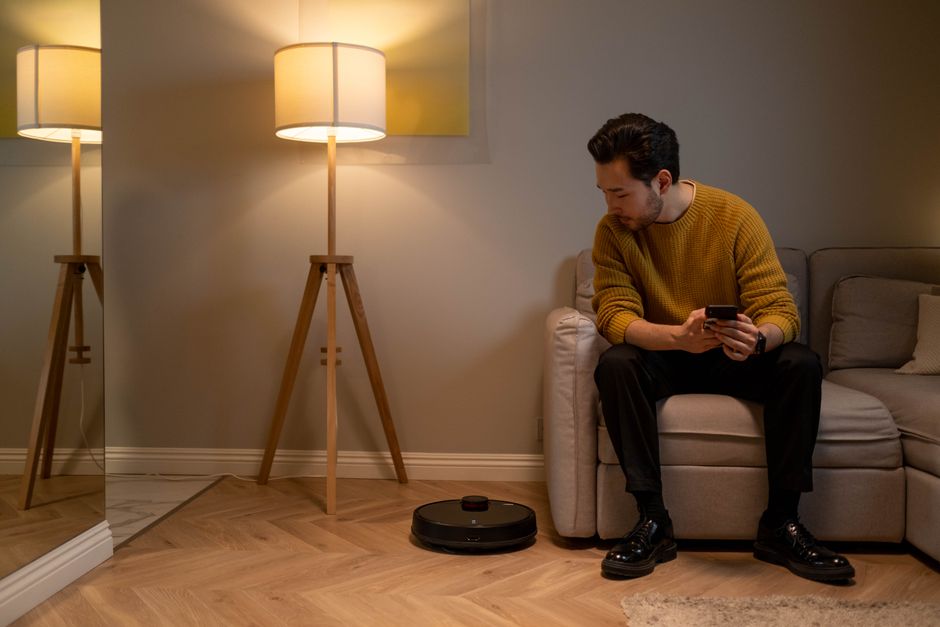
Geofencing automatically activates lights when you leave home or approach your property. This removes the need to manually trigger security lighting. Your phone’s location triggers automation rules—lights activate when your geofence boundary is crossed. Remote control allows you to turn lights on or off from anywhere globally, providing flexibility when plans change unexpectedly. These features combine convenience with security in 2026 smart home systems.
Geofencing Setup and Benefits
Geofencing creates invisible boundaries around your home. When your phone exits the boundary, your security lighting schedule activates automatically. When you return and enter the geofence, lights adjust to normal settings. This removes the need to remember turning on security lights before leaving. Multiple family members can have geofences, triggering different automations based on who’s home. Some systems adjust lighting based on whether any household members are present.
Remote control provides additional security flexibility:
- Turn lights on remotely if you forgot before leaving home.
- Activate lights when arriving home unexpectedly to check for intruders.
- Control lights while on vacation to maintain occupancy simulation.
- Receive notifications when lights activate unexpectedly during away periods.
- Adjust lighting if security concerns arise while you’re away.
Key Takeaway: Geofencing and remote control provide automated and flexible security lighting management from anywhere.
How Do You Set Up Smart Lighting for Practical Home Security?
Implementing smart lights for security requires planning, selection, and configuration. Start by identifying vulnerable entry points and dark areas around your property. Choose smart lights compatible with your existing ecosystem. Install devices at strategic locations. Configure automation rules matching your typical routine. Test the system thoroughly before relying on it for security. This methodical approach ensures comprehensive coverage and reliable operation.
Step-by-Step Implementation Process
- Assess your property: Walk around your home at night. Identify dark areas, entry points, and potential hiding spots needing illumination.
- Choose compatible devices: Select smart lights and sensors compatible with your preferred ecosystem (Alexa, HomeKit, Google Home).
- Plan installation locations: Mark where outdoor lights, motion sensors, and indoor occupancy lights will be placed.
- Install devices: Follow manufacturer instructions for each light and sensor. Ensure proper mounting and weatherproofing for outdoor units.
- Connect to your hub: Add devices to your smart home system. Test connectivity and responsiveness before automation setup.
- Create automation rules: Set up motion detection triggers, schedules, and geofencing automation.
- Test thoroughly: Verify all automations work correctly. Adjust sensitivity and timing as needed.
- Monitor and adjust: Review system performance monthly. Make adjustments based on false triggers or coverage gaps.
Key Takeaway: Systematic planning and testing ensures smart lighting security systems work reliably when needed.
What Security Features Should You Look for in Smart Lights?
When selecting smart lights for security, prioritize specific features that enhance protection. Motion detection sensitivity, response time, and integration capabilities matter significantly. Weather resistance is essential for outdoor units. Battery backup ensures lights function during power outages. Local processing provides security even if internet connectivity fails. These features separate effective security lighting from standard smart bulbs.
Essential security-focused features include:
- Adjustable motion sensor sensitivity to reduce false triggers.
- Wide detection range (20-30+ feet) for comprehensive coverage.
- Fast activation response (under 1 second) to startle intruders.
- IP65+ weatherproofing for outdoor durability and reliability.
- Local processing for automation without internet dependency.
- Battery backup for continued operation during power failures.
- Scheduling and randomization capabilities for occupancy simulation.
- Integration with security systems and cameras for coordinated responses.
Consider also checking the smart light installation guide for proper setup procedures. For voice control integration, review the voice command control guide.
Key Takeaway: Motion detection, weather resistance, and local processing are critical security-focused smart light features.
How Do You Optimize Smart Lighting for Maximum Security Impact?
Optimization ensures your smart lighting investment delivers maximum security benefit. Regular maintenance keeps sensors clean and functional. Monitoring system performance identifies gaps or failures. Adjusting settings based on seasonal changes maintains effectiveness year-round. Combining smart lights with other security measures creates comprehensive protection. Optimization is ongoing, not a one-time setup task.
Maintenance and Performance Monitoring
Clean motion sensors monthly to prevent dust and debris from blocking detection. Check outdoor lights for weather damage or corrosion. Test motion activation regularly to ensure sensors respond properly. Review activity logs to identify false triggers or coverage gaps. Replace batteries in wireless sensors before they fail. This preventive maintenance ensures reliable operation when security matters most.
Seasonal adjustments improve performance:
- Adjust motion sensor range during winter when vegetation is sparse.
- Update occupancy schedules to match changing sunset times.
- Increase detection sensitivity during high-risk seasons (vacation times).
- Clear debris from sensors after storms or heavy weather.
- Test all systems monthly and after weather events.
For comprehensive home security, combine smart lights with advanced scheduling strategies and centralized hub management.
Key Takeaway: Regular maintenance and seasonal adjustments keep smart lighting security systems performing optimally.
Frequently Asked Questions
Can smart lights work without internet for security purposes?
Yes, many modern smart lights support local processing, allowing motion detection and basic automation to function without internet connectivity. However, remote control and notifications require internet. Choose devices with local processing capabilities for reliable security during outages. Hub-based systems often provide better offline functionality than cloud-dependent lights.
What’s the best motion sensor range for home security lighting?
For most residential properties, motion sensors with 20-30 foot detection ranges provide adequate coverage without excessive false triggers. Outdoor perimeter lights need longer ranges (30+ feet), while entryway lights can use shorter ranges (15-20 feet). Adjustable sensitivity settings allow customization for specific locations. Test different settings to find the optimal balance between coverage and false trigger reduction.
How long do smart light batteries typically last?
Battery-powered smart lights typically last 6-12 months between replacements, depending on usage frequency and sensor activity. High-traffic areas with frequent motion detection drain batteries faster. Consider wired options for primary security areas requiring constant monitoring. Check battery levels monthly and replace proactively before complete depletion causes security gaps.
Can smart lights integrate with professional security systems?
Many professional security systems now support smart light integration through compatible hubs and automation platforms. Check with your security provider about integration options. DIY smart light systems integrate more easily with home automation platforms than professional systems. Hybrid approaches combining professional monitoring with smart light automation offer comprehensive protection.
What’s the cost of implementing smart lighting security?
Basic smart light security setups cost $150-400, including outdoor lights and motion sensors. Comprehensive systems with multiple zones and integration cost $500-1500. Professional installation adds $200-500. When spread over several years of use, smart lighting security remains more affordable than professional monitoring while providing comparable deterrence benefits.
How do you prevent smart light false triggers from motion sensors?
Adjust motion sensor sensitivity to ignore small movements from animals or passing vehicles. Position sensors to avoid detecting motion from nearby roads or sidewalks. Set appropriate detection range limits for specific locations. Use multiple detection criteria (heat + motion) when available. Regularly test and refine settings based on false trigger logs in your smart home app.
How Should You Combine Smart Lights with Other Home Security Measures?
Smart lights work best as part of comprehensive home security strategies. Combine them with security cameras to document incidents. Pair with door and window sensors to detect unauthorized entry attempts. Integrate with smart locks for automated access control. Add security system monitoring for professional response capabilities. This layered approach creates multiple overlapping defenses that significantly increase protection effectiveness.
A complete smart security system includes:
- Smart lights for deterrence and occupancy simulation.
- Security cameras for recording and real-time monitoring.
- Door and window sensors for entry point detection.
- Smart locks for remote access control and keyless entry.
- Motion sensors for perimeter detection beyond lighting.
- Security system hub for centralized automation and monitoring.
- Professional monitoring service for emergency response.
Consider reviewing HomeKit integration options or advanced lighting scene creation for enhanced security automation capabilities.
Key Takeaway: Layered security combining smart lights with cameras, sensors, and monitoring provides comprehensive home protection.
What Are the Top Mistakes to Avoid with Smart Light Security?
Common implementation mistakes reduce smart lighting effectiveness. Placing lights in wrong locations leaves entry points dark. Using identical daily schedules makes occupancy simulation obvious to criminals. Neglecting battery maintenance causes failures during critical moments. Ignoring sensor false triggers wastes battery life and creates security fatigue. Avoiding these mistakes ensures your smart lighting investment delivers maximum security benefit.
Key mistakes to prevent:
- Installing lights only at front entry while ignoring back doors and side yards.
- Using rigid schedules without randomization for occupancy simulation.
- Neglecting to test motion sensor functionality regularly.
- Failing to adjust sensitivity settings, causing excessive false triggers.
- Choosing lights incompatible with your existing smart home ecosystem.
- Ignoring battery levels until lights fail unexpectedly.
- Relying solely on smart lights without other security measures.
- Setting up automation but never reviewing or adjusting performance.
Key Takeaway: Avoiding common mistakes ensures smart lighting security systems perform reliably and effectively.
How Can Smart Lights Complement Your Existing Security Setup in 2026?
In 2026, smart lighting has become sophisticated enough to serve as a primary security component rather than just supplementary lighting. Modern systems offer advanced features like AI-powered motion detection, predictive automation, and seamless integration with comprehensive security ecosystems. Whether you have professional monitoring or DIY security, smart lights enhance overall protection through deterrence, occupancy simulation, and automated response coordination. The technology has matured significantly since earlier implementations.
Smart lights complement existing security by:
- Activating automatically when security system sensors detect threats.
- Recording motion events with timestamps for security camera review.
- Providing visible deterrence 24/7 without human intervention.
- Reducing false alarm rates through coordinated multi-sensor detection.
- Extending professional monitoring capabilities through automated lighting responses.
- Providing backup illumination if primary security system fails.
For those upgrading existing systems, explore installation options for challenging wiring situations or review energy-efficient smart lighting approaches that maintain security while reducing costs.
Key Takeaway: Modern smart lights function as sophisticated security components rather than simple lighting upgrades.
Conclusion: Is Smart Lighting the Right Security Choice for Your Home?
Smart lights offer affordable, effective home security through deterrence, occupancy simulation, and intelligent automation. They work independently or integrate seamlessly with comprehensive security systems. In 2026, the technology is mature, reliable, and accessible to homeowners at all technical skill levels. Whether you’re building a complete smart home security system or enhancing existing protection, smart lights deliver measurable security benefits. The combination of visible deterrence, automated responses, and remote control makes them valuable security investments.
Start with strategic outdoor lighting at entry points and vulnerable areas. Add motion sensors for immediate threat detection. Implement occupancy simulation schedules for extended absences. Integrate with your smart home ecosystem for coordinated automation. Monitor performance regularly and adjust settings based on real-world results. This systematic approach ensures your smart lighting investment provides reliable security year-round. In today’s security landscape, smart lights represent a practical, cost-effective way to significantly improve home protection without expensive professional installations.
Key Takeaway: Smart lighting security is practical, affordable, and effective when implemented strategically with proper planning and maintenance.




Write Your Review
No reviews yet. Be the first to share your experience!