

What Are Smart Lights and How Do They Create Ambiance?
Smart lights are internet-connected bulbs that adjust brightness, color, and warmth to match your desired mood or activity. They transform ordinary spaces into dynamic environments that respond to your needs. Unlike traditional bulbs, smart lights offer millions of color options, dimming capabilities, and scheduling features. You control them via smartphone apps, voice commands, or automated routines. In June 2026, smart lighting technology has become more affordable and user-friendly than ever before. Most modern smart bulbs work with popular ecosystems like Amazon Alexa, Google Home, and Apple HomeKit.
Ambiance lighting differs from task lighting in purpose and execution. Task lighting focuses on functionality—reading, cooking, or working. Ambiance lighting creates emotional atmosphere and visual comfort. Smart lights excel at ambiance because they adapt instantly. You can shift from energetic morning light to relaxing evening warmth with a single command. Color temperature ranges from warm 2700K tones to cool 6500K daylight equivalents. This flexibility lets you customize every moment of your day.
Key Takeaway: Smart lights create ambiance by combining adjustable brightness, color, and warmth to match any mood or activity.
How Do You Choose the Right Color Temperature for Different Moods?
Color temperature fundamentally affects how you feel in a space. Measured in Kelvin (K), it ranges from warm orange tones to cool blue tones. Warm light (2700K-3000K) promotes relaxation and comfort, ideal for evenings and bedrooms. Cool light (4000K-6500K) enhances focus and alertness, perfect for home offices and morning routines. Understanding these relationships helps you design spaces that support your lifestyle.
The circadian rhythm connection is crucial for mood management. Your body naturally responds to light temperature throughout the day. Morning exposure to cool, bright light boosts alertness and mood. Evening warm light signals your body to prepare for sleep. Smart lights can automate this transition, aligning artificial light with natural rhythms. This practice, called circadian lighting, improves sleep quality and daytime energy levels significantly.
- Warm white (2700K): Bedrooms, living rooms, intimate gatherings
- Neutral white (4000K): Kitchens, bathrooms, home offices
- Cool white (5000K-6500K): Workspaces, reading areas, morning routines
- Dynamic color: Entertainment, parties, creative expression
Seasonal adjustments enhance mood consistency year-round. Winter months benefit from slightly warmer tones to combat seasonal mood dips. Summer lighting can lean cooler to match natural daylight patterns. Smart lights make these adjustments automatic through scheduling features. You never need to manually change bulbs or adjust settings seasonally.
Key Takeaway: Color temperature directly influences mood—warm light relaxes, cool light energizes, and smart scheduling aligns lighting with your body’s natural rhythms.
What Color Combinations Create the Best Moods?
Beyond temperature, actual color selection dramatically impacts emotional response. Red and orange tones stimulate energy and creativity, making them ideal for social gatherings. Blue and purple hues promote calmness and introspection, perfect for meditation or relaxation zones. Green creates balance and connection to nature, excellent for any living space. Smart lights with RGB capabilities let you explore thousands of combinations instantly.
Creating Specific Mood Scenes
Most smart lighting apps include preset scenes designed by lighting experts. “Movie Night” typically uses dim red or deep blue lighting. “Dinner Party” combines warm amber with subtle accent colors. “Workout” features bright, energizing white or cool blue light. “Sleep Preparation” gradually shifts to deep red or amber tones. These presets save time and ensure professional-quality ambiance every time.
- Romantic: Warm amber (2700K) with soft red accents
- Energetic: Cool white (5000K) with bright blue highlights
- Focused: Neutral white (4000K) with minimal color variation
- Peaceful: Warm white (2700K) with gentle green or purple
- Creative: Dynamic multicolor rotating through warm and cool tones
Layering colors creates sophisticated ambiance. Use one color temperature as your base and accent with complementary hues. A warm white foundation with subtle purple accents creates elegance. Bright white with cool blue creates modern sophistication. Experiment with your smart app’s color wheel to discover your preferences. Most apps let you save custom combinations for instant recall.
Key Takeaway: Specific color combinations trigger emotional responses—reds energize, blues calm, and layered colors create sophisticated ambiance.
How Do You Set Up Smart Light Scenes and Automation?
Scenes are preset lighting configurations you activate with one command. Creating scenes takes minutes and transforms how you experience your home. Start by opening your smart lighting app and selecting the room you want to customize. Adjust brightness, color, and temperature to your preference. Save this configuration with a descriptive name like “Morning Energize” or “Evening Unwind.” Most apps let you create unlimited scenes at no extra cost.
Creating Automated Routines
Automation eliminates manual adjustments entirely. Schedule lights to activate at specific times or trigger based on conditions. Your lights can turn on automatically when you arrive home, dim during movie time, or shift to sleep mode at bedtime. Integration with Google Home automation or Alexa routines enables complex multi-step sequences. For example, “Goodnight” could dim all lights, lock doors, and adjust thermostats simultaneously.
- Time-based automation: Lights activate at sunrise or sunset automatically
- Geofence triggers: Lights turn on when you approach home
- Activity-based scenes: “Movie Mode” activates with a single voice command
- Conditional automation: Lights respond to weather, occupancy, or other sensors
- Progressive dimming: Brightness gradually increases or decreases over time
Voice control integration simplifies scene activation. Simply say “Alexa, activate movie night” or “Hey Google, set romantic mood.” Voice commands work instantly from anywhere in your home. Most smart light systems support multiple voice assistants simultaneously. This flexibility lets household members use their preferred platform without conflicts.
For detailed setup guidance, check out our complete guide on setting up smart lighting schedules and installing smart light bulbs. These resources walk you through every technical step required for successful implementation.
Key Takeaway: Scenes and automation eliminate manual adjustments, letting your lighting respond to time, location, activity, and voice commands.
What Practical Tips Maximize Smart Light Ambiance?
Strategic Bulb Placement
Where you position smart bulbs dramatically affects ambiance quality. Overhead fixtures provide general illumination but can feel harsh for mood lighting. Instead, place smart bulbs in accent lamps, wall sconces, and corner fixtures. This layered approach creates depth and visual interest. Avoid placing all lights in one location; distribute them throughout the room for balanced coverage.
- Use accent lighting in corners to create visual depth and dimension
- Install dimmable overhead lights for flexible brightness control
- Add smart bulbs to existing lamps for immediate ambiance enhancement
- Consider smart LED strips behind furniture or along baseboards
- Place lights at different heights to create dynamic visual effects
Brightness Levels and Dimming Strategies
Brightness percentage dramatically changes mood perception. Full brightness (100%) feels clinical and energetic. Fifty to seventy percent provides comfortable general lighting. Twenty to thirty percent creates intimate, relaxing ambiance. Below twenty percent feels theatrical and romantic. Most smart lights support smooth dimming transitions rather than abrupt changes. Gradual dimming feels more natural and calming than instant adjustments.
Progressive dimming routines enhance evening relaxation. Start your evening with 80% brightness, then gradually reduce to 30% over two hours. This mimics natural sunset patterns and helps your body prepare for sleep. Smart scheduling automates this process completely. You’ll notice improved sleep quality within days of implementing circadian-aligned lighting routines.
Combining Smart Lights with Physical Decor
Smart lighting works best alongside thoughtful interior design. Light-colored walls reflect light better, amplifying ambiance effects. Dark walls absorb light, requiring brighter settings to achieve similar effects. Mirrors strategically placed reflect light and create spacious feelings. Textured surfaces diffuse light for softer ambiance compared to glossy surfaces. Consider your room’s existing decor when planning smart light placement and color choices.
Key Takeaway: Strategic placement, graduated dimming, and coordinated decor maximize the emotional impact of smart lighting.
How Do You Integrate Smart Lights with Other Smart Home Systems?
Smart lights work best as part of a coordinated smart home ecosystem. Most modern smart bulbs connect through WiFi, Bluetooth, or Zigbee protocols. Popular platforms like Apple HomeKit, Google Home, and Amazon Alexa support smart lighting natively. You can control lights through their respective apps or voice assistants. For homes with multiple brands, connecting multiple smart home brands ensures seamless operation.
Hub Requirements and Setup
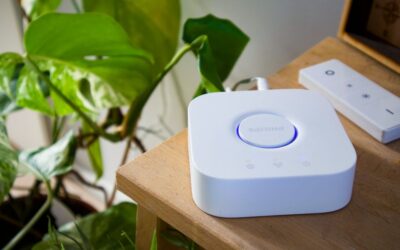
Some smart lights require a hub for full functionality, while others work standalone. Hubs act as central controllers, enabling remote access and advanced automation. If you’re unsure whether you need one, our guide on making your home smart without a hub explores both options. For complete setup guidance, check our beginner’s guide to setting up smart home devices.
- Hub-based systems: More reliable, enable advanced automation, require additional hardware
- Hubless systems: Simpler setup, limited remote access, good for small installations
- Hybrid approach: Mix hub and hubless devices for flexibility
Security Considerations
Smart lighting security matters when connected to your home network. Use strong, unique passwords for all accounts. Enable two-factor authentication where available. Keep firmware updated on all devices. Avoid connecting to public WiFi networks when controlling smart lights. For comprehensive security guidance, read our article on protecting your smart home from hackers. These precautions protect your privacy and prevent unauthorized access.
Key Takeaway: Integrating smart lights with existing smart home systems requires compatible platforms, optional hub setup, and strong security practices.
Which Smart Lighting Features Matter Most for Ambiance?
Not all smart lights offer identical features. Color-changing capability (RGB) is essential for mood creation. Brightness dimming (0-100%) enables precise ambiance control. White temperature adjustment (2700K-6500K) supports circadian lighting. Scheduling automation saves time and ensures consistency. Voice control integration adds convenience. Grouping capability lets you control multiple lights simultaneously. Scene creation enables one-tap ambiance activation.
- RGB color changing: Access millions of colors for creative expression
- Adjustable color temperature: Shift from warm to cool light instantly
- Dimming range: Full range (0-100%) provides maximum flexibility
- Scheduling: Automate lighting changes at specific times
- Voice compatibility: Control lights hands-free with Alexa or Google
- Scene saving: Create and recall custom lighting configurations
- Grouping: Control multiple rooms or fixtures with one command
Budget considerations affect feature availability. Basic smart bulbs (under $15) offer dimming and simple scheduling. Mid-range options ($15-30) add color changing and scene creation. Premium bulbs ($30+) include advanced features like music sync and adaptive circadian lighting. For most ambiance purposes, mid-range bulbs provide excellent value. Determine your essential features before purchasing to avoid overspending.
Key Takeaway: Essential ambiance features include color changing, dimming, temperature adjustment, scheduling, and voice control—available at various price points.
What Are Common Mistakes When Using Smart Lights for Ambiance?
Many users create poor ambiance by neglecting fundamental principles. Using maximum brightness destroys any mood except energetic activity. Placing all lights in one location creates harsh shadows and uneven illumination. Ignoring color temperature consistency makes spaces feel chaotic. Setting scenes too bright or too cool undermines relaxation goals. Overcomplicating automation creates confusion instead of convenience.
Avoid these common pitfalls for better results. Start with 50-60% brightness as your baseline for ambiance. Distribute lights throughout the room for even, flattering illumination. Maintain consistent color temperature within each space (warm in bedrooms, neutral in kitchens). Test scenes before saving them permanently. Keep automation simple—complex routines often fail or confuse users. When in doubt, start basic and add complexity gradually.
Another mistake is ignoring your room’s existing lighting. Smart bulbs alone can’t overcome poor fixture placement or inadequate distribution. Consider adding accent lamps or wall sconces specifically for ambiance. Layer different light sources at various heights. This approach creates professional-quality ambiance that single overhead fixtures cannot achieve alone.
Key Takeaway: Avoid ambiance mistakes by using moderate brightness, distributing lights strategically, maintaining color consistency, and keeping automation simple.
Frequently Asked Questions
Can smart lights work without WiFi?
Some smart lights use Bluetooth for direct connection to your phone without WiFi. However, WiFi enables remote access and advanced automation features. Bluetooth-only lights work locally but can’t be controlled remotely. For full functionality and ambiance automation, WiFi-connected lights are preferable. Most modern smart lights support both WiFi and Bluetooth simultaneously.
How long do smart light bulbs last?
Smart LED bulbs typically last 25,000 to 50,000 hours, equivalent to 15-30 years of typical household use. This lifespan far exceeds traditional incandescent or CFL bulbs. Smart bulbs rarely fail due to color-changing features; they last as long as standard LEDs. The electronics controlling color and dimming are highly reliable in 2026 technology. Cost per year of use makes smart bulbs economical despite higher upfront prices.
Do smart lights consume more electricity than regular bulbs?
Smart LED bulbs consume similar electricity to standard LED bulbs. The wireless connectivity and color-changing electronics use minimal additional power. In fact, smart bulbs’ dimming capability often reduces overall energy consumption compared to always-on traditional bulbs. Energy savings from scheduling and automation typically offset any minor electronic overhead. Smart lighting is both environmentally friendly and cost-effective long-term.
Can I use smart lights in outdoor spaces?
Yes, outdoor-rated smart bulbs exist for patios, porches, and landscaping. They withstand moisture, temperature fluctuations, and UV exposure. Outdoor smart lights enable ambiance creation in exterior spaces like patios and gardens. They integrate with your indoor smart home system for coordinated whole-home lighting. Ensure any outdoor bulbs are specifically rated for exterior use before purchasing.
What’s the best smart lighting brand for ambiance?
Popular brands include Philips Hue, LIFX, Wyze, and Nanoleaf, each offering excellent ambiance features. Philips Hue leads in color accuracy and scene quality but costs more. LIFX offers great value with extensive color options. Wyze provides budget-friendly options for beginners. Choose based on your platform preference (Apple HomeKit, Google Home, Alexa) and budget constraints. Most brands deliver excellent ambiance results in 2026.
How do I troubleshoot smart lights that won’t change color?
First, ensure your bulbs support color changing (RGB capability). Check that firmware is updated in your app. Restart the bulb by turning it off for 10 seconds, then on. Verify your WiFi connection is stable. Try resetting the bulb according to manufacturer instructions. If problems persist, contact customer support or replace the bulb. Most color issues resolve through simple troubleshooting steps.
How Can You Get Started Using Smart Lights for Ambiance Today?
Begin your smart lighting journey by selecting one room to transform. Choose a space where you spend significant time—bedroom, living room, or home office. Start with 2-3 smart bulbs in existing fixtures rather than replacing your entire lighting system. This approach costs less and lets you learn before expanding. Select bulbs compatible with your preferred platform (Alexa, Google Home, or HomeKit).
Install your first bulbs following manufacturer instructions. Most installation takes under five minutes per bulb. Download the corresponding app and connect each bulb to your WiFi. Explore the color options and preset scenes available. Experiment with different brightness levels and color temperatures throughout your day. Notice how various settings affect your mood and productivity. After one week, you’ll understand your preferences and can plan additional installations.
As you become comfortable, expand to other rooms and add automation routines. Create scenes that match your lifestyle—morning energize, work focus, evening relax, sleep preparation. Link your lights with voice assistants for hands-free control. Consider adding smart switches for non-smart fixtures in the same room. Gradually build a coordinated lighting system that supports your entire lifestyle. The investment pays dividends through improved mood, better sleep, and enhanced home ambiance.
Key Takeaway: Start with one room, experiment with colors and brightness, then gradually expand your smart lighting system as you discover your preferences.




Write Your Review
No reviews yet. Be the first to share your experience!