
How to Connect Multiple Smart Home Brands Together in 2026: Quick Answer
Connecting multiple smart home brands in 2026 is easier than ever thanks to universal protocols like Matter, Thread, and cloud-based integrations. The most effective approach combines a central hub (Apple Home, Google Home, or Alexa), Matter-compatible devices, and third-party automation platforms like IFTTT or Home Assistant. You can control devices from different manufacturers through a single app, create cross-brand automations, and eliminate vendor lock-in. Success requires choosing devices with overlapping protocol support, setting up proper network infrastructure, and using bridge devices when needed. Most modern smart home devices now support multiple standards, making multi-brand ecosystems practical and affordable for average homeowners.
In June 2026, the smart home landscape has matured significantly since the early days of isolated ecosystems. Major manufacturers—Apple, Google, Amazon, Samsung, and others—recognize that consumers want flexibility. They’ve invested heavily in interoperability standards. Matter, the Connectivity Standards Alliance’s flagship protocol, now powers thousands of devices. This shift means you’re no longer forced to choose one ecosystem. Instead, you can strategically mix and match devices based on features, price, and your specific needs.
What Are the Best Protocols for Multi-Brand Smart Home Integration?
Multiple protocols now enable cross-brand communication. Matter stands as the gold standard for 2026. It’s an open-source protocol backed by major tech companies. Thread provides reliable mesh networking. WiFi Direct and Bluetooth also play supporting roles. Understanding these options helps you make informed device purchases.
Matter simplifies interoperability dramatically. Devices certified by the Connectivity Standards Alliance work across Apple Home, Google Home, Amazon Alexa, and Samsung SmartThings without additional configuration. Thread creates a self-healing mesh network that strengthens as you add more devices. This means better range and reliability than WiFi alone, especially in larger homes.
- Matter: Universal protocol certified by Connectivity Standards Alliance; works across all major platforms.
- Thread: Mesh networking standard that improves signal strength and device responsiveness.
- WiFi: Direct internet connection; widely compatible but can strain your network.
- Bluetooth: Short-range wireless; ideal for wearables and nearby devices.
- Zigbee and Z-Wave: Legacy protocols still used by many existing devices; require compatible hubs.
Why Matter Matters in 2026
Matter adoption reached critical mass by mid-2026. Nearly every major smart home device manufacturer now offers Matter-certified products. This eliminates the frustration of incompatible ecosystems. A Matter-certified smart bulb works identically in Apple Home, Google Home, or Alexa. No special configuration needed.
Key Takeaway: Matter is the fastest and most reliable way to integrate devices from different brands in 2026.
Which Hub Should You Choose for Multi-Brand Control?
A central hub acts as the command center for your multi-brand smart home. It manages communication between devices, enables remote access, and powers automations. Your choice of hub significantly impacts which devices you can use and how seamlessly they integrate. Three platforms dominate in 2026: Apple Home, Google Home, and Amazon Alexa. Each offers distinct advantages.
Apple Home prioritizes privacy and security. It stores automation logic locally on your HomePod mini or Apple TV 4K. No data leaves your home unless you explicitly allow it. Google Home excels at voice recognition and natural language processing. Alexa offers the broadest device compatibility and deepest integration with Amazon services. Your choice depends on your existing ecosystem and priorities.
- Apple Home: Best for privacy; requires HomePod mini or Apple TV 4K as hub.
- Google Home: Superior voice commands; works with Google Nest Hub or Nest Audio.
- Amazon Alexa: Largest device catalog; requires Echo device with hub capability.
- Samsung SmartThings: Flexible platform supporting Zigbee, Z-Wave, WiFi, and Matter devices.
- Home Assistant: Open-source option for tech-savvy users; runs on any computer.
Comparing Hub Features for 2026
Each hub platform handles multi-brand integration differently. Apple Home uses Matter exclusively for third-party devices, ensuring standardization. Google Home supports Matter, WiFi, and legacy protocols through various integrations. Alexa maintains the broadest compatibility through custom integrations and Skills. Samsung SmartThings remains the most flexible for advanced users managing complex ecosystems.
Consider your technical comfort level when choosing. Apple Home requires minimal setup but limits you to Apple-approved devices. Alexa offers more flexibility but requires more configuration. Home Assistant provides maximum control but demands technical knowledge and ongoing maintenance.
Key Takeaway: Select a hub based on your privacy preferences, technical skill level, and the devices you already own.
How Do You Set Up Cross-Brand Automation and Routines?
Creating automations that work across different brands requires understanding how your hub communicates with devices. Most modern hubs support conditional logic—if this device does X, then make that device do Y. This works regardless of manufacturer, as long as devices use compatible protocols. Setting up these automations is straightforward in most cases.
Start by ensuring all devices are added to your hub and functioning properly. Test each device individually first. Then create simple automations before attempting complex ones. For example, a basic automation might turn off all lights when you leave home, regardless of whether they’re Philips Hue, LIFX, or Nanoleaf bulbs.
- Add all devices to your primary hub using Matter when available.
- Test each device individually to confirm proper connectivity.
- Create simple automations first; test before adding complexity.
- Use time-based triggers for reliable scheduling across brands.
- Leverage presence detection to trigger automations when you arrive or leave.
- Create scenes that group devices from multiple brands into single commands.
Advanced Multi-Brand Automation Strategies
For complex automations spanning multiple brands, consider third-party platforms like IFTTT or Home Assistant. These tools bridge gaps between ecosystems and enable sophisticated logic. Home Assistant, for instance, supports hundreds of device types and integrations. You can create automations impossible within a single manufacturer’s app.
Time-based automations work reliably across brands. Presence-based automations (triggered by your phone location) also perform consistently. Sensor-based automations (motion, temperature, humidity) work well when devices use compatible protocols. Test automations thoroughly before relying on them for critical functions like security.
Key Takeaway: Start with simple automations and gradually increase complexity as you understand how your devices communicate.
What Bridge Devices and Adapters Do You Need?
Some older or specialized devices don’t support Matter or modern protocols. Bridge devices translate between incompatible systems. A Zigbee bridge, for example, lets you use legacy Zigbee devices within a Matter-based ecosystem. Understanding which bridges you need prevents frustration and wasted spending.
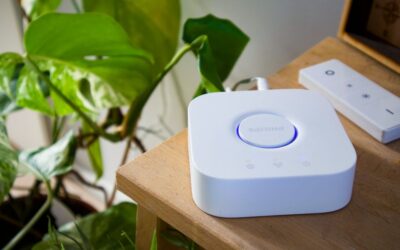
Common bridge scenarios in 2026 include connecting older Zigbee or Z-Wave devices to a modern Matter hub. Philips Hue Bridge can function as a bridge device, allowing older Hue bulbs to work in Apple Home or Google Home. Similarly, some thermostats and security systems require proprietary bridges to integrate with modern ecosystems.
- Zigbee bridges: Connect legacy Zigbee devices to Matter ecosystems.
- Z-Wave bridges: Enable Z-Wave device integration with modern hubs.
- Proprietary bridges: Required for some brands like older Ecobee or Lutron systems.
- WiFi extenders: Improve connectivity for WiFi-based devices in large homes.
- Thread border routers: Strengthen Thread mesh networks and improve device responsiveness.
Choosing the Right Bridge for Your Setup
Before purchasing a bridge, verify your devices’ actual protocol. Many manufacturers list multiple protocol support. A device might support both Zigbee and WiFi, for example. If it supports Matter or a protocol your hub natively handles, you don’t need a bridge. Only purchase bridges for devices that genuinely require translation.
Research bridge compatibility carefully. Not all Zigbee bridges work with all Zigbee devices. Some bridges only support specific device types. Check manufacturer documentation and user reviews before committing. This prevents the frustration of purchasing incompatible equipment.
Key Takeaway: Only purchase bridge devices for legacy equipment that genuinely lacks native protocol support for your hub.
How Do You Optimize Network Infrastructure for Multi-Brand Devices?
Your home network is the foundation for reliable multi-brand smart home operation. Poor network quality causes dropped connections, failed automations, and frustrating delays. Optimizing your network ensures devices from different brands communicate smoothly. This involves both WiFi optimization and network architecture decisions.
Start by assessing your current network. Run a speed test and check WiFi signal strength in areas where you place smart devices. Many smart home devices work best on 2.4GHz WiFi, not 5GHz. Some devices struggle with band steering (automatic switching between frequencies). Separating your bands often improves reliability.
- Use a modern WiFi 6 or WiFi 7 router for better device capacity and reliability.
- Separate 2.4GHz and 5GHz bands; assign smart devices to 2.4GHz.
- Position your hub centrally in your home for optimal coverage.
- Avoid placing devices near microwave ovens or cordless phones.
- Consider a mesh network system for larger homes or multi-story buildings.
- Use a dedicated IoT network separate from your computers and phones if possible.
Advanced Network Optimization for Smart Homes
For serious multi-brand installations, create a dedicated IoT network separate from your primary network. This prevents smart devices from competing with computers and phones for bandwidth. It also enhances security by isolating smart devices from sensitive personal data. Most modern routers support guest networks for this purpose.
Thread networks deserve special attention. Thread devices form a mesh that strengthens as you add more devices. Position Thread devices strategically to create a strong mesh backbone. A Thread border router (usually your hub) ensures devices can reach the network even if direct connection fails. This is particularly valuable in homes with thick walls or multiple floors.
Key Takeaway: Optimize your network infrastructure before adding multiple smart home brands to ensure reliable operation.
What Security Considerations Apply to Multi-Brand Smart Homes?
Connecting multiple brands increases your attack surface. Each device and integration point represents a potential vulnerability. Security becomes more important as your smart home grows. Fortunately, modern protocols like Matter include strong security by design. Understanding the risks helps you protect your home effectively.
Matter devices use end-to-end encryption and require authentication before joining your network. This prevents unauthorized devices from connecting. However, you remain responsible for maintaining strong passwords, keeping firmware updated, and securing your hub. A compromised hub could expose all connected devices. For detailed security strategies, see our complete smart home security guide.
- Use strong, unique passwords for each platform and device account.
- Enable two-factor authentication wherever available.
- Keep all firmware and apps updated to patch security vulnerabilities.
- Regularly review device access permissions and remove unused apps.
- Use a separate network for smart devices when possible.
- Avoid connecting devices to public WiFi networks.
Privacy Considerations for Multi-Brand Integration
Different platforms handle data differently. Apple Home processes most data locally on your hub. Google Home and Alexa analyze voice commands on their servers. When you use third-party automation platforms like IFTTT or Home Assistant, data flows through additional services. Understand where your data goes and choose platforms aligned with your privacy preferences.
Review privacy policies for each service you use. Some platforms sell anonymized usage data. Others share data with affiliated companies. You have the right to understand these practices. If privacy is paramount, consider Home Assistant, which stores everything locally on your own hardware.
Key Takeaway: Prioritize security and privacy by using strong passwords, enabling two-factor authentication, and understanding where your data flows.
What Are Practical Steps to Build Your Multi-Brand Smart Home?
Building a multi-brand smart home requires a strategic approach. Don’t buy devices randomly. Instead, plan your ecosystem around a central hub and protocol strategy. This ensures devices work together smoothly and prevents expensive mistakes. Follow these practical steps to build your system methodically.
Step-by-Step Implementation Plan
- Choose your primary hub: Select Apple Home, Google Home, Alexa, or Home Assistant based on your preferences and existing devices.
- Assess your current devices: List all smart devices you own and verify their protocol support (Matter, WiFi, Zigbee, Z-Wave, Bluetooth).
- Plan your network: Optimize your WiFi, separate 2.4GHz and 5GHz bands, and consider a mesh network if needed.
- Purchase Matter-certified devices: When replacing or adding devices, prioritize Matter certification for maximum future compatibility.
- Add devices to your hub: Follow manufacturer instructions to add each device. Test functionality before creating automations.
- Create simple automations: Start with basic time-based or presence-based automations across different brands.
- Gradually expand: Add complexity as you become comfortable. Integrate third-party platforms if needed for advanced features.
- Document your setup: Keep records of device locations, protocols, and automations for future troubleshooting.
Budget-Conscious Multi-Brand Integration
You don’t need to replace everything immediately. Start with one hub and a few Matter-certified devices. Add devices gradually as your budget allows. Legacy devices (Zigbee, Z-Wave) continue working with appropriate bridges. This phased approach spreads costs over time while building your system methodically.
Focus spending on devices you use daily. Smart lights and thermostats provide immediate value. Specialized devices like smart locks or advanced sensors can wait until your core system is solid. This approach maximizes satisfaction while minimizing waste.
Key Takeaway: Build your multi-brand smart home strategically, prioritizing a central hub and Matter-certified devices while integrating legacy equipment as needed.
Frequently Asked Questions
Can I use devices from Apple, Google, and Amazon simultaneously in 2026?
Yes, absolutely. Matter-certified devices work across all three platforms simultaneously. You can control the same device from Apple Home, Google Home, and Alexa apps. However, you’ll need separate hubs from each platform to use all their features. Most users choose one primary hub and use Matter devices for brand-agnostic control.
Do I need a hub to connect multiple smart home brands?
A hub significantly improves multi-brand integration. It enables remote access, creates reliable automations, and acts as a communication bridge. WiFi-based devices can work without a hub, but you lose remote control and automation capabilities. For serious multi-brand setups, a hub is essential. See our guide on smart homes without hubs for WiFi-only alternatives.
What’s the difference between Matter and Thread?
Matter is a communication protocol that enables devices from different manufacturers to work together. Thread is a mesh networking standard that improves reliability and range. Matter devices can use Thread, WiFi, or Bluetooth for connectivity. Thread creates a self-healing network where devices relay signals through each other, improving coverage in large homes.
Should I replace all my devices with Matter-certified ones?
No, replacement isn’t necessary immediately. Legacy devices continue working with appropriate bridges or hubs. Replace devices as they fail or when you need new functionality. This gradual approach spreads costs and prevents waste. Prioritize Matter for new purchases to ensure future compatibility and flexibility.
How do I troubleshoot devices not communicating across brands?
First, verify devices are added to your hub and show as connected. Check that devices support compatible protocols (Matter, WiFi, or Zigbee/Z-Wave with appropriate bridge). Restart your hub and the problematic device. Review your network for interference or weak signal. Check firmware updates for both hub and device. Consult manufacturer support if issues persist.
What’s the best way to start a multi-brand smart home in 2026?
Choose a primary hub (Apple Home, Google Home, or Alexa) that matches your existing ecosystem. Purchase a Matter-certified hub device like HomePod mini, Google Nest Hub, or Echo device. Start with one or two Matter-certified smart devices. Build gradually, adding devices as your comfort and budget allow. Refer to our beginner’s setup guide for detailed instructions.
How Should You Approach Multi-Brand Smart Home Integration in 2026?
Connecting multiple smart home brands is now practical, affordable, and increasingly necessary as the market fragments. Matter has solved the interoperability problem that plagued early smart homes. You’re no longer forced into vendor lock-in. Instead, you can choose devices based on features and price, mixing brands freely.
Success requires choosing a central hub, prioritizing Matter-certified devices, and optimizing your network. Start simple with basic automations and expand gradually. Don’t feel pressured to replace everything immediately. Legacy devices work fine with appropriate bridges. Security and privacy matter more than ever with multiple connected devices, so use strong passwords and keep firmware updated.
The smart home landscape in June 2026 offers unprecedented flexibility. By following these guidelines, you’ll build a reliable, powerful system that works exactly how you want—regardless of manufacturer. Your multi-brand smart home will be future-proof, secure, and tailored to your specific needs and preferences.


Write Your Review
No reviews yet. Be the first to share your experience!