

What Is the Difference Between Smart Home and Smart Building in 2026?
The primary difference between a smart home and a smart building lies in scale, complexity, and application. A smart home automates residential spaces for individual families or occupants, focusing on convenience, energy efficiency, and security within a single dwelling. A smart building, conversely, manages commercial or multi-unit properties using advanced systems that coordinate HVAC, lighting, occupancy, energy management, and security across entire facilities with hundreds or thousands of occupants. Smart homes typically use consumer-grade devices and platforms like Home Assistant or Amazon Alexa, while smart buildings employ enterprise-level infrastructure with centralized management systems, IoT networks, and artificial intelligence for operational optimization. The key distinction emerges in purpose: smart homes prioritize personal comfort and cost savings, whereas smart buildings emphasize operational efficiency, sustainability compliance, tenant experience, and return on investment across complex real estate portfolios. Understanding these differences helps property owners, facility managers, and homeowners choose appropriate technology investments for their specific needs in 2026.

How Does Scale Differentiate Smart Homes from Smart Buildings?
Scale represents the most fundamental distinction between smart homes and smart buildings. A smart home typically encompasses a single residential unit—whether a house, apartment, or condo—with automation systems serving one household or a small number of residents. These systems manage individual zones like bedrooms, kitchens, and living areas through centralized hubs or cloud-based platforms.
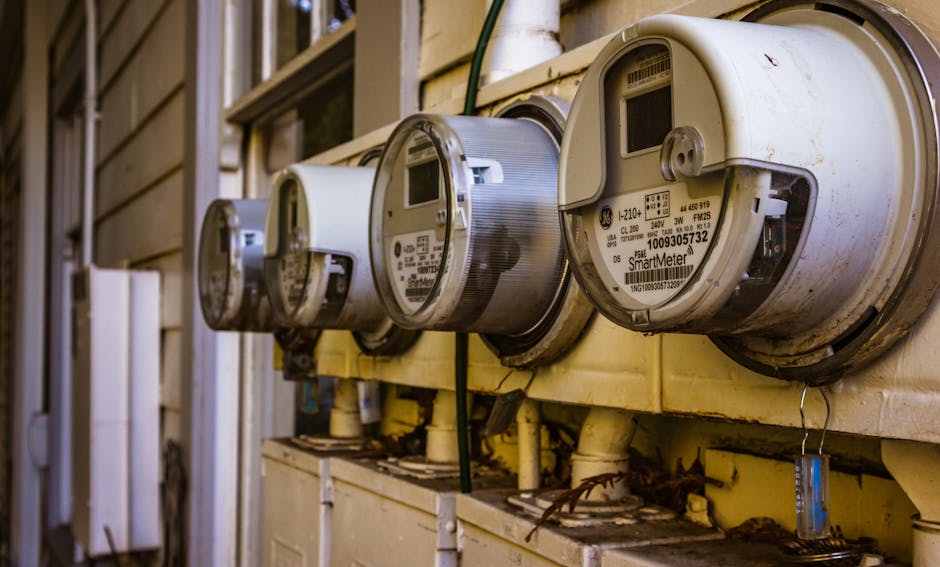
Smart buildings, by contrast, operate across massive physical footprints. Commercial office buildings may span multiple floors with thousands of employees. Hotels manage hundreds of guest rooms simultaneously. Healthcare facilities coordinate automation across patient rooms, operating theaters, administrative offices, and common areas. Multi-family residential complexes with hundreds of units require centralized systems managing shared infrastructure like parking garages, lobbies, and mechanical rooms.
Residential Scale Considerations
Smart homes operate within manageable complexity. A homeowner might control 20 to 100 connected devices across their property. These devices communicate through a single network, often managed through one or two platforms. Setup typically requires minimal technical expertise, and troubleshooting involves straightforward diagnostics.
Commercial and Enterprise Scale
Smart buildings manage exponentially more devices and systems. A mid-sized office building might coordinate 5,000 to 50,000 connected sensors and actuators. These systems must integrate legacy infrastructure with new IoT devices, manage multiple networks, ensure redundancy, and maintain security across diverse user groups. Enterprise platforms like those from Siemens, Johnson Controls, or Honeywell handle this complexity through sophisticated software architectures, distributed computing, and artificial intelligence algorithms that learn building patterns and optimize operations continuously.
What Technology and Infrastructure Differences Exist Between These Systems?
Technology choices reflect the different demands of residential versus commercial automation. Smart homes leverage consumer-grade hardware and software designed for ease of installation and use. Homeowners can often self-install devices, configure automations through mobile apps, and expand systems incrementally without professional assistance. Popular platforms include Home Assistant, SmartThings, Apple HomeKit, and Google Home, which prioritize user-friendly interfaces and integration with affordable third-party devices.

Smart Home Technology Stack
Residential systems typically use Wi-Fi, Zigbee, or Z-Wave protocols for device communication. A central hub connects to home internet and cloud services. Automation rules are relatively simple: if a door opens, turn on lights; if temperature rises above 72°F, activate cooling. Backup power might involve a simple battery backup for the hub. Data storage often relies on cloud services, with local backups optional. Security focuses on protecting personal information and preventing unauthorized access to home devices.
Smart Building Technology Infrastructure
Commercial buildings employ enterprise-grade systems requiring professional installation, configuration, and ongoing management. Building Management Systems (BMS) from manufacturers like Honeywell, Johnson Controls, or Siemens integrate HVAC, lighting, security, fire safety, and energy management through dedicated networks separate from guest or tenant Wi-Fi. These systems use industrial protocols like BACnet, Modbus, or proprietary standards ensuring reliability and interoperability. Redundancy is critical—multiple network paths, backup power systems, and failover servers ensure continuous operation. Data management involves on-premises servers, cloud integration, and sophisticated analytics platforms processing terabytes of information daily. Security encompasses network segmentation, encryption, access controls, and compliance with regulations like ISO 50001 for energy management or HIPAA for healthcare facilities.
How Do Automation Capabilities and Complexity Differ?
Automation sophistication varies dramatically between smart homes and smart buildings, reflecting their different operational requirements and available resources.

Smart Home Automation
Residential automation typically involves straightforward rules and routines. Common automations include scheduling thermostats to lower temperature at night, turning off lights when rooms are unoccupied, adjusting blinds based on sunset, and creating scenes that activate multiple devices simultaneously. Many homeowners use voice commands or mobile apps to control devices manually. Automations might involve basic time-based triggers, sensor thresholds, or simple if-then logic. Machine learning features in consumer products—like Amazon’s Alexa Hunches mentioned in our guide on how Amazon Smart Thermostat Alexa Hunches save energy in 2026—provide limited predictive capabilities, learning household patterns over weeks or months.
Smart Building Automation Complexity
Commercial buildings employ sophisticated automation orchestrating hundreds of interdependent systems. Building management systems continuously analyze occupancy patterns, weather forecasts, energy prices, and equipment performance to optimize operations. Advanced algorithms predict maintenance needs before failures occur, adjust HVAC zones based on real-time occupancy and weather, modulate lighting to maintain productivity while minimizing energy consumption, and coordinate renewable energy systems with grid demand. Integration with tenant management systems, access controls, and emergency response protocols creates complex decision trees involving hundreds of variables. Machine learning models trained on years of operational data identify anomalies, predict equipment failures, and recommend operational improvements. These systems often achieve energy savings of 20-30% compared to traditional buildings through continuous optimization.
What Are the Primary Use Cases and Benefits for Each System?
Smart homes and smart buildings serve distinct purposes, though some benefits overlap.

Smart Home Use Cases and Benefits
Homeowners implement smart home technology primarily for convenience, security, and energy savings. Convenience benefits include voice control, remote access, and automated routines that simplify daily tasks. Security features like smart locks, cameras, and motion sensors provide peace of mind and enable remote monitoring. Energy management through smart thermostats, lighting controls, and monitoring of phantom loads—as discussed in our complete guide to phantom load energy vampires in 2026—can reduce utility bills by 10-15%. Smart homes also enhance accessibility for elderly or disabled residents through voice control and automated systems.
Smart Building Use Cases and Benefits
Commercial properties implement smart building technology to reduce operational costs, improve tenant experience, meet sustainability goals, and increase asset value. Large office buildings reduce energy consumption through optimized HVAC and lighting. Hotels enhance guest experience through smart room controls and personalized services. Hospitals improve patient care through environmental monitoring and equipment management. Data centers maintain optimal temperature and humidity through precise automation. Retail properties analyze customer traffic patterns and optimize store layouts. Apartment complexes reduce maintenance costs through predictive maintenance and improve tenant satisfaction through responsive building services. Smart buildings often achieve operational cost reductions of 20-30% while improving sustainability metrics and tenant retention.
How Do You Choose Between Smart Home and Smart Building Solutions?
Selecting appropriate automation technology requires understanding your property type, scale, budget, and objectives. This decision framework helps align technology choices with your specific situation.
Assessing Your Property Type and Scale
Begin by honestly evaluating your property. If you own a single-family home, townhouse, or small apartment, smart home technology is appropriate. These solutions work well for properties with fewer than 50 connected devices and a single occupant household or small family. If you manage commercial real estate, multi-family properties with more than 20 units, or large facilities like offices, hospitals, or hotels, smart building infrastructure becomes necessary. The transition point typically occurs around 100-150 connected devices or when managing multiple buildings or complex systems requiring enterprise-level oversight.
Evaluating Budget and Resource Availability
Smart home solutions require modest initial investment—typically $2,000 to $10,000 for a comprehensive system—and minimal ongoing costs beyond internet service. Many homeowners successfully implement systems through self-installation with online resources. Smart buildings require substantial capital investment, often $500,000 to several million dollars depending on building size and system sophistication. These projects require professional design, installation, and ongoing technical support. Budget considerations should include not just hardware costs but also integration, training, ongoing maintenance, and software licensing. Smaller properties might benefit from hybrid approaches, using consumer-grade devices for non-critical systems while implementing professional solutions for essential infrastructure.
Defining Your Primary Objectives
Clarify what you want to achieve. For smart homes, common objectives include energy savings, convenience, security, or accessibility improvements. If energy savings are primary, focus on smart thermostats, determining how many smart home devices you need to save energy, and monitoring systems. If convenience matters most, prioritize voice control and automation routines. For commercial properties, objectives typically include operational cost reduction, sustainability compliance, tenant experience improvement, or competitive differentiation. A hotel might prioritize guest experience through smart room controls, while a corporate office emphasizes energy efficiency and occupancy-based HVAC management. Different objectives require different technology emphasis and implementation strategies.
Planning for Integration and Expansion
Consider future needs and integration requirements. Smart homes should use platforms that support broad device compatibility—Home Assistant excels here due to its extensive integration library. Verify that your chosen system can accommodate expansion as you add devices over time. For smart buildings, ensure the proposed BMS can integrate with existing systems and accommodate future technologies. Avoid vendor lock-in by prioritizing open standards and ensuring data portability. Plan for technology obsolescence—smart home devices typically last 5-10 years, while building systems might operate for 15-20 years, requiring longer-term compatibility considerations.
What Common Mistakes Should You Avoid When Implementing These Systems?
Understanding common pitfalls helps ensure successful automation implementation.
Smart Home Implementation Mistakes
Many homeowners over-automate, installing smart devices for every possible function without considering actual utility. A smart refrigerator that sends notifications about low milk might seem convenient but rarely justifies the cost. Others under-estimate the importance of network reliability—a weak Wi-Fi signal causes frustrating device disconnections and automation failures. Neglecting security is dangerous; default passwords and unpatched firmware create vulnerabilities. Some homeowners choose incompatible devices, discovering too late that their smart speaker cannot control a particular light brand. Failing to plan for local control—automation that depends entirely on cloud services becomes useless during internet outages. Finally, many homeowners don’t properly monitor energy consumption, implementing smart devices without understanding their actual impact on utility bills.
Smart Building Implementation Mistakes
Commercial projects often fail due to inadequate planning and stakeholder alignment. Facility managers, tenants, IT departments, and leadership may have conflicting priorities that create implementation friction. Insufficient staff training leads to underutilization of sophisticated systems—advanced features remain unused because operators don’t understand capabilities. Poor data integration between legacy systems and new IoT infrastructure creates silos where valuable insights remain locked away. Over-reliance on automation without maintaining manual override capabilities creates dangerous situations where system failures affect building operations. Inadequate cybersecurity planning leaves building systems vulnerable to attacks. Finally, many projects fail to establish clear ROI metrics and monitoring, making it impossible to demonstrate value to stakeholders or identify optimization opportunities.
How Do You Set Up Monitoring and Control for Smart Home Systems?
Effective monitoring and control systems ensure your smart home operates reliably and delivers intended benefits. Proper setup requires attention to platform selection, network infrastructure, and ongoing maintenance.
Selecting Your Smart Home Platform
Your chosen platform becomes the nerve center of your smart home. Home Assistant offers maximum flexibility and local control, running on inexpensive hardware and supporting thousands of device types. It requires more technical knowledge but provides complete data privacy since everything runs locally. Apple HomeKit prioritizes security and privacy through encryption and local processing, though it limits device selection to HomeKit-compatible products. Amazon Alexa and Google Home offer convenience and voice control but rely heavily on cloud services and require accepting Amazon or Google’s data practices. SmartThings provides a middle ground with cloud and local processing options. Consider your priorities: maximum flexibility and privacy suggest Home Assistant; convenience and voice control suggest Alexa or Google Home; privacy and ecosystem integration suggest HomeKit. For most users, starting with one platform and potentially adding others for specific devices makes sense.
Establishing Reliable Network Infrastructure
Smart home reliability depends entirely on network quality. Invest in a modern Wi-Fi 6 router positioned centrally in your home to ensure strong signal throughout. For devices far from the router, consider Wi-Fi mesh systems or dedicated access points. Separate your smart home devices onto a dedicated network SSID if your router supports guest networks—this isolates smart devices from personal computers and improves both security and performance. For devices using Zigbee or Z-Wave, install a dedicated hub with strong positioning. Ensure your internet connection has sufficient bandwidth—most smart home devices consume minimal data, but video doorbell streaming and cloud backups add up. Test your network performance using speed tests and check signal strength in all areas where you plan to install devices.
Implementing Energy Monitoring
Understanding your home’s energy consumption helps identify savings opportunities and verify that smart devices deliver promised benefits. Smart plugs allow monitoring individual devices—plug them into outlets serving major appliances to track consumption patterns. Whole-home energy monitors provide comprehensive consumption data; many integrate with Home Assistant. Our guide on setting up a smart home energy dashboard for Home Assistant in April 2026 provides detailed instructions for comprehensive monitoring. Track phantom loads—devices consuming power while inactive—using our complete guide to phantom load energy vampires. Set up automations to reduce phantom loads by turning off entertainment systems and charging devices when not in use. Monitor your smart thermostat’s performance; our article on how Amazon Smart Thermostat Alexa Hunches save energy in 2026 explains advanced features that optimize heating and cooling.
Creating Effective Automation Routines
Start with simple automations addressing genuine needs rather than implementing complex rules you’ll never use. Morning routines might gradually increase bedroom lights before your alarm, brew coffee using smart plugs to automate coffee makers, and adjust thermostats to comfortable temperatures. Evening routines might lock doors, arm security systems, and lower lights. Occupancy-based automations turn off lights and adjust thermostats when everyone leaves home, then restore comfortable settings before arrival. Seasonal automations adjust heating and cooling thresholds as weather changes. Test each automation thoroughly before relying on it—discover failures during testing rather than when you actually need the automation. Build in manual overrides so you can control devices even if automation rules fail.
Maintaining System Health
Regular maintenance keeps your smart home running smoothly. Update device firmware when manufacturers release new versions—these updates fix bugs and security vulnerabilities. Check your router and hub regularly for proper operation; restart them monthly to clear memory leaks. Monitor battery levels in wireless devices and replace batteries before they fail. Periodically review automations and remove those no longer serving a purpose—they clutter your system and consume resources. Back up your Home Assistant configuration regularly if using that platform. Check security settings annually, ensuring passwords are strong and two-factor authentication is enabled. Review device permissions and data sharing settings, disabling features you don’t actually use. Document your system configuration so you can troubleshoot problems or restore the system after failures.
Frequently Asked Questions
Can smart home devices work in a smart building environment?
Some smart home devices can function in commercial buildings, but they’re not ideal solutions. Consumer devices lack the reliability, scalability, and integration capabilities required for enterprise operations. However, smart buildings sometimes use consumer-grade devices for guest rooms or non-critical systems where cost matters more than enterprise features. Professional building management systems provide superior performance, security, and support for commercial applications.
What is the typical cost difference between smart home and smart building systems?
Smart homes typically cost $2,000 to $10,000 for comprehensive automation, often installed by homeowners. Smart buildings cost $500,000 to several million dollars depending on size and complexity, requiring professional installation and ongoing support. Per-square-foot costs differ dramatically: smart homes average $2-5 per square foot, while smart buildings range from $10-50 per square foot depending on system sophistication and building size.
Do smart buildings require more security than smart homes?
Yes, smart buildings face significantly greater security risks due to larger attack surfaces, more connected devices, and higher-value targets. Enterprise systems require network segmentation, encryption, access controls, regular security audits, and incident response planning. Smart homes need basic security—strong passwords, firmware updates, network isolation—but commercial-grade security isn’t necessary for residential use.
Can you upgrade a smart home into a smart building system?
Generally no. Smart homes and smart buildings use fundamentally different architectures, protocols, and platforms. Upgrading typically means replacing consumer devices with enterprise systems rather than expanding existing infrastructure. However, you might gradually transition by adding professional systems alongside smart home devices, eventually phasing out consumer technology.
What skills are required to manage each system type?
Smart homes require basic technical literacy—comfort with mobile apps, Wi-Fi networks, and following setup instructions. Home Assistant users need more technical knowledge including networking concepts and basic programming. Smart buildings require trained facility managers, IT professionals, and specialized technicians. Enterprise systems demand ongoing professional support, training, and certification.
How do energy savings compare between smart homes and smart buildings?
Smart homes typically achieve 10-15% energy savings through thermostat optimization, lighting control, and phantom load reduction. Smart buildings achieve 20-30% savings through sophisticated optimization coordinating HVAC, lighting, occupancy, and renewable energy systems. Larger scale and enterprise optimization capabilities enable greater savings in commercial properties.
Is Understanding the Difference Between Smart Homes and Smart Buildings Worth Your Time?
Absolutely. Understanding these distinctions ensures you invest in appropriate technology for your specific situation rather than wasting money on oversized or inadequate solutions. A homeowner implementing smart home technology gains convenience, security, and energy savings without unnecessary complexity or expense. A facility manager implementing smart building systems achieves operational cost reduction, sustainability compliance, and competitive advantages through proper enterprise-grade infrastructure. The worst outcome occurs when property owners choose the wrong category—homeowners over-investing in enterprise systems they don’t need, or commercial properties under-investing in consumer devices that cannot deliver required reliability and functionality.
In 2026, both smart home and smart building technologies have matured significantly. Consumer-grade smart home platforms offer impressive capabilities at accessible prices. Enterprise building management systems leverage artificial intelligence and advanced analytics for unprecedented operational optimization. The key is matching technology to your needs. If you own residential property, start with smart home solutions like Home Assistant, focusing on genuine needs rather than gadgets. If you manage commercial real estate, invest in proper building management systems from established manufacturers, ensuring professional installation and support. For those managing properties at the boundary—small multi-family buildings or commercial spaces—hybrid approaches combining consumer devices for non-critical systems with professional solutions for essential infrastructure may provide optimal value.
The technology landscape continues evolving. Integration between systems improves continuously, making it easier to combine smart home and smart building approaches. Artificial intelligence capabilities advance rapidly, enabling smarter automation and better optimization. Energy management becomes increasingly important as sustainability concerns grow and energy costs rise. Whether you’re a homeowner seeking convenience and savings or a facility manager optimizing commercial operations, understanding the difference between smart homes and smart buildings helps you make informed decisions that deliver real value. Start by clearly defining your objectives, honestly assessing your property scale and complexity, and selecting appropriate technology for your situation. The right choice depends on your specific circumstances, not on following industry trends or implementing technology for its own sake.







Write Your Review
No reviews yet. Be the first to share your experience!