

How Can You Monitor Your Home Energy in Real-Time with Home Assistant in 2026?
Real-time home energy monitoring with Home Assistant allows you to track power consumption across your entire home instantly, identify energy-draining appliances, and optimize usage patterns to reduce utility bills. Home Assistant is an open-source home automation platform that integrates with hundreds of smart devices and energy monitoring hardware, providing granular visibility into where your electricity goes. By combining Home Assistant with compatible energy monitors, smart meters, and IoT devices, you gain complete control over your home’s energy profile. The system displays real-time wattage, calculates daily and monthly consumption, and can trigger automated responses when usage exceeds thresholds. This approach eliminates reliance on monthly utility bills and empowers data-driven energy decisions. In April 2026, Home Assistant’s energy dashboard has matured significantly, offering advanced analytics, predictive insights, and seamless integration with renewable energy systems like solar panels and battery storage.
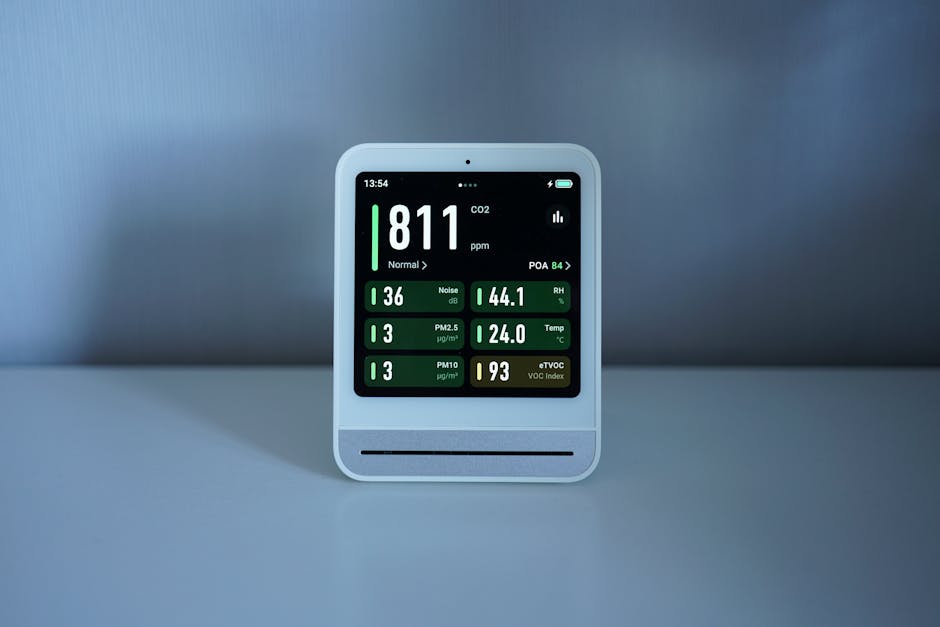
Home Assistant’s energy management capabilities have evolved dramatically since its introduction. The platform now supports native energy tracking for hundreds of devices, automatic consumption calculations, and machine learning-based anomaly detection. Unlike proprietary smart home systems, Home Assistant runs locally on your own hardware—typically a Raspberry Pi, NUC, or dedicated server—meaning your energy data never leaves your home. This privacy-first approach appeals to homeowners concerned about data collection. The platform’s flexibility allows you to mix and match devices from different manufacturers, creating a truly personalized energy monitoring ecosystem. Whether you’re tracking a single circuit or managing a complex multi-zone home with solar generation and battery backup, Home Assistant adapts to your needs.
What Hardware and Sensors Do You Need for Home Assistant Energy Monitoring?
Setting up real-time energy monitoring requires three core components: a Home Assistant hub, energy monitoring hardware, and compatible smart devices. The hub is the central processor that collects data from all sensors and devices. Most users choose a Raspberry Pi 4 (8GB RAM recommended), though more demanding setups benefit from an Intel NUC or dedicated mini PC. The hub runs Home Assistant OS, which can be installed on various platforms. For energy measurement, you’ll need either a smart electricity meter with Home Assistant integration, CT (current transformer) clamps that measure circuit-level consumption, or a whole-home energy monitor like the Sense Energy Monitor or Emporia Vue. CT clamps are particularly popular because they retrofit to existing electrical panels without requiring utility company involvement.
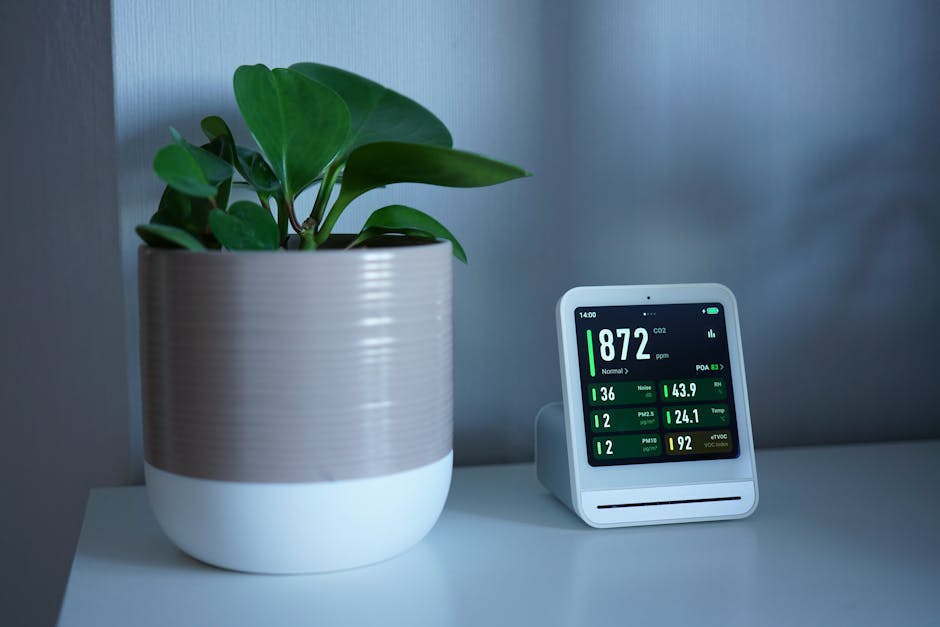
CT clamps measure current flowing through wires and convert it to power consumption data. They connect to a data aggregator like the Emporia Vue, Shelly EM, or a custom Arduino setup that sends readings to Home Assistant via WiFi or Zigbee. When installing CT clamps, proper polarity matters—incorrect orientation produces negative readings that skew your energy data. Individual circuit monitoring requires one CT clamp per circuit, while whole-home monitoring uses a main line clamp. Smart plugs (Shelly, TP-Link Kasa, Zigbee-compatible models) measure individual appliance consumption and cost $10-30 each. For solar systems, add a solar inverter with Home Assistant support (SolarEdge, Fronius, Enphase). WiFi and Zigbee are the most common wireless protocols; Matter protocol support is expanding in 2026, offering improved interoperability and reliability. Budget $200-500 for a basic setup and $1,000+ for comprehensive multi-circuit monitoring with solar integration.
How Do You Configure Home Assistant for Real-Time Energy Tracking?
Home Assistant’s energy configuration process has been streamlined significantly by 2026. Start by accessing the Energy Dashboard through Home Assistant’s Settings menu. The dashboard guides you through adding energy sources: grid consumption, solar production (if applicable), and battery storage. For each source, you’ll select the corresponding sensor or entity that provides the data. If using CT clamps, ensure your aggregator device (like Emporia Vue) is properly integrated with Home Assistant first. The integration process varies by device—some use YAML configuration files, while others use the UI-based integration workflow. Most modern devices support the latter, which is simpler for beginners.
Once energy sources are configured, Home Assistant automatically calculates consumption trends, daily totals, and cost estimates. You can set electricity rates (fixed or time-of-use) to see real-time cost information. The platform stores historical data locally, allowing you to review consumption patterns over weeks, months, and years. Advanced users create custom automations and scripts—for example, triggering notifications when a specific appliance exceeds its typical consumption, indicating a malfunction. You can also set up automations to shift energy-intensive tasks (like EV charging or water heater heating) to off-peak hours when rates are lower. Home Assistant’s template sensors allow you to create custom calculations, such as tracking phantom loads from always-on devices or calculating the percentage of solar energy used versus exported to the grid.
Integration with smart thermostats enhances energy tracking. Smart thermostats with AI-driven features can reduce HVAC consumption while Home Assistant monitors the actual impact. For those with vehicle-to-load (V2L) capable electric vehicles, Home Assistant can optimize home charging times to maximize solar utilization or minimize grid demand charges. The platform’s flexibility means you can create custom dashboards displaying only the metrics that matter to you—energy consumption by room, appliance, time of day, or any other dimension.
What Integrations Expand Home Assistant Energy Monitoring Capabilities?
Home Assistant’s ecosystem includes hundreds of official and community integrations that enhance energy monitoring. Popular energy-specific integrations include Emporia Vue (whole-home and circuit-level monitoring), Sense (AI-powered appliance detection), Shelly devices (CT clamps and smart plugs), and utility provider integrations that pull consumption data directly from your electric company. AI appliance recognition technology in 2026 can identify which devices are consuming power, though accuracy varies by model and home setup. Some utility companies offer API access to real-time consumption data, allowing Home Assistant to display exactly what the grid sees.
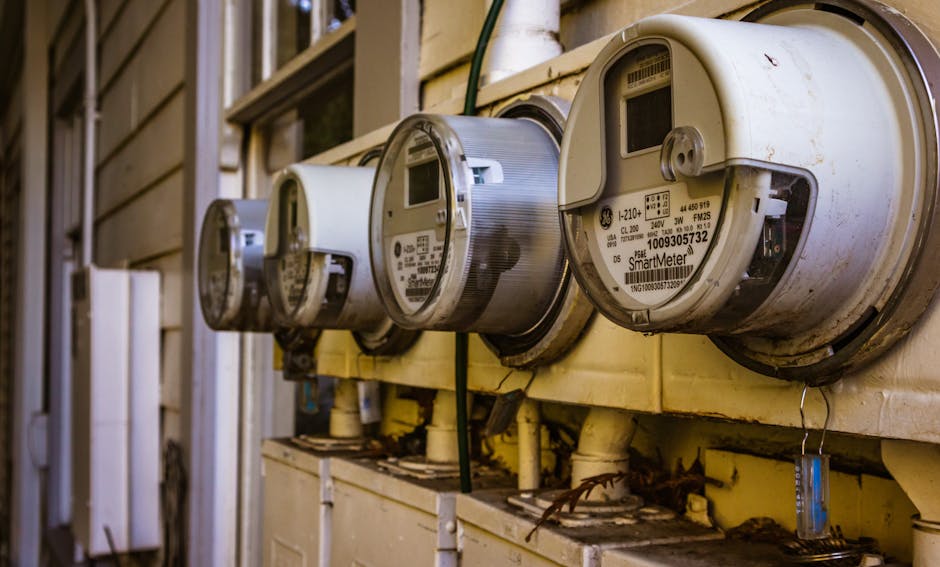
Solar inverter integrations (SolarEdge, Fronius, Enphase, SMA) provide real-time generation data, enabling you to see net consumption (grid draw minus solar production). Battery system integrations (Tesla Powerwall, LG Chem, Victron) show charge/discharge cycles and stored energy. HVAC system integrations track heating and cooling consumption separately. Water heater integrations monitor electric or heat pump water heater usage. These integrations transform Home Assistant from a simple consumption tracker into a comprehensive energy intelligence platform. Community-developed integrations expand capabilities further—for example, integrations that pull weather data to correlate heating/cooling needs with outdoor temperature, or integrations with smart irrigation controllers to optimize landscape watering based on rainfall and soil moisture.
How Do You Optimize Your Home’s Energy Usage Based on Real-Time Monitoring Data?
Real-time monitoring reveals consumption patterns invisible from monthly utility bills. After two weeks of data collection, you’ll identify your home’s baseline consumption, peak usage times, and anomalies. This information drives optimization decisions. Start by identifying the largest consumers: typically HVAC, water heating, and major appliances. If your smart thermostat can operate without WiFi, you have reliable climate control even during internet outages, but Home Assistant integration provides optimization benefits through scheduling and automation. Set the thermostat to pre-cool or pre-heat before peak rate periods, reducing consumption during expensive hours.
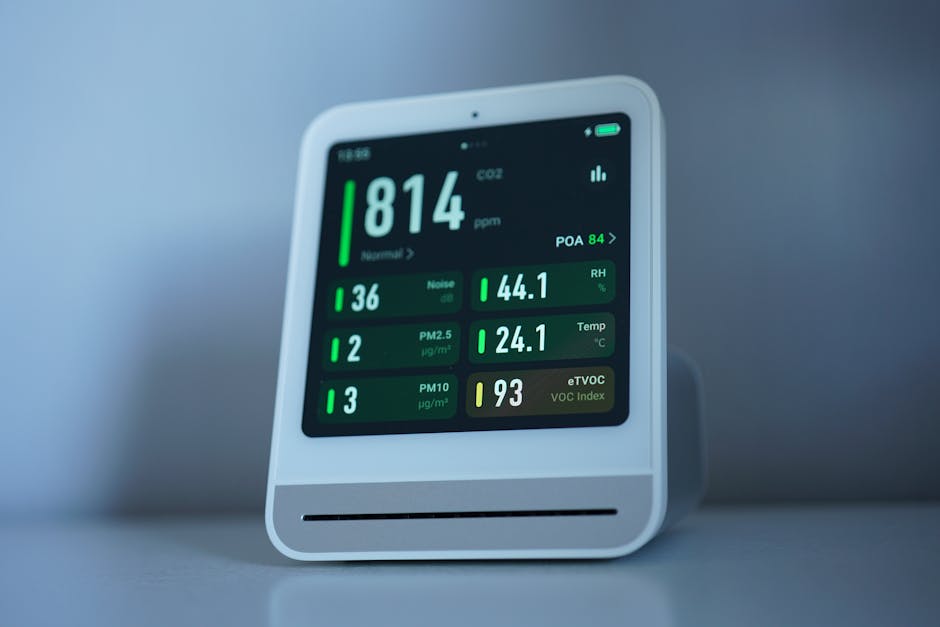
Water heating often represents 15-25% of household energy use. If you have an electric water heater or heat pump water heater, Home Assistant automations can heat water during off-peak hours or when solar production peaks. Smart plug integrations on dedicated circuits allow you to shift loads: run dishwashers, laundry, and pool pumps during low-rate periods. Time-of-use (TOU) electricity rates vary by utility and time of day—some offer rates as low as $0.08/kWh during off-peak hours versus $0.35/kWh during peak. Home Assistant can automatically adjust device scheduling based on your utility’s published TOU schedule. If you have solar panels, automations can prioritize high-consumption tasks (EV charging, pool heating, water heating) when solar production is highest, maximizing self-consumption and minimizing grid purchases.
Phantom load elimination is another quick win. Home Assistant identifies devices consuming power when supposedly off. Smart plugs with energy monitoring reveal which always-on devices waste the most energy. Common culprits include entertainment systems, computer equipment, and older appliances. Automations can cut power to these devices during sleep hours or when you’re away. The number of smart devices needed for meaningful energy savings depends on your home’s consumption profile—targeting the top 5-10 energy consumers yields 80% of potential savings. Monthly reviews of Home Assistant’s energy data reveal trends: seasonal variations, the impact of behavior changes, and ROI on efficiency upgrades. This data-driven approach justifies investments in heat pumps, solar panels, or battery storage by showing actual consumption reduction.
What Are Common Mistakes When Setting Up Home Assistant Energy Monitoring?
New Home Assistant users often make preventable errors that compromise data accuracy or limit functionality. The most common mistake is incorrect CT clamp polarity, which produces negative readings and skews total consumption calculations. Always verify clamp orientation during installation and test readings immediately after setup. Another frequent error is failing to configure accurate electricity rates in the energy dashboard. Without correct rates, cost calculations are meaningless, eliminating a key motivation for optimization. Some users install CT clamps on only a few circuits, thinking they’ll add more later, then abandon the project when partial data proves less useful than expected. A more strategic approach involves planning your monitoring scope upfront—decide whether you want whole-home monitoring, circuit-level detail, or individual appliance tracking, then install hardware accordingly.
Inadequate Home Assistant hardware causes performance degradation as data accumulates. A Raspberry Pi 3 struggles with multiple integrations and months of historical data; upgrade to a Pi 4 (8GB) or dedicated hardware for reliability. Many users neglect proper WiFi or Zigbee mesh setup, resulting in unreliable sensor readings. Energy monitoring devices need stable connectivity; a single weak link drops data points and creates gaps in your consumption history. Some users disable local data storage or misconfigure database settings, losing historical data during updates. Home Assistant stores data locally by default—this is a feature, not a bug—but requires adequate storage space (at least 32GB for long-term data retention). Finally, users sometimes expect immediate energy savings after setup. Real optimization requires 4-8 weeks of data collection to identify patterns and implement effective automations. Patience and systematic testing yield better results than reactive changes.
How Do You Troubleshoot Energy Monitoring Issues in Home Assistant?
Energy monitoring problems typically fall into three categories: sensor connectivity, data accuracy, and integration issues. For connectivity problems, verify that your energy monitoring devices (CT clamp aggregators, smart plugs, inverters) appear in Home Assistant’s device list and show recent activity timestamps. If devices are offline, check WiFi signal strength—use Home Assistant’s WiFi integration or a separate WiFi analyzer app to identify weak coverage areas. Adding a WiFi mesh system or Zigbee repeater often resolves connectivity issues. For Zigbee devices, ensure your Zigbee coordinator (like a ConBee II stick) has a clear line of sight to devices and isn’t near sources of interference (microwaves, cordless phones).
Data accuracy issues often stem from sensor misconfiguration. If consumption readings seem too high or too low, verify that your CT clamps are clamped around the correct wires (not the neutral), that polarity is correct, and that the clamp’s amp rating matches your circuit’s expected current. For smart plugs, confirm they’re measuring the correct device and that the device is actually consuming power when readings suggest it is. Some devices report power in watts while others use kilowatts—Home Assistant’s template sensors can convert units if needed. Integration issues usually appear as “unavailable” sensors or missing data. Check Home Assistant’s integration settings, ensure API credentials are current, and review logs for error messages. Many integration issues resolve after restarting Home Assistant or reinstalling the integration. For persistent problems, consult the integration’s documentation or Home Assistant community forums, where thousands of users share solutions.
What Advanced Features Does Home Assistant Offer for Energy Management in 2026?
By 2026, Home Assistant’s energy capabilities have matured beyond basic monitoring. The platform now includes predictive analytics that forecast consumption based on historical patterns and weather data. If your home’s heating demand correlates with outdoor temperature, Home Assistant can predict tomorrow’s consumption and suggest optimal thermostat settings. Machine learning features detect anomalies—unusual consumption spikes that might indicate appliance failures or inefficiencies. For example, if your refrigerator’s energy consumption increases 50% compared to its baseline, Home Assistant alerts you to potential compressor wear. Some users integrate Home Assistant with demand response programs offered by utilities, allowing the platform to automatically reduce consumption during grid stress events in exchange for rate discounts.
Battery optimization has become increasingly important as home battery systems proliferate. Home Assistant can optimize charge/discharge cycles to maximize self-consumption, reduce demand charges, or participate in grid services. Advanced users create complex automations that consider electricity prices, solar forecasts, battery state of charge, and home occupancy to make real-time energy decisions. Integration with EV charging systems allows Home Assistant to charge vehicles during optimal times—when solar production peaks, rates are lowest, or grid demand is minimal. Some utilities offer vehicle-grid integration (VGI) programs where your EV battery can discharge to power your home or the grid during peak periods, earning credits. Home Assistant can manage these programs automatically, turning your EV into a distributed energy resource.
Community-developed custom integrations and automations extend functionality further. Users share blueprints—pre-built automation templates—for common scenarios like “shift laundry to off-peak hours” or “charge EV when solar production exceeds home consumption.” The Home Assistant community actively develops AI-powered features that learn your household patterns and make increasingly intelligent recommendations. By April 2026, some users report that their Home Assistant energy automations have reduced consumption by 20-35% without requiring significant lifestyle changes. The platform’s open-source nature means continuous improvement and community-driven feature development, ensuring that your energy monitoring system evolves with technology.
How Do You Use Home Assistant Energy Data to Make Home Improvement Decisions?
Home Assistant’s historical data provides the business case for efficiency investments. Before upgrading your HVAC system, you know exactly how much energy it consumes monthly. After the upgrade, you have concrete numbers showing the improvement. This data justifies costs to yourself and your family. If your water heater consumes 4,000 kWh annually (typical for electric resistance), upgrading to a heat pump water heater that uses 2,000 kWh is a no-brainer when you see the numbers. Similarly, if solar production data shows your roof receives 5-6 peak sun hours daily, you know solar panels will generate sufficient power. Home Assistant data answers critical questions: “How much will insulating my attic save?” (by showing heating/cooling consumption trends), “Should I upgrade to a heat pump?” (by revealing HVAC’s share of total consumption), or “Is a battery worth the investment?” (by showing how much solar production you’re exporting to the grid unused).
Energy monitoring also reveals behavioral opportunities. If your data shows consumption spikes at 6 PM when everyone showers and cooks, shifting some activities to earlier or later times reduces peak demand and, on TOU rates, saves money. If your home’s baseline consumption (when everyone is asleep) is 500W, that phantom load represents $40-60 monthly. Identifying and eliminating those always-on devices delivers immediate savings. Home Assistant’s ability to disaggregate consumption by circuit or device means you can prioritize improvements strategically. Rather than guessing which upgrade will save the most, you make decisions based on data. This approach transforms home energy management from a vague goal into a measurable, achievable optimization project.
Is Real-Time Home Energy Monitoring with Home Assistant Worth Implementing in 2026?
Real-time home energy monitoring with Home Assistant delivers substantial value for homeowners committed to energy optimization. The financial case is compelling: a $300-500 initial investment in Home Assistant hardware and CT clamps typically pays for itself within 12-24 months through reduced energy consumption. For homeowners with solar panels, heat pumps, batteries, or time-of-use electricity rates, payback is often faster. The non-financial benefits are equally important. Home Assistant provides genuine peace of mind—you know your home’s energy status at all times, can detect problems immediately, and optimize consumption with confidence. The privacy advantage of local-only data storage appeals to security-conscious homeowners. The flexibility of open-source software means you’re not locked into a single manufacturer’s ecosystem; you can integrate devices from dozens of brands and switch devices without losing functionality.
Home Assistant energy monitoring is particularly valuable if you’re considering major investments like solar panels, battery storage, heat pumps, or EV charging. Baseline consumption data informs system sizing—you’ll know exactly how much solar capacity you need or whether a 10 kWh or 15 kWh battery suits your home. For existing solar or battery owners, Home Assistant optimization can improve ROI by 15-25% through intelligent load shifting and self-consumption maximization. The learning curve is manageable for technically inclined users; those less comfortable with technology can hire installers or join Home Assistant communities for support. By April 2026, Home Assistant has matured significantly, with extensive documentation, thousands of integrations, and a supportive global community. The platform’s continuous improvement means your investment remains relevant for years.
The main limitation is that Home Assistant requires some technical competency and ongoing maintenance. Unlike plug-and-play systems, you’re responsible for hardware setup, software updates, and troubleshooting. However, this responsibility comes with control and customization that proprietary systems can’t match. For homeowners serious about energy optimization, reducing utility costs, or maximizing renewable energy systems, Home Assistant energy monitoring is an excellent investment. For those seeking a simple solution with minimal involvement, commercial alternatives like Sense or Emporia Vue offer easier setup, though with less flexibility and higher long-term costs. The ideal approach combines Home Assistant’s power with professional installation for complex setups—many electricians now offer Home Assistant integration services. Ultimately, real-time energy monitoring transforms an invisible utility into visible, manageable data, enabling informed decisions that benefit your wallet and the environment.
Frequently Asked Questions
Can Home Assistant Monitor Energy Without Smart Devices?
Home Assistant can monitor whole-home or circuit-level energy with just CT clamps and an aggregator device—you don’t need individual smart plugs. However, CT clamps show total consumption for circuits, not specific appliances. Adding smart plugs to major appliances provides appliance-level detail, but it’s optional. Start with CT clamps for whole-home visibility, then add smart plugs selectively for devices you want to monitor individually.
What’s the Best CT Clamp for Home Assistant in 2026?
Popular options include Emporia Vue (circuit and whole-home monitoring, excellent Home Assistant integration), Shelly EM (WiFi-based, affordable), and Sense Energy Monitor (includes AI appliance detection). Choice depends on your needs: Emporia Vue suits circuit-level monitoring, Shelly EM works for individual circuits or whole-home on a budget, and Sense excels at appliance identification. All integrate well with Home Assistant by 2026.
How Accurate Is Home Assistant Energy Monitoring?
CT clamp accuracy typically ranges from 90-98%, depending on clamp quality and installation. Smart plug accuracy is generally 95%+ for modern devices. Accuracy degrades with improper clamp polarity, loose connections, or low-quality hardware. Verify readings against your utility bill monthly; minor discrepancies (2-5%) are normal, but larger gaps indicate calibration issues requiring investigation and adjustment.
Does Home Assistant Work With Solar Inverters?
Yes, Home Assistant integrates with most major solar inverters including SolarEdge, Fronius, Enphase, SMA, and Tesla Powerwall. Integration methods vary—some use WiFi APIs, others use local protocols. Check your inverter’s compatibility before purchasing; most 2024-2026 models support Home Assistant integration either natively or through community integrations.
Can Home Assistant Reduce My Electricity Bill?
Home Assistant itself doesn’t reduce bills, but the insights it provides enable reductions of 10-30% through load shifting, phantom load elimination, and behavioral changes. Combined with smart devices (thermostats, smart plugs), solar panels, or batteries, reductions of 20-40% are achievable. Actual savings depend on your home, utility rates, and willingness to optimize consumption patterns.
Is Home Assistant Secure for Energy Monitoring?
Home Assistant stores all energy data locally on your hardware, never uploading to cloud servers unless you explicitly enable cloud features. This approach is more secure than cloud-dependent systems. However, ensure your Home Assistant instance has a strong password, runs on updated hardware/software, and is protected by your home network’s firewall. For added security, restrict Home Assistant access to your local network only.






Write Your Review
No reviews yet. Be the first to share your experience!