

How Does Geofencing Save Money on Heating and Cooling?
Geofencing saves money on heating and cooling by automatically adjusting your HVAC system based on your location, reducing energy waste when you’re away from home. This technology uses GPS or Bluetooth to detect when you leave your property and lowers your thermostat in winter or raises it in summer, then returns to your preferred temperature before you arrive. According to the U.S. Department of Energy, heating and cooling account for approximately 40-50% of residential energy consumption, making this one of the most impactful areas for savings. Homeowners using geofencing-enabled smart thermostats report energy savings of 10-23% annually. The system eliminates the common problem of running your HVAC system at full capacity while nobody is home, which wastes hundreds of dollars yearly. By intelligently managing temperature schedules based on actual occupancy patterns, geofencing creates a seamless balance between comfort and efficiency that manual adjustments simply cannot match.
What Is Geofencing Technology and How Does It Work?
Geofencing is a location-based technology that creates virtual boundaries around your home using GPS, cellular data, or Bluetooth signals. When your smartphone crosses these predetermined boundaries, it triggers automated actions on your smart thermostat. The system works by communicating with your mobile device through your home’s Wi-Fi network or your smart thermostat’s built-in connectivity. As you drive away from home, your phone’s location data signals the thermostat to enter “away” mode, reducing heating or cooling to pre-set energy-saving temperatures. When you approach your home, the system detects your return and begins adjusting the temperature back to your comfort settings, ensuring your home reaches the desired climate just as you arrive.

Modern geofencing systems use multiple location methods for accuracy. GPS provides precise outdoor tracking but consumes more battery power. Bluetooth offers shorter-range detection ideal for driveway proximity, while cellular triangulation works when GPS signals are weak. The best systems combine these methods to reduce false triggers—situations where your phone leaves but you remain home, or vice versa. Most smart thermostats like Amazon’s Smart Thermostat with Voice Control and Nest include geofencing as a standard feature, requiring only smartphone app setup and location permissions to function effectively.
Why Is Geofencing More Effective Than Traditional Programmable Thermostats?
Traditional programmable thermostats operate on fixed schedules regardless of your actual location or routine changes. If you leave work early, stay late, or take an unexpected vacation, your thermostat continues running at comfort temperatures, wasting energy. Geofencing adapts to your real-world movements, not predetermined time slots. This flexibility is crucial because modern lifestyles are unpredictable—work schedules vary, travel plans change, and family members have different routines.
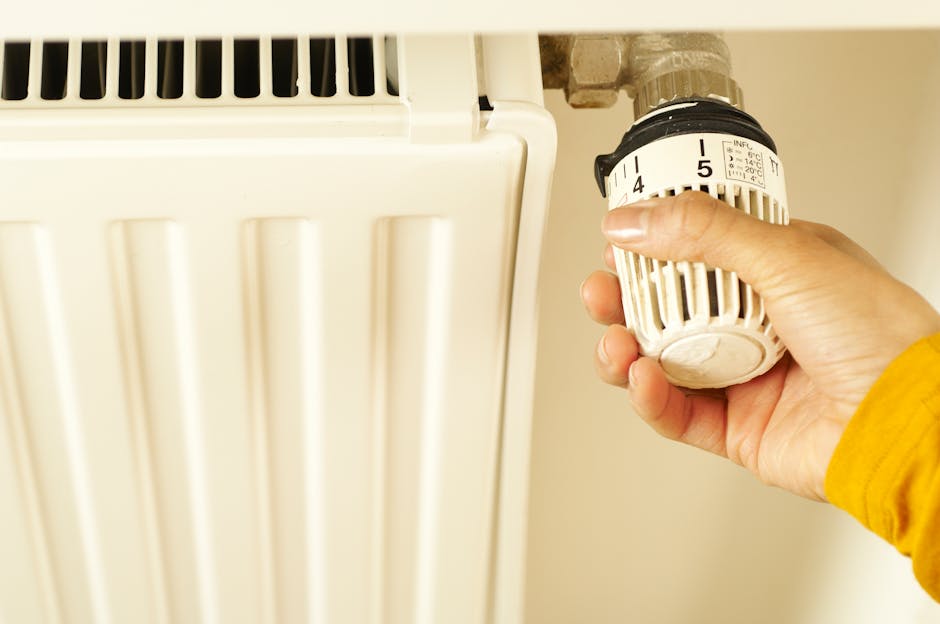
Programmable thermostats also suffer from user error. Studies show that up to 50% of homeowners never properly program their thermostats or fail to adjust them seasonally. Geofencing eliminates this problem by operating automatically without requiring manual intervention. Additionally, geofencing systems learn your patterns over time through machine learning algorithms. They recognize that you typically leave at 8 AM on weekdays but stay home on weekends, automatically adjusting expectations and reducing unnecessary temperature adjustments. This intelligent adaptation means your system becomes more efficient the longer you use it. Unlike fixed schedules, geofencing provides real-time responsiveness to your lifestyle, delivering consistent comfort without energy waste.
How Much Money Can You Actually Save with Geofencing?
Actual savings depend on several factors including your climate zone, home size, current HVAC efficiency, and how much time you spend away from home. The U.S. Environmental Protection Agency reports that programmable thermostats can save 10-15% on heating and cooling costs, but geofencing systems typically exceed these figures by adapting to actual behavior rather than fixed schedules.

For a typical household spending $1,500 annually on heating and cooling, a 15% savings equals $225 per year. Homes in extreme climates (very hot summers or cold winters) see higher absolute savings. A household in Minnesota or Arizona might save $400-600 annually, while moderate climates might see $150-300 savings. Multi-story homes and properties with poor insulation benefit more because temperature adjustments create larger energy impacts. Conversely, well-insulated homes with efficient HVAC systems see more modest percentage gains but still meaningful dollar amounts.
The payback period for a geofencing-capable smart thermostat typically ranges from 1-3 years. Quality models cost $200-400, meaning annual savings of $100-200 break even within 2-4 years. After that period, every year delivers pure savings. For renters or those planning to move within 2 years, geofencing’s value proposition weakens unless the thermostat is portable. However, for homeowners staying long-term, geofencing represents one of the highest-ROI smart home investments available.
How Do You Set Up Geofencing on Your Smart Thermostat?
Setting up geofencing requires a compatible smart thermostat, a smartphone with location services enabled, and a reliable home Wi-Fi network. The process is straightforward and typically takes 10-15 minutes. Here’s the step-by-step process:
Step 1: Install Your Smart Thermostat
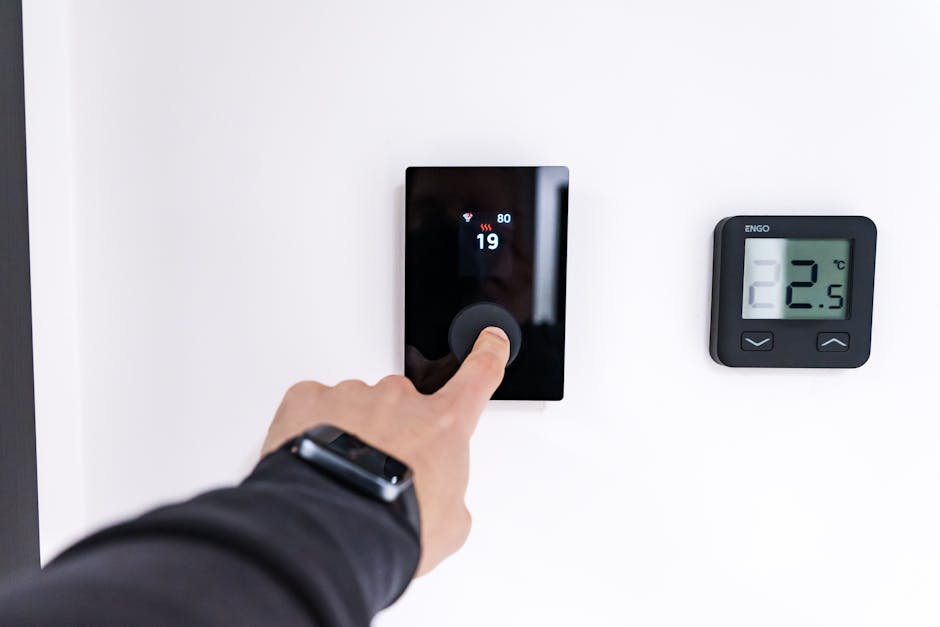
First, install a geofencing-compatible smart thermostat. Popular options include Google Nest, Ecobee, Honeywell Home, and Amazon Smart Thermostat. Follow the manufacturer’s wiring instructions carefully, as improper installation can damage your HVAC system. If you’re uncomfortable with electrical work, hire a professional HVAC technician. Most thermostats require turning off power at your breaker box during installation for safety. Once installed, power it back on and verify it communicates with your HVAC system by testing heating or cooling mode.
Step 2: Download and Configure the Mobile App
Download your thermostat’s companion app from the Apple App Store or Google Play Store. Create an account and sign in. Navigate to settings and locate the geofencing or location-based features section. The app will request permission to access your phone’s location data—grant this permission for geofencing to function. Without location access, the system cannot detect when you leave or arrive home.
Step 3: Set Your Home Location
In the app, set your home’s location by dropping a pin on the map or allowing the app to use your current location. Most systems let you adjust the geofence radius—typically 250-1,000 feet. A smaller radius means more precise detection but may trigger false alerts if your signal wavers. A larger radius provides buffer but might adjust temperature prematurely. Start with the default setting and adjust based on real-world performance.
Step 4: Configure Away and Home Temperatures
Set your desired “away” temperature—typically 62-68°F in winter (to prevent pipe freezing while saving energy) and 78-82°F in summer. Set your “home” temperature to your comfort preference, usually 70°F in winter and 72°F in summer. Some systems allow different settings for different family members or times of day. Test these settings over several days to find the sweet spot between comfort and savings.
Step 5: Add Multiple Users (Optional)
If multiple household members have smartphones, add them to the app. Most geofencing systems use “anyone home” logic—if any family member is within the geofence, the thermostat stays in home mode. This prevents the system from switching to away mode when one person leaves while others remain home. This feature is essential for multi-person households to avoid comfort disruptions.
Step 6: Monitor and Adjust
Track your energy usage through the app’s dashboard. Most modern smart thermostats provide detailed energy reports showing consumption patterns and savings. After 2-4 weeks, review your settings and adjust if needed. You might discover that your away temperature is too extreme or that the geofence radius causes false triggers. Fine-tuning based on real data maximizes both comfort and savings.
Common Setup Mistakes to Avoid
Don’t set away temperatures too extreme—excessively low winter temperatures risk pipe freezing, while extremely high summer temperatures can damage electronics or spoil food. Don’t forget to add all household members to the app, or the system will switch to away mode when they leave. Don’t ignore location permissions—if your phone can’t access location data, geofencing won’t work. Don’t overlook your home Wi-Fi connection—if your thermostat loses internet connectivity, it reverts to manual mode and loses geofencing capability. Finally, don’t set overly small geofence radii that trigger false alerts every time you sit in your driveway or run to the mailbox.
What Are the Most Common Geofencing Mistakes That Reduce Savings?
Many homeowners implement geofencing but fail to maximize its benefits due to common configuration errors. Understanding these mistakes helps you avoid them and achieve optimal results.
Mistake 1: Unrealistic Away Temperatures
Setting away temperatures too extreme reduces savings potential. If you set winter away temperature to 55°F, your HVAC system must work harder when you return home, consuming more energy during the recovery period. Similarly, setting summer away temperature to 85°F requires significant cooling energy to reach comfort levels. Research suggests that 4-7°F adjustments from your comfort temperature provide optimal savings without excessive recovery energy. A 4-degree setback in winter saves approximately 1-3% of heating energy per degree.
Mistake 2: Ignoring Occupancy Patterns
Geofencing works best when you understand your actual occupancy. If you frequently run errands during the day but return home for lunch, constant temperature cycling wastes energy. Use your thermostat’s scheduling features to create exceptions—perhaps keeping home temperature during lunch hours even though you’re technically away. Some systems allow you to manually override geofencing for predictable absences.
Mistake 3: Poor Geofence Radius Configuration
A geofence radius that’s too small triggers false away-mode switches when you’re sitting in your driveway or in your front yard. A radius that’s too large activates home mode while you’re still several blocks away, wasting energy before you arrive. Test different radius settings over 2-3 weeks and select the one that minimizes false triggers while maintaining responsiveness.
Mistake 4: Forgetting Guest Considerations
Geofencing systems using “anyone home” logic will keep your thermostat in home mode when guests arrive, even if no permanent residents are present. If you frequently host visitors while away, manually override geofencing settings or temporarily disable the feature during guest stays.
How Does Geofencing Compare to Other Smart Home Energy-Saving Technologies?
Geofencing works most effectively as part of a comprehensive smart home energy strategy. Understanding how it complements other technologies helps you build a complete system. Smart plugs save money on electric bills by eliminating phantom power draw from devices in standby mode, while geofencing optimizes your largest energy consumer—HVAC systems. Together, they address different energy waste sources.
Smart blinds and shades save energy by managing solar heat gain, reducing your HVAC system’s workload. When combined with geofencing, this creates a synergistic effect—smart blinds close automatically on hot summer days to reduce cooling demand, while geofencing prevents cooling empty rooms. The combination can exceed 25% total energy savings.
Research on optimal smart home device quantity suggests that geofencing thermostats should be your first investment, followed by smart blinds if you have significant south or west-facing windows, then smart plugs for high-draw devices. This layered approach maximizes ROI by addressing the highest-impact energy consumers first.
For those interested in monitoring overall impact, real-time home energy monitoring with Home Assistant provides detailed visibility into which systems consume the most energy and how geofencing affects your consumption patterns. This data-driven approach helps optimize all your energy-saving investments.
What Features Should You Look for in a Geofencing-Capable Thermostat?
Not all smart thermostats offer equally effective geofencing. When comparing models, evaluate these critical features:
Geofencing Accuracy and Reliability
Look for thermostats using multiple location detection methods (GPS, Bluetooth, cellular) rather than relying on a single method. Hybrid approaches provide better accuracy in urban areas with signal interference. Read user reviews specifically mentioning geofencing performance—false triggers indicate poor implementation. The best systems allow adjustable geofence radius and sensitivity settings.
Multi-User Support
Ensure the thermostat supports multiple household members’ location data. Systems using “anyone home” logic prevent comfort disruptions when one person leaves while others remain. Some advanced systems offer presence prediction, estimating when you’ll arrive and pre-cooling or pre-heating accordingly.
Integration with Other Smart Home Systems
If you’re building a comprehensive smart home, choose a thermostat that integrates with your broader ecosystem. Understanding the difference between smart home and smart building helps you select products that work together seamlessly. Thermostats compatible with Home Assistant, Apple HomeKit, Google Home, or Amazon Alexa offer greater flexibility and automation possibilities.
Energy Reporting and Analytics
Detailed energy reports help you understand your consumption patterns and validate savings. Look for apps providing daily, weekly, and monthly comparisons, plus estimates of money saved. Some advanced systems use AI to predict your energy usage and suggest optimization opportunities. Smart home energy dashboards for Home Assistant offer even more detailed analytics if you’re willing to set up a home automation hub.
Learning Capabilities
Modern thermostats with machine learning improve over time by recognizing your patterns. They learn that you’re usually away Tuesday afternoons but home Wednesday mornings, automatically adjusting expectations. This adaptive behavior increasingly optimizes energy use without manual intervention.
Backup and Manual Controls
Ensure the thermostat functions without internet connectivity for basic heating and cooling control. Smart thermostats can work without Wi-Fi, though geofencing specifically requires internet to receive location data. Verify the device has physical buttons for manual temperature adjustment if your app fails.
How Does Geofencing Work with Multi-Zone HVAC Systems?
Homes with multi-zone HVAC systems—where different areas maintain separate temperature zones—face unique geofencing challenges and opportunities. Traditional geofencing controls your entire system’s temperature, but advanced systems can optimize individual zones.
If you have a multi-zone system with smart dampers or zone controllers, geofencing can close vents in unoccupied zones when you’re away, directing all heating or cooling to occupied spaces. This targeted approach saves more energy than simply lowering overall temperature. For example, if you’re away during work hours, the system might close upstairs bedroom vents and concentrate cooling on the first floor, where you spend evening hours.
However, most standard geofencing thermostats don’t natively support multi-zone optimization. You’ll need either a thermostat specifically designed for multi-zone systems or a home automation hub like Home Assistant that can coordinate multiple devices. The added complexity and potential cost may not justify the benefits for smaller homes, but larger properties with significant unused spaces benefit considerably from zone-aware geofencing.
Is Geofencing Worth It for Renters and Temporary Residents?
Renters and those planning short-term stays face different financial calculations than homeowners. Geofencing-capable smart thermostats cost $200-400, and renters cannot permanently install them without landlord permission. However, some solutions exist:
Portable smart thermostats allow temporary installation without permanent wiring modifications. These battery-powered devices sit on your existing thermostat and control it via infrared signals, similar to a universal remote. Installation takes minutes and requires no landlord approval. However, portable options offer less precise control and don’t integrate with your HVAC system as effectively as hardwired models.
If you’re renting long-term (3+ years) and your landlord permits modifications, installing a traditional smart thermostat becomes more justified. You can remove it when you move and take it to your next residence. For short-term renters in expensive climates, a portable solution might provide adequate savings to justify its $100-200 cost.
Frequently Asked Questions
Does geofencing work if multiple family members have different schedules?
Yes, most geofencing systems use “anyone home” logic, meaning if any family member’s phone is within the geofence, the thermostat stays in home mode. This prevents the system from switching to away mode when one person leaves while others remain home. However, if everyone leaves simultaneously, the system switches to away mode, which is the desired behavior for maximum savings.
What happens if your phone battery dies or you forget your phone?
If your phone dies or you leave it behind, the geofencing system cannot detect your absence, so your thermostat remains in home mode and continues using normal energy consumption. This is actually a safety feature—it’s better to waste energy than return home to an uncomfortably cold or hot house. Some advanced systems allow manual overrides or scheduled backups for predictable absences.
Can geofencing work with older HVAC systems?
Geofencing requires a compatible smart thermostat, which must communicate with your HVAC system. Most systems built after 1990 are compatible with modern smart thermostats, but very old systems may have unusual wiring. Have an HVAC professional verify compatibility before purchasing. If your system is incompatible, replacement thermostats are still significantly cheaper than replacing the entire HVAC system.
Does geofencing save money in mild climates?
Geofencing saves money in any climate, but the absolute dollar amount is smaller in mild climates where heating and cooling demands are lower. A household in San Diego might save $50-100 annually, while one in Minneapolis saves $300-400. However, percentage savings remain similar (10-23%) regardless of climate, so geofencing is worthwhile even in moderate regions.
How accurate is geofencing location detection?
Modern geofencing using hybrid GPS/cellular/Bluetooth detection is typically accurate to within 50-300 feet, depending on the system and local conditions. Urban areas with signal interference may experience less accuracy than rural areas. Most systems allow radius adjustment to compensate for accuracy variations. False triggers (incorrectly switching modes) happen occasionally but improve as the system learns your patterns.
Can you use geofencing with a programmable thermostat?
Traditional programmable thermostats don’t have geofencing capability because they lack Wi-Fi connectivity and location awareness. You must upgrade to a smart thermostat to access geofencing features. However, smart thermostats retain scheduling capabilities, so you get both geofencing and traditional scheduling for maximum flexibility.
Is Geofencing the Best Way to Optimize Your Home’s Heating and Cooling Costs?
Geofencing represents one of the most effective and cost-efficient ways to reduce heating and cooling expenses, delivering 10-23% annual savings with minimal user effort. Unlike programmable thermostats requiring manual adjustments or smart plugs addressing secondary loads, geofencing targets your largest energy consumer—HVAC systems—with automatic, behavior-responsive optimization. The technology’s payback period of 1-3 years makes it financially sound for homeowners planning to stay in their homes long-term.
However, geofencing works best as part of a comprehensive energy strategy rather than a standalone solution. Combining geofencing with Amazon Smart Thermostat’s Alexa Hunches for energy savings or other AI-powered features can amplify benefits. Adding smart blinds for solar heat management and smart plugs for phantom power elimination creates a synergistic system that can achieve 25-35% total energy reductions.
For renters or those with short time horizons, geofencing’s value proposition weakens due to high upfront costs and installation constraints. Portable solutions offer limited benefits, making them worthwhile only in expensive climates. For homeowners with stable occupancy patterns and significant time away from home, geofencing is absolutely worth implementing as your first smart home energy investment.
The best approach combines geofencing with periodic manual optimization—reviewing your away temperature settings seasonally, adjusting geofence radius based on performance, and monitoring energy reports to identify additional savings opportunities. This balanced approach maximizes both comfort and financial benefits while keeping implementation complexity manageable.







Write Your Review
No reviews yet. Be the first to share your experience!